1.更新软件列表
sudo apt-get update
2.安装apt-mirror
sudo apt-get install apt-mirror
3.配置mirror.list文件
mirror.list是apt-mirror的配置文件,通过它可以对apt-mirror的下载进行配置,路径是/etc/apt/mirror.list
下面是一份完整的mirror.list文件
############# config ##################

#

 set base_path    /mnt/share/debian-source

#

# set mirror_path  $base_path/mirror

# set skel_path    $base_path/skel

# set var_path     $base_path/var

# set cleanscript $var_path/clean.sh

# set defaultarch  <running host architecture>

# set postmirror_script $var_path/postmirror.sh

# set run_postmirror 0

set nthreads     10

set _tilde 0

#

############# end config ##############


deb-amd64 http://archive.debian.org/debian wheezy main contrib non-free

deb-src http://archive.debian.org/debian wheezy main contrib non-free


#clean http://archive.debian.org/debian
说明:
set base_path:
镜像的路径,也就是源储存的位置,需要自己设置,一般来说需要确保相应的磁盘具有足够的空间来储存(大约100GB以上)
set nthreads:
线程数,一般20~30个就足够了,线程越多下载越快(取决于带宽限制)
deb-amd64 http://archive.debian.org/debian wheezy main contrib non-free:
deb-amd64指定镜像amd64架构的软件包,可以换成其他需要的架构比如deb-i386,deb-armel等,只写deb默认镜像当前操作系统架构的软件包,deb-src表示镜像软件源代码,http://archive.debian.org/debian是镜像源地址,wheezy是指定镜像操作系统(用代号表示)的软件包,main,contrib,non-free为镜像的软件版本。
4.开始镜像
配置文件写好后,开始镜像
镜像过程需要十几个小时左右,建议在晚上睡觉前开始任务。
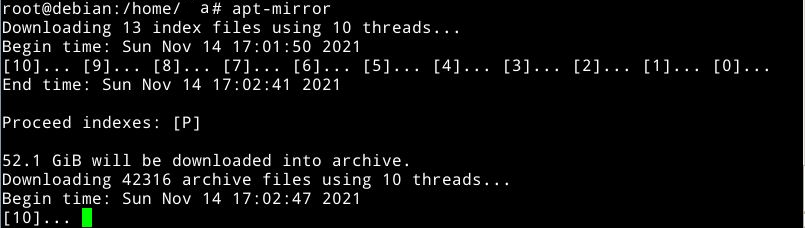
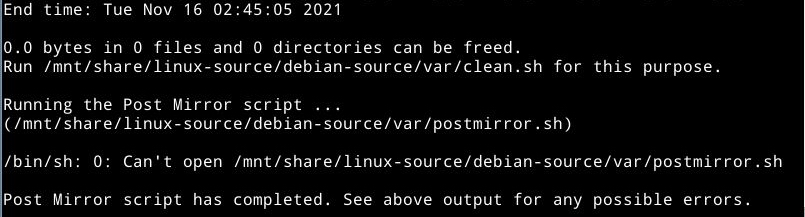
镜像完成
5.使用nginx搭建服务
软件源镜像完成后,就需要搭建http服务了。
修改nginx配置文件nginx.conf
server{

    listen  8080;

    server_name local;

    charset utf-8;

    root    /mnt/share/debian-source/mirrors/archive.debian.org;

    location / {

        autoindex on;

        autoindex_exact_size on;

        autoindex_localtime on;

    }

}
其中root后面的就是镜像的debian源路径
重启nginx
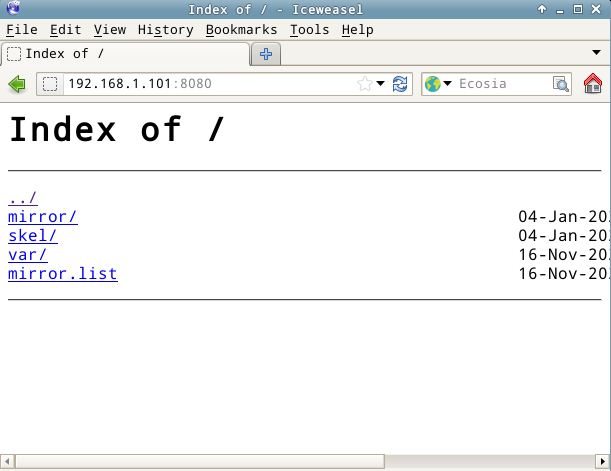
此时在浏览器中访问主机地址,可以看到debian源已经搭建好了
6.使用
在其他主机上,修改sources.list文件就可以使用本地源了
使用vi编辑/etc/apt/sources.list
最后一行加入以下内容,其中192.168.1.101就是本地源主机地址
保存退出,更新软件列表
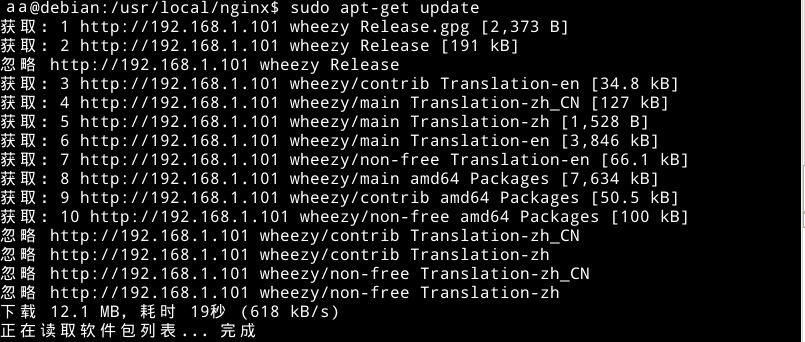
可以看到正在使用本地源更新软件列表