系统环境:
系统版本:Debian GNU/Linux 7.0 (wheezy)
make版本:GNU Make 3.81
gcc版本:gcc version 4.7.2 (Debian 4.7.2-5)
下载
nginx依赖包:
openssl-fips-2.0.2:https://www.openssl.org/source/
zlib-1.2.7:http://www.zlib.net/fossils/
pcre-8.21:https://sourceforge.net/projects/pcre/files/pcre/
nginx本体:
nginx-1.10.3:https://nginx.org/en/download.html
编译和安装
openssl
zlib
pcre
nginx
tar -zxvf nginx-1.10.3.tar.gz

cd nginx-1.10.3

./configure --prefix=/usr/local/nginx --with-openssl=../openssl-fips-2.0.2 --with-zlib=../zlib-1.2.7 --with-pcre=../pcre-8.21

sudo make

sudo make install
注意:--with-openssl=后面的目录是openssl源码解压后的目录,其他开关也是这个意思
启动nginx
切换到/usr/local/nginx/sbin,启动nginx
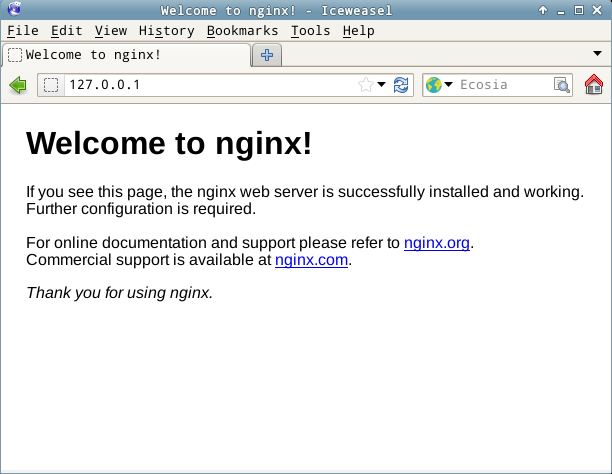
nginx服务启动后,在浏览器地址栏输入主机地址就可以访问到nginx的主页,出现下图页面说明nginx启动成功
nginx常用命令:
启动nginx
停止nginx
强行终止nginx
重启nginx(一般用于重新载入配置文件)
以配置文件/usr/local/nginx/conf/nginx.conf启动nginx
帮助
配置
环境变量
将/usr/local/nginx/sbin目录加入环境变量PATH,以便在任何地方都能使用nginx命令
最后一行加入
立即生效
文件服务
通过此项配置可以让nginx作为一个文件服务器使用
编辑/usr/local/nginx/conf/nginx.conf文件
在首行加入
在http模块内新建一个server
server{

    listen  8080;

    server_name local;

    charset utf-8;

    root    /mnt/share;

    location / {

        autoindex on;

        autoindex_exact_size on;

        autoindex_localtime on;

    }

}
其中/mnt/share是要显示的文件路径,保存退出
重启服务
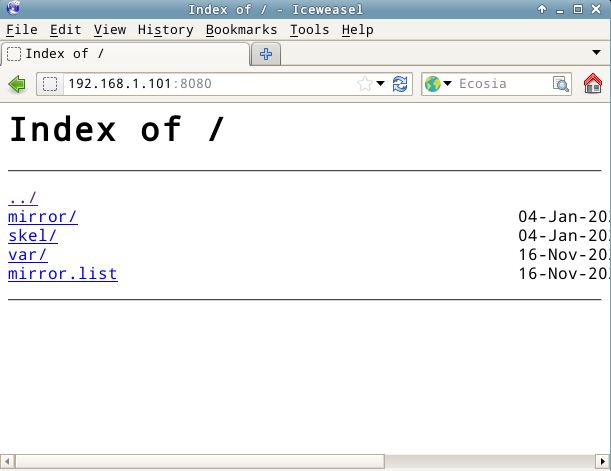
这样在输入http://主机地址:8080后就可以看到文件了,可以浏览和下载
自定义配置文件
如果需要nginx启动时运行自定义配置文件
创建自定义配置文件夹
在/usr/local/nginx/conf/nginx.conf最后一行加入
之后nginx启动就可以运行/etc/nginx/conf.d/的自定义配置文件了