msg

将消息发送给用户。


MSG {username | sessionname | sessionid | @filename | *}

    [/SERVER:servername] [/TIME:seconds] [/V] [/W] [message]


  username            标识指定的用户名。

  sessionname         会话名。

  sessionid           会话 ID。

  @filename           识别这样一个文件,该文件含有将所发消息发送到的用户

                      名、会话名和会话标识号的列表。

  *                   给指定服务器上的所有会话发送信息。

  /SERVER:servername  要联系的服务器(默认值是当前值)。

  /TIME:seconds       等待接收器确认消息的时间延迟。

  /V                  显示有关执行的操作的信息。

  /W                  等待用户的响应,跟 /V 一起有用。

  message             要发送的消息。如果没有指定,发出提示,或者从 stdin

                      读取。
使用示例
给192.168.10.1的所有用户( * )发送消息"hello world!"
msg /server: 192.168.10.1 * "hello world!"
给本系统的用户john发送消息"hello world!"
msg john "hello world!"
给本系统的所有用户发送消息"hello world!"
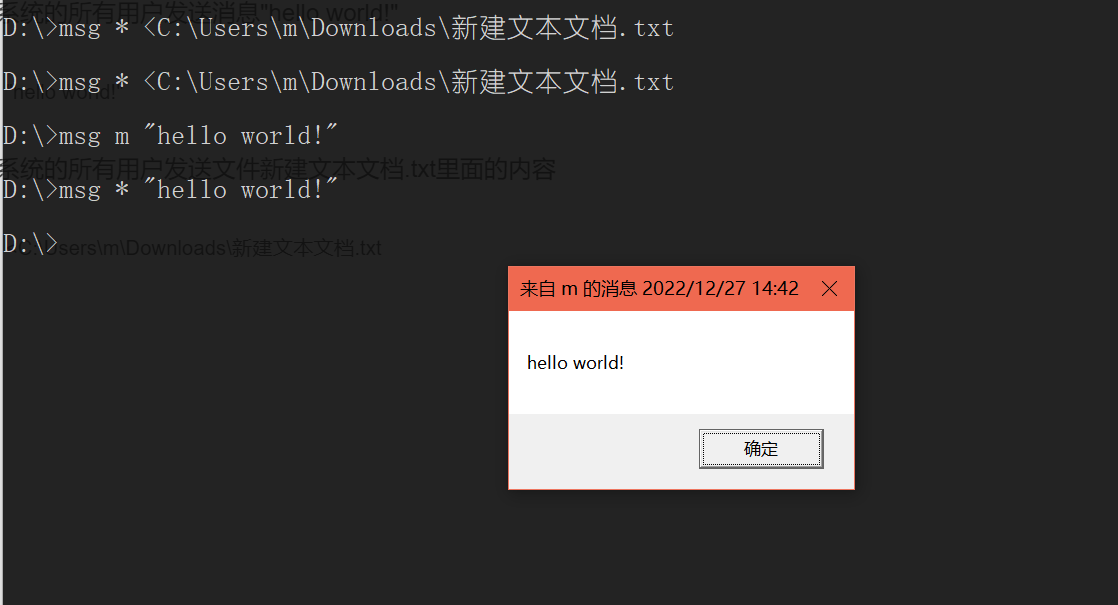
msg * "hello world!"
给本系统的所有用户发送文件新建文本文档.txt里面的内容
msg * <C:\Users\m\Downloads\新建文本文档.txt