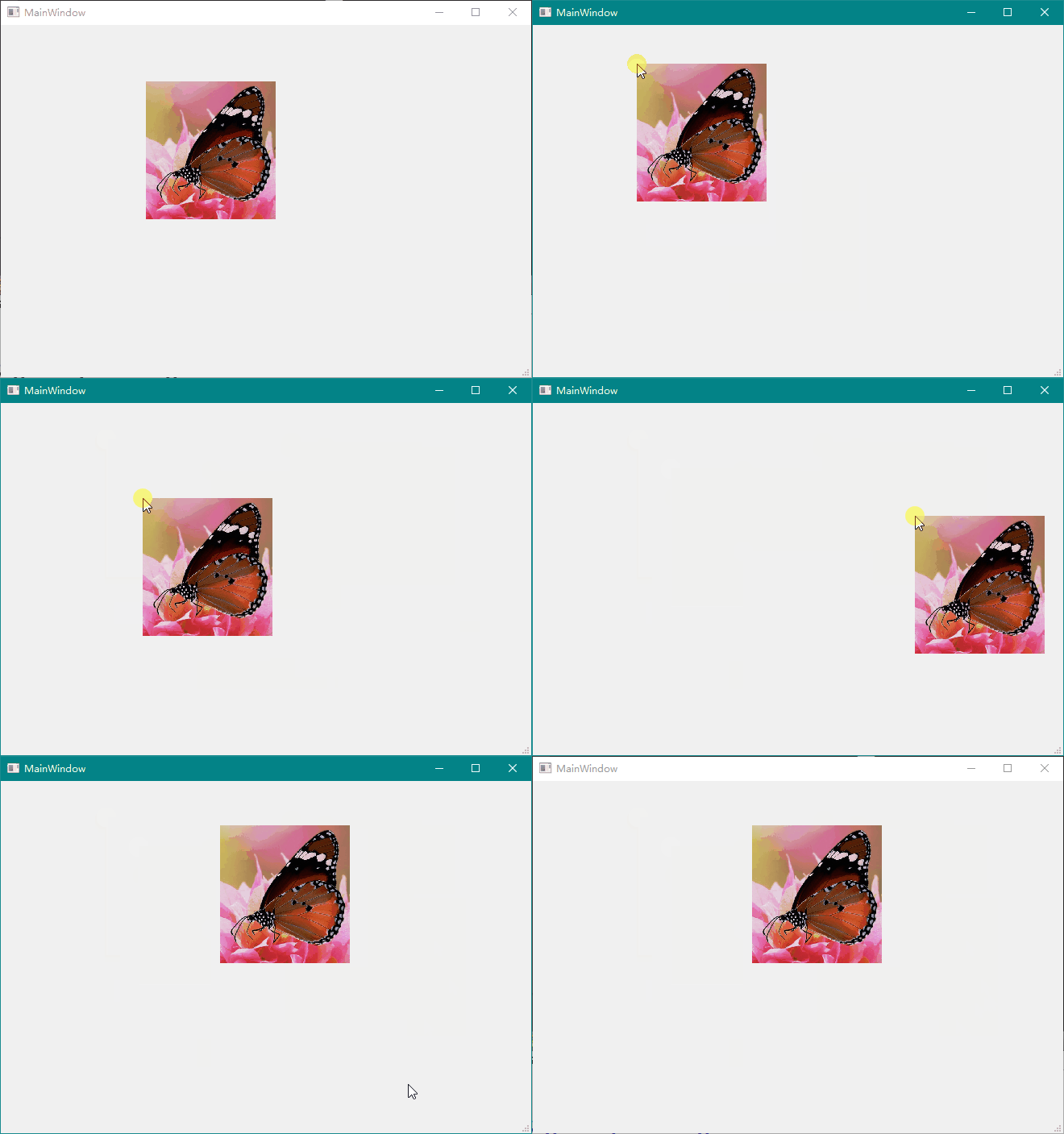
实现思路:
在标签上显示图片,通过对标签的移动实现图片的拖动效果
步骤:
首先导入图片资源文件
点击文件,建立文件或项目,选择qt资源文件
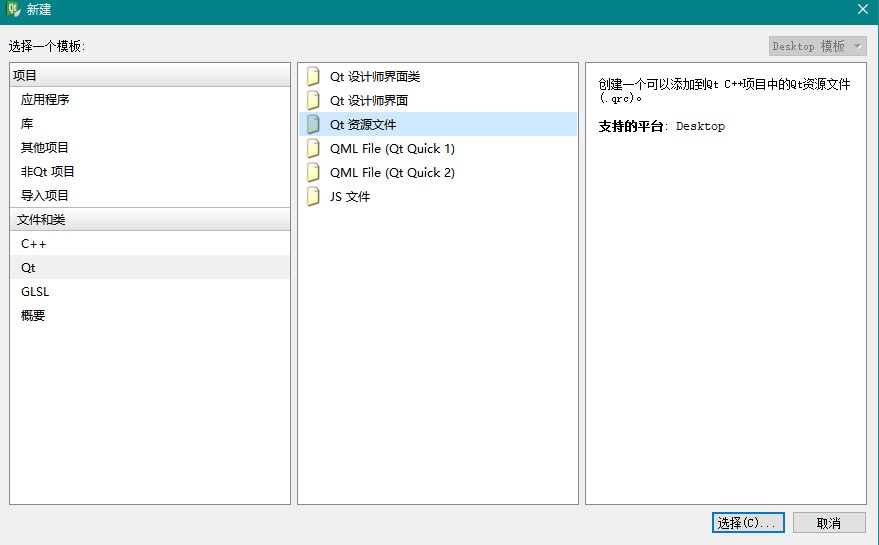
起名res
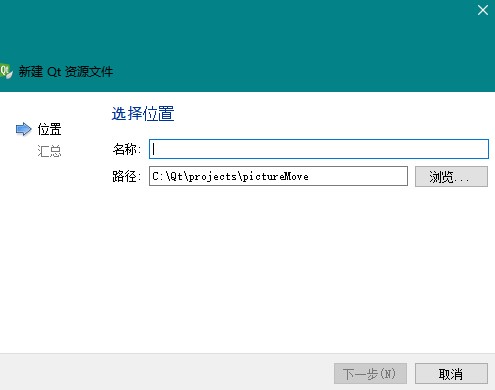
创建好后项目会出现资源文件夹,点击,打开res.qrc,在右侧点击添加,选择添加前缀
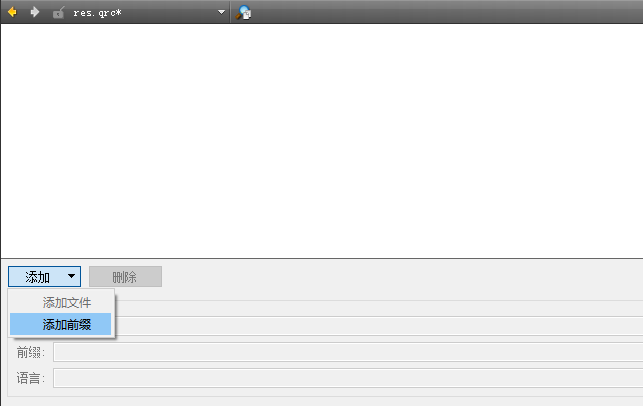
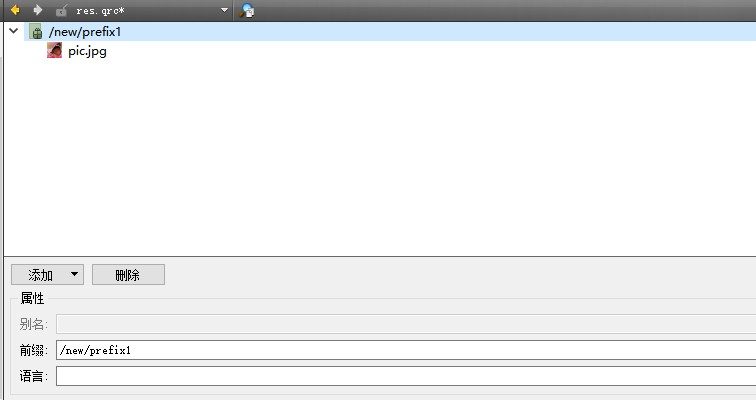
再次点击添加,点击添加文件,选择要拖动的图片,添加好的图片文件如下
点击界面文件进行编辑,新建一个标签
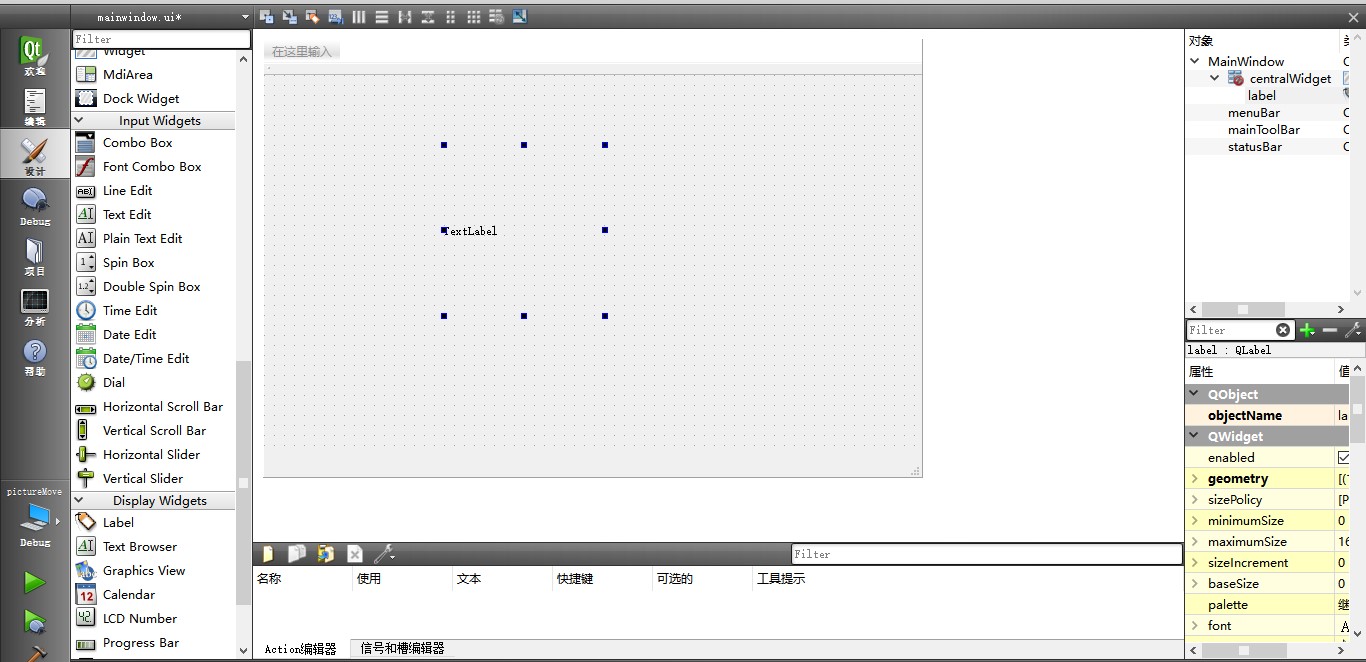
为标签增加图片,其中":/new/prefix1/pic.jpg"为图片资源的路径,格式为:+前缀+图片名。
    QImage image;

    image.load(":/new/prefix1/pic.jpg");

    ui->label->setPixmap(QPixmap::fromImage(image).scaled(ui->label->size()));
接下来就是最重要的实现鼠标拖动操作,只需要在窗体类中定义并覆写以下三个函数,定义一个移动许可标志
mainwindow.h
protected:

    void mousePressEvent(QMouseEvent *);

    void mouseMoveEvent(QMouseEvent *);

    void mouseReleaseEvent(QMouseEvent *);

private:

    bool moveAvailable;
mainwindow.cpp
void MainWindow::mousePressEvent(QMouseEvent *event){

    //窗体中相对鼠标位置与图片位置的判断,检测是否选中图片

    if( this->mapFromGlobal(QCursor().pos()).x()>ui->label->pos().x()&&this->mapFromGlobal(QCursor().pos()).x()<ui->label->pos().x()+ui->label->width()&&this->mapFromGlobal(QCursor().pos()).y()>ui->label->pos().y()&&this->mapFromGlobal(QCursor().pos()).y()<ui->label->pos().y()+ui->label->height()){

        moveAvailable=true;

    }

}

void MainWindow::mouseMoveEvent(QMouseEvent *event){

    if(moveAvailable){


        //标签移动到当前鼠标位置

        ui->label->move(event->x(),event->y());

        ui->label->raise();

    }

}

void MainWindow::mouseReleaseEvent(QMouseEvent *){

     moveAvailable=false;

}
需要的头文件
效果: