环境搭建
操作系统:windows10
mysys2:https://github.com/msys2/msys2-installer/releases/
popt1.16:http://ftp.rpm.org/popt/releases/historical/
mingw-64 32位:https://sourceforge.net/projects/mingw-w64/files/Toolchains%20targetting%20Win32/Personal%20Builds/
gnu make for windows:下载地址
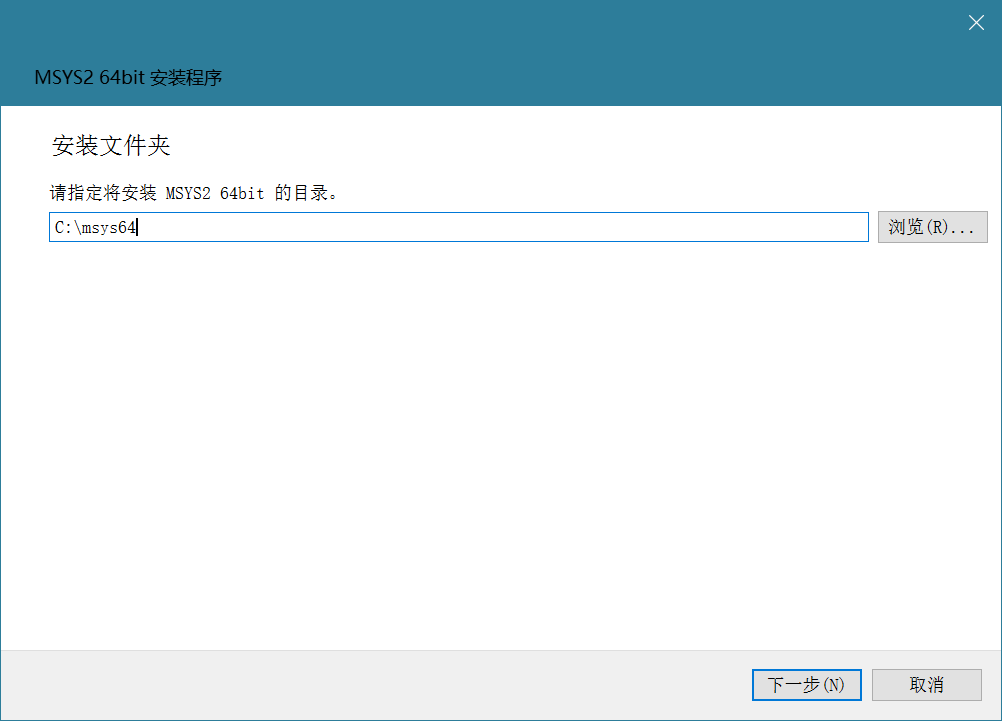
将下载后的mysys2安装,根据提示来即可
到mysys2安装目录找到msys2_shell.cmd,右键编辑,将
rem set MSYS2_PATH_TYPE=inherit
改为
set MSYS2_PATH_TYPE=inherit
作用是取消注释,使得mysys2可以继承windows系统的环境变量,以使用之后的mingw进行编译
将popt-1.16.tar.gz解压到自定义目录,我解压到C:\Users\m\Downloads\popt-1.16.tar\
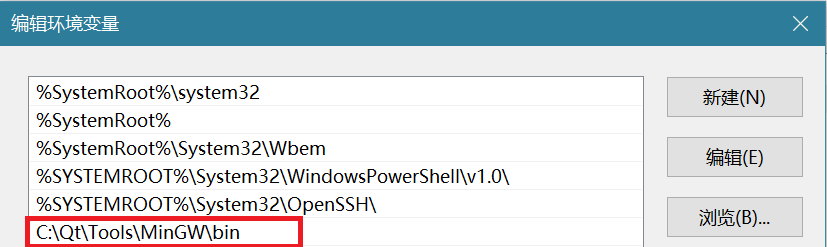
将下载的i686-5.2.0-release-win32-sjlj-rt_v4-rev1.7z解压到自定义目录,将其中的bin目录加入到windows系统环境变量path中
将下载的make.exe拷贝到mysys2安装目录的usr/bin目录下
到mysys目录打开msys2_shell.cmd,出现mysys窗口,输入gcc -v和make -v,弹出相应信息表示环境配置成功

对于代码的修改
程序是针对linux系统写的,对于windows系统,需要加以修改。这里参考:
https://github.com/mxe/mxe/blob/master/src/popt-1-win32.patch
列出的修改后的代码与原代码差异
This file is part of MXE. See LICENSE.md for licensing information.


diff -urN a/popt.c b/popt.c

--- a/popt.c    2010-01-19 01:39:10.000000000 +0100

+++ b/popt.c    2010-05-12 00:15:14.959504505 +0200

@@ -972,6 +972,21 @@

 /*@=unqualifiedtrans =nullstate@*/

 }


+/* Win32 typically lacks random/srandom, but has rand/srand which

+ * produces frankly rubbish random numbers and has RAND_MAX = 0x7FFF.

+ */

+#ifndef HAVE_RANDOM

+static int

+random ()

+{

+  return rand () << 15 | rand ();

+}

+#endif

+

+#ifndef HAVE_SRANDOM

+#define srandom srand

+#endif

+

 /*@unchecked@*/

 static unsigned int seed = 0;


diff -urN a/poptconfig.c b/poptconfig.c

--- a/poptconfig.c  2009-05-20 15:18:07.000000000 +0200

+++ b/poptconfig.c  2010-05-12 00:15:14.959504505 +0200

@@ -141,18 +141,23 @@

 int poptSaneFile(const char * fn)

 {

     struct stat sb;

+#ifdef HAVE_GETUID

     uid_t uid = getuid();

-

+#endif

     if (stat(fn, &sb) == -1)

    return 1;

+#ifdef HAVE_GETUID

     if ((uid_t)sb.st_uid != uid)

    return 0;

+#endif

     if (!S_ISREG(sb.st_mode))

    return 0;

+#ifdef HAVE_GETUID

 /*@-bitwisesigned@*/

     if (sb.st_mode & (S_IWGRP|S_IWOTH))

    return 0;

 /*@=bitwisesigned@*/

+#endif

     return 1;

 }


diff -urN a/popthelp.c b/popthelp.c

--- a/popthelp.c    2009-08-28 02:06:33.000000000 +0200

+++ b/popthelp.c    2010-05-12 00:15:14.964949157 +0200

@@ -12,8 +12,10 @@


 #define        POPT_USE_TIOCGWINSZ

 #ifdef POPT_USE_TIOCGWINSZ

+#ifdef HAVE_SYS_IOCTL_H

 #include <sys/ioctl.h>

 #endif

+#endif


 #define    POPT_WCHAR_HACK

 #ifdef     POPT_WCHAR_HACK
也就是说,对于popt.c,将
修改为
/*@=unqualifiedtrans =nullstate@*/

}

/* Win32 typically lacks random/srandom, but has rand/srand which

 * produces frankly rubbish random numbers and has RAND_MAX = 0x7FFF.

 */

#ifndef HAVE_RANDOM

static int

random ()

{

  return rand () << 15 | rand ();

}

#endif


#ifndef HAVE_SRANDOM

#define srandom srand

#endif


/*@unchecked@*/

static unsigned int seed = 0;
poptconfig.c
int poptSaneFile(const char * fn)

{

    struct stat sb;

    uid_t uid = getuid();


    if (stat(fn, &sb) == -1)

    return 1;

    if ((uid_t)sb.st_uid != uid)

    return 0;

    if (!S_ISREG(sb.st_mode))

    return 0;

/*@-bitwisesigned@*/

    if (sb.st_mode & (S_IWGRP|S_IWOTH))

    return 0;

/*@=bitwisesigned@*/

    return 1;

}
修改为
int poptSaneFile(const char * fn)

 {

     struct stat sb;

#ifdef HAVE_GETUID

     uid_t uid = getuid();


#endif

     if (stat(fn, &sb) == -1)

    return 1;

#ifdef HAVE_GETUID

     if ((uid_t)sb.st_uid != uid)

    return 0;

#endif

     if (!S_ISREG(sb.st_mode))

    return 0;

#ifdef HAVE_GETUID

 /*@-bitwisesigned@*/

     if (sb.st_mode & (S_IWGRP|S_IWOTH))

    return 0;

 /*@=bitwisesigned@*/

#endif

     return 1;

 }
popthelp.c
修改为
 #define        POPT_USE_TIOCGWINSZ

 #ifdef POPT_USE_TIOCGWINSZ

#ifdef HAVE_SYS_IOCTL_H

 #include <sys/ioctl.h>

 #endif

#endif
编译
打开msys2_shell.cmd启动mysys2,切换到popt源码目录
cd /C/Users/m/Downloads/popt-1.16.tar/popt-1.16
输入以下命令编译
./configure --build=x86 --prefix=/C/Users/m/Downloads/popt-1.16.tar/popt-1.16/build

make

make install
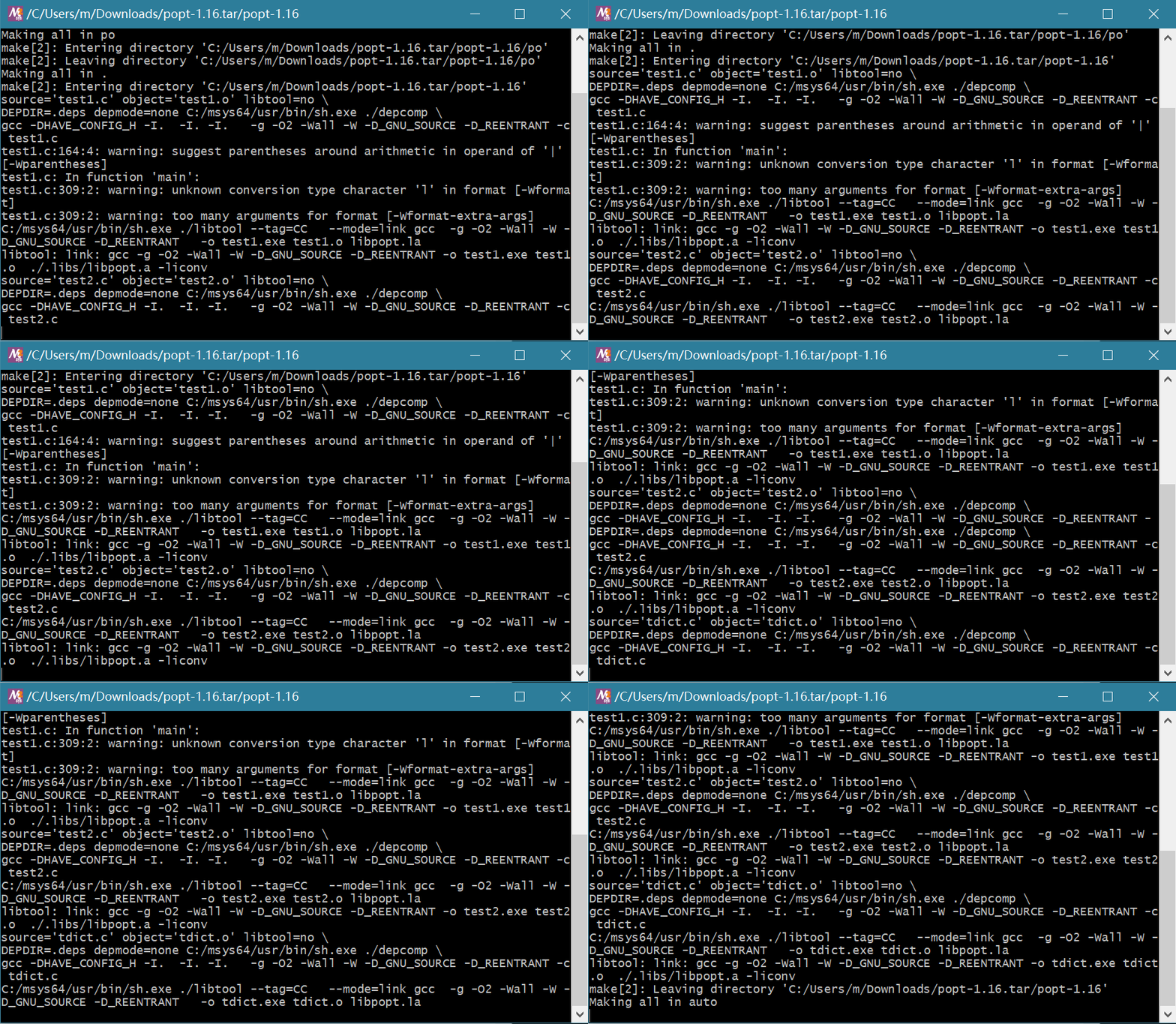
编译后的文件存在于prefix参数指定的文件夹内,也就是C:\Users\m\Downloads\popt-1.16.tar\popt-1.16\build
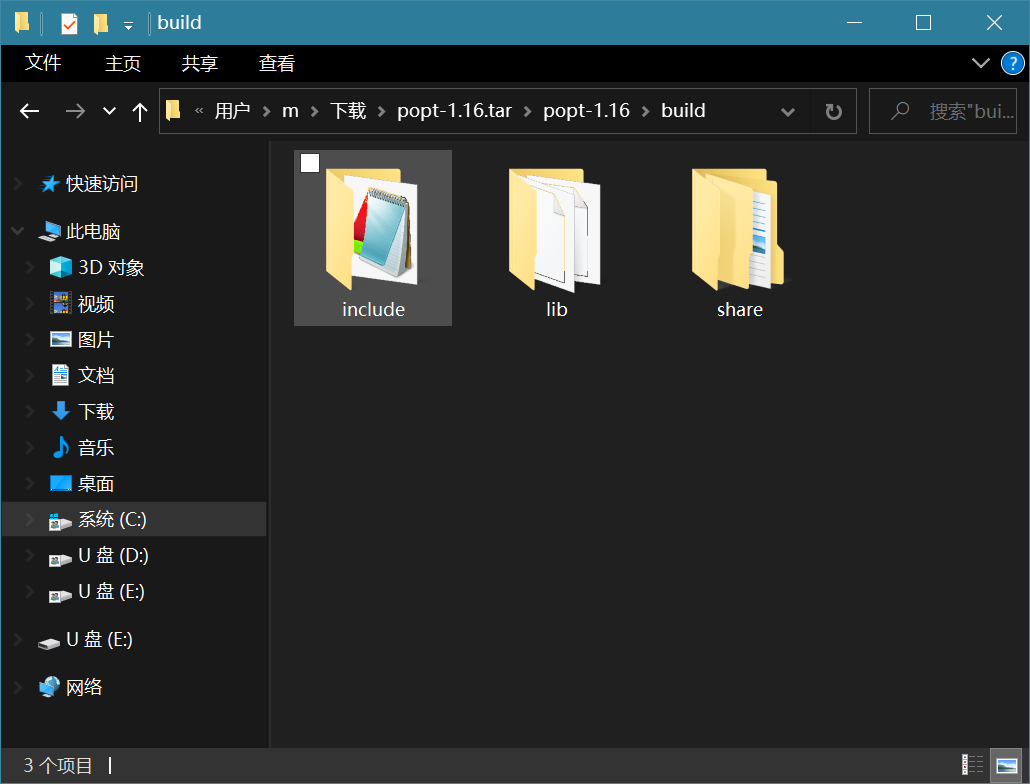
include文件夹包含头文件,lib文件夹包含库文件,lib/pkgconfig文件夹包含popt.pc文件,可以被pkg-config工具识别并使用