环境搭建
下载imagemagick源码
https://imagemagick.org/script/install-source.php
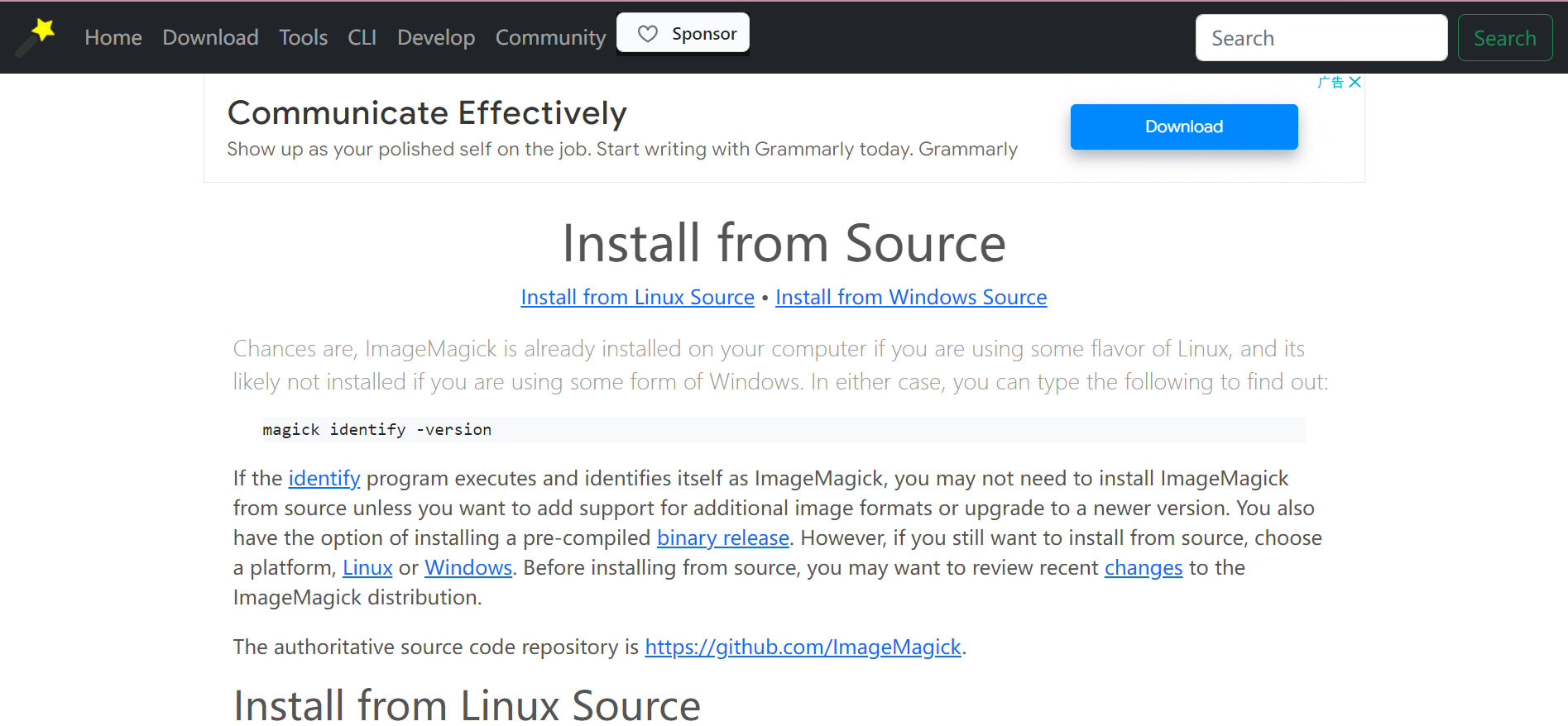
我下载的是6.8.9版
下载安装msys1.0
https://sourceforge.net/projects/mingw/files/MSYS/Base/msys-core/msys-1.0.11/
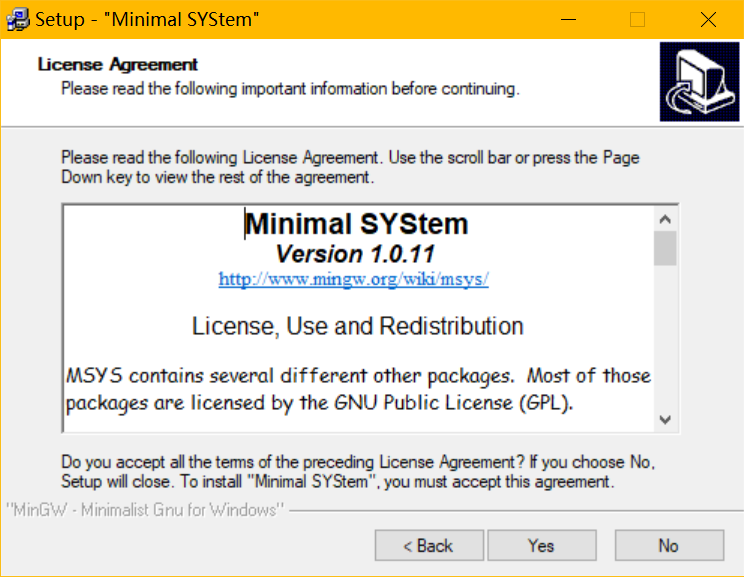
下载PKG-CONFIG for windows、yasm,解压后将pkg-config.exe与libglib-2.0-0.dll、yasm.exe,拷贝到msys\1.0\bin目录下
下载mingw
安装mingw,配置环境变量
在cmd中输入,测试安装结果
gcc -v
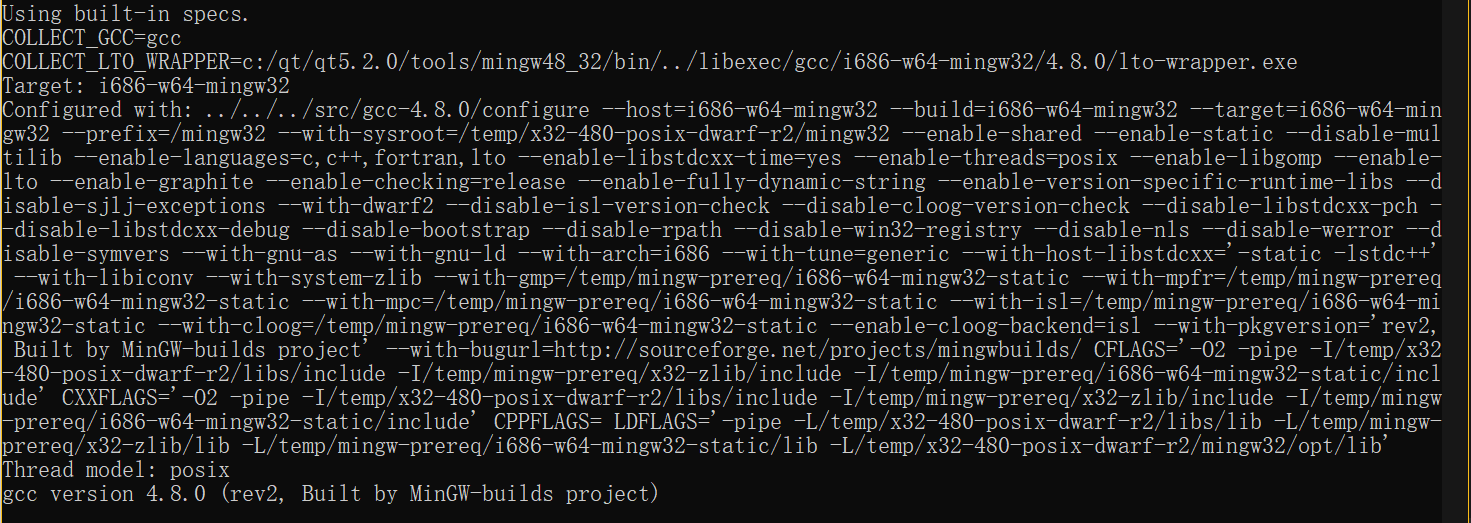
编译安装
解压imagemagick源码,启动mysys,进入到源码目录
cd /C/Users/m/Downloads/ImageMagick-6.8.9-9/ImageMagick-6.8.9
configure
./configure --enable-zero-configuration --with-modules --without-x --with-gslib --without-perl --disable-openmp --enable-h

dri --without-wmf --enable-static --disable-shared
对于开关 --enable-static和--disable-shared,表示构建静态库而不构建动态共享库。如果没有指定,则libtool会出现以下报错
*** Warning: linker path does not have real file for library -lz.

*** I have the capability to make that library automatically link in when

*** you link to this library.  But I can only do this if you have a

*** shared version of the library, which you do not appear to have

*** because I did check the linker path looking for a file starting

*** with libz and none of the candidates passed a file format test

*** using a file magic. Last file checked: c:/qt/qt5.2.0/tools/mingw48_32/i686-w64-mingw32/lib/libz.a

*** The inter-library dependencies that have been dropped here will be

*** automatically added whenever a program is linked with this library

*** or is declared to -dlopen it.


*** Since this library must not contain undefined symbols,

*** because either the platform does not support them or

*** it was explicitly requested with -no-undefined,

*** libtool will only create a static version of it.

  CC       utilities/animate.o

  CCLD     utilities/animate.exe

utilities/animate.o: In function `AnimateMain':

c:\Users\m\Downloads\ImageMagick-6.8.9-9\ImageMagick-6.8.9/utilities/animate.c:81: undefined reference to `_imp__MagickCoreGenesis'

c:\Users\m\Downloads\ImageMagick-6.8.9-9\ImageMagick-6.8.9/utilities/animate.c:82: undefined reference to `_imp__AcquireExceptionInfo'

c:\Users\m\Downloads\ImageMagick-6.8.9-9\ImageMagick-6.8.9/utilities/animate.c:83: undefined reference to `_imp__AcquireImageInfo'

c:\Users\m\Downloads\ImageMagick-6.8.9-9\ImageMagick-6.8.9/utilities/animate.c:84: undefined reference to `_imp__AnimateImageCommand'

c:\Users\m\Downloads\ImageMagick-6.8.9-9\ImageMagick-6.8.9/utilities/animate.c:84: undefined reference to `_imp__MagickCommandGenesis'

c:\Users\m\Downloads\ImageMagick-6.8.9-9\ImageMagick-6.8.9/utilities/animate.c:86: undefined reference to `_imp__DestroyImageInfo'

c:\Users\m\Downloads\ImageMagick-6.8.9-9\ImageMagick-6.8.9/utilities/animate.c:87: undefined reference to `_imp__DestroyExceptionInfo'

c:\Users\m\Downloads\ImageMagick-6.8.9-9\ImageMagick-6.8.9/utilities/animate.c:88: undefined reference to `_imp__MagickCoreTerminus'

collect2.exe: error: ld returned 1 exit status

make[1]: *** [utilities/animate.exe] Error 1

make[1]: Leaving directory `/C/Users/m/Downloads/ImageMagick-6.8.9-9/ImageMagick-6.8.9'

make: *** [all] Error 2
通常要同时指定两个开关,如果只指定一个,则libtool认为你不需要构建任何东西,并且假设这不是你想要的,并且自动为你打开另一个开关
configure完成后的信息
ImageMagick is configured as follows. Please verify that this configuration

matches your expectations.


Host system type: i686-pc-mingw32

Build system type: i686-pc-mingw32


                  Option                        Value

-------------------------------------------------------------------------------

Shared libraries  --enable-shared=no            no

Static libraries  --enable-static=yes           yes

Module support    --with-modules=no             no

GNU ld            --with-gnu-ld=yes             yes

Quantum depth     --with-quantum-depth=16       16

High Dynamic Range Imagery

                  --enable-hdri=yes             yes


Install documentation:          yes


Delegate Configuration:

BZLIB             --with-bzlib=yes              no

Autotrace         --with-autotrace=no           no

Dejavu fonts      --with-dejavu-font-dir=default        none

DJVU              --with-djvu=yes               no

DPS               --with-dps=yes                no

FFTW              --with-fftw=yes               no

FlashPIX          --with-fpx=yes                no

FontConfig        --with-fontconfig=yes         no

FreeType          --with-freetype=yes           no

GhostPCL          None                          pcl6 (unknown)

GhostXPS          None                          gxps (unknown)

Ghostscript       None                          gswin32c (unknown)

Ghostscript fonts --with-gs-font-dir=default    none

Ghostscript lib   --with-gslib=yes              no

Graphviz          --with-gvc=no

JBIG              --with-jbig=yes               no

JPEG v1           --with-jpeg=yes               no

JPEG-2000         --with-jp2=

LCMS v1           --with-lcms=yes               no

LCMS v2           --with-lcms2=yes              no

LQR               --with-lqr=yes                no

LTDL              --with-ltdl=yes               no

LZMA              --with-lzma=yes               no

Magick++          --with-magick-plus-plus=yes   yes

OpenEXR           --with-openexr=yes            no

OpenJP2           --with-openjp2=yes            no

PANGO             --with-pango=yes              no

PERL              --with-perl=no                no

PNG               --with-png=yes                no

RSVG              --with-rsvg=no                no

TIFF              --with-tiff=yes               no

WEBP              --with-webp=yes               no

Windows fonts     --with-windows-font-dir=      none

WMF               --with-wmf=no         no

X11               --with-x=no                   no

XML               --with-xml=yes                no

ZLIB              --with-zlib=yes               yes


X11 Configuration:

      X_CFLAGS        =

      X_PRE_LIBS      =

      X_LIBS          =

      X_EXTRA_LIBS    =


Options used to compile and link:

  PREFIX          = /usr/local

  EXEC-PREFIX     = /usr/local

  VERSION         = 6.8.9

  CC              = gcc -std=gnu99 -std=gnu99

  CFLAGS          = -g -O2 -Wall -march=amdfam10 -fexceptions -DMAGICKCORE_HDRI_ENABLE=1 -DMAGICKCORE_QUANTUM_DEPTH=16

  CPPFLAGS        = -DMAGICKCORE_HDRI_ENABLE=1 -DMAGICKCORE_QUANTUM_DEPTH=16 -D_LIB -D_MT

  PCFLAGS         =

  DEFS            = -DHAVE_CONFIG_H

  LDFLAGS         =

  LIBS            =

  CXX             = g++

  CXXFLAGS        = -g -O2

  FEATURES        = HDRI Zero-Configuration

  DELEGATES       = mpeg ps zlib
编译与安装,我一般不使用多线程编译,因为容易出错
make clean

make

make install
动态库的失败编译
configure时报错,发现是缺少libltdl,下载libmcrypt,libltdl的源码在libmcrypt的源码目录中。
https://sourceforge.net/projects/mcrypt/files/Libmcrypt/
同样使用mingw编译libltdl源码
./configure --enable-ltdl-install

make

make install
将生成的include文件夹下的头文件加入mingw的i686-w64-mingw32\include文件夹下,将lib文件夹下的所有文件复制到mingw的i686-w64-mingw32\lib文件夹下,之后再次configure,结果
ImageMagick is configured as follows. Please verify that this configuration

matches your expectations.


Host system type: i686-pc-mingw32

Build system type: i686-pc-mingw32


                  Option                        Value

-------------------------------------------------------------------------------

Shared libraries  --enable-shared=yes           yes

Static libraries  --enable-static=no            no

Module support    --with-modules=yes            yes

GNU ld            --with-gnu-ld=yes             yes

Quantum depth     --with-quantum-depth=16       16

High Dynamic Range Imagery

                  --enable-hdri=yes             yes


Install documentation:          yes


Delegate Configuration:

BZLIB             --with-bzlib=yes              no

Autotrace         --with-autotrace=no           no

Dejavu fonts      --with-dejavu-font-dir=default        none

DJVU              --with-djvu=yes               no

DPS               --with-dps=yes                no

FFTW              --with-fftw=yes               no

FlashPIX          --with-fpx=yes                no

FontConfig        --with-fontconfig=yes         no

FreeType          --with-freetype=yes           no

GhostPCL          None                          pcl6 (unknown)

GhostXPS          None                          gxps (unknown)

Ghostscript       None                          gswin32c (unknown)

Ghostscript fonts --with-gs-font-dir=default    none

Ghostscript lib   --with-gslib=yes              no

Graphviz          --with-gvc=no

JBIG              --with-jbig=yes               no

JPEG v1           --with-jpeg=yes               no

JPEG-2000         --with-jp2=

LCMS v1           --with-lcms=yes               no

LCMS v2           --with-lcms2=yes              no

LQR               --with-lqr=yes                no

LTDL              --with-ltdl=yes               yes

LZMA              --with-lzma=yes               no

Magick++          --with-magick-plus-plus=yes   yes

OpenEXR           --with-openexr=yes            no

OpenJP2           --with-openjp2=yes            no

PANGO             --with-pango=yes              no

PERL              --with-perl=no                no

PNG               --with-png=yes                no

RSVG              --with-rsvg=no                no

TIFF              --with-tiff=yes               no

WEBP              --with-webp=yes               no

Windows fonts     --with-windows-font-dir=      none

WMF               --with-wmf=no         no

X11               --with-x=no                   no

XML               --with-xml=yes                no

ZLIB              --with-zlib=yes               yes


X11 Configuration:

      X_CFLAGS        =

      X_PRE_LIBS      =

      X_LIBS          =

      X_EXTRA_LIBS    =


Options used to compile and link:

  PREFIX          = /usr/local

  EXEC-PREFIX     = /usr/local

  VERSION         = 6.8.9

  CC              = gcc -std=gnu99 -std=gnu99

  CFLAGS          = -g -O2 -Wall -march=amdfam10 -fexceptions -DMAGICKCORE_HDRI_ENABLE=1 -DMAGICKCORE_QUANTUM_DEPTH=16

  CPPFLAGS        = -DMAGICKCORE_HDRI_ENABLE=1 -DMAGICKCORE_QUANTUM_DEPTH=16 -D_DLL -D_MT

  PCFLAGS         =

  DEFS            = -DHAVE_CONFIG_H

  LDFLAGS         =

  LIBS            =

  CXX             = g++

  CXXFLAGS        = -g -O2

  FEATURES        = HDRI Zero-Configuration Modules

  DELEGATES       = mpeg ps zlib
编译时出错
c:\Users\m\Downloads\ImageMagick-6.8.9-9\ImageMagick-6.8.9/utilities/animate.c:81: undefined reference to `_imp__MagickCoreGenesis'

c:\Users\m\Downloads\ImageMagick-6.8.9-9\ImageMagick-6.8.9/utilities/animate.c:82: undefined reference to `_imp__AcquireExceptionInfo'

c:\Users\m\Downloads\ImageMagick-6.8.9-9\ImageMagick-6.8.9/utilities/animate.c:83: undefined reference to `_imp__AcquireImageInfo'

c:\Users\m\Downloads\ImageMagick-6.8.9-9\ImageMagick-6.8.9/utilities/animate.c:84: undefined reference to `_imp__AnimateImageCommand'

c:\Users\m\Downloads\ImageMagick-6.8.9-9\ImageMagick-6.8.9/utilities/animate.c:84: undefined reference to `_imp__MagickCommandGenesis'

c:\Users\m\Downloads\ImageMagick-6.8.9-9\ImageMagick-6.8.9/utilities/animate.c:86: undefined reference to `_imp__DestroyImageInfo'

c:\Users\m\Downloads\ImageMagick-6.8.9-9\ImageMagick-6.8.9/utilities/animate.c:87: undefined reference to `_imp__DestroyExceptionInfo'

c:\Users\m\Downloads\ImageMagick-6.8.9-9\ImageMagick-6.8.9/utilities/animate.c:88: undefined reference to `_imp__MagickCoreTerminus'

collect2.exe: error: ld returned 1 exit status

make[1]: *** [utilities/animate.exe] Error 1

make[1]: Leaving directory `/C/Users/m/Downloads/ImageMagick-6.8.9-9/ImageMagick-6.8.9'

make: *** [all] Error 2
结果
编译安装成功后默认安装在mysys的local文件夹下,bin目录存放生成的程序文件
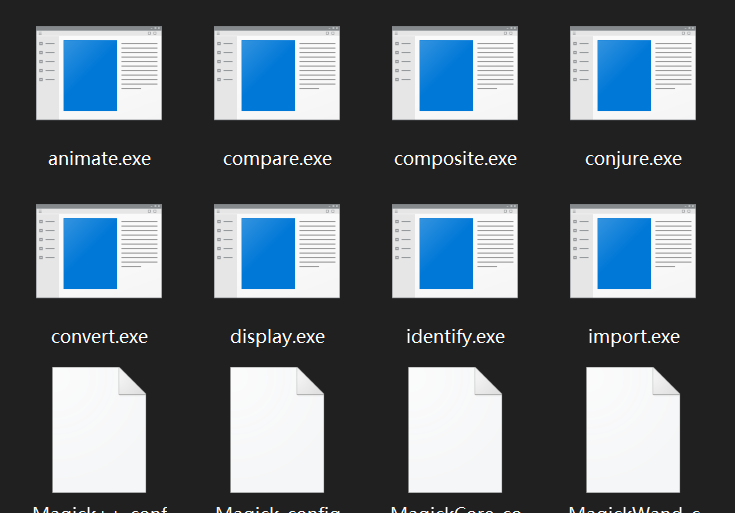
include文件夹是c语言头文件目录,lib是库文件目录
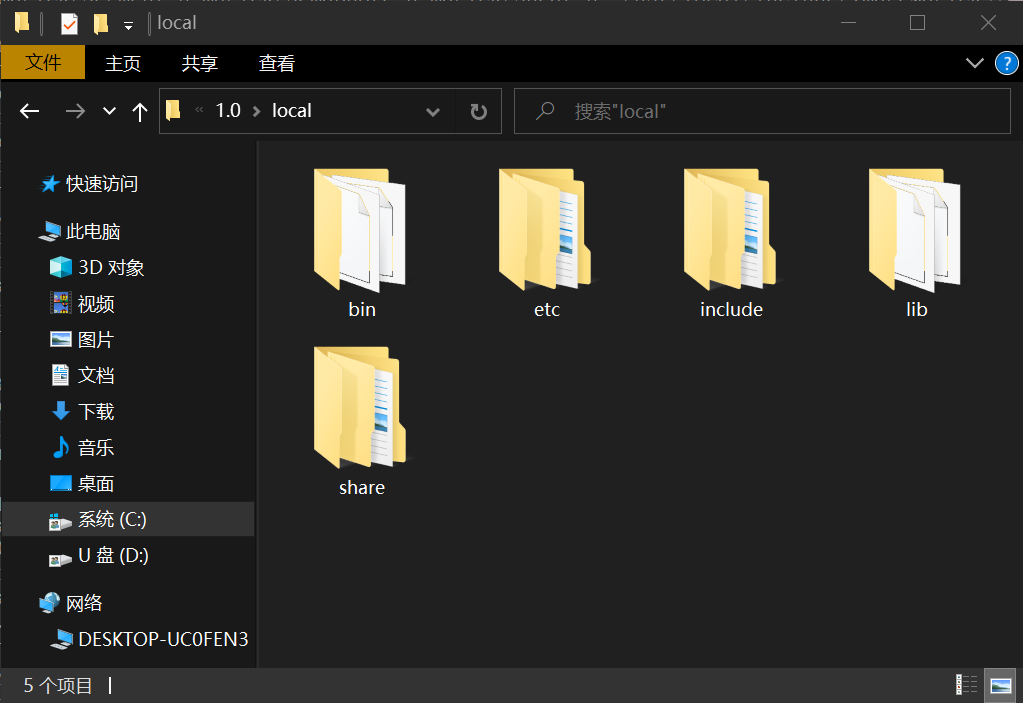
将,lib/pkgconfig加入PKG_CONFIG_PATH环境变量中
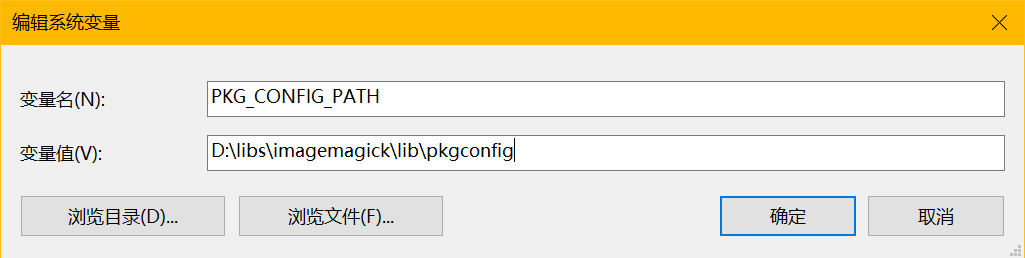
之后使用pkg-config确定编译链接参数
pkg-config --cflags --libs ImageMagick++

-DMAGICKCORE_HDRI_ENABLE=1 -DMAGICKCORE_QUANTUM_DEPTH=16 -D_LIB -D_MT -I/usr/local/include/ImageMagick-6 -ID:/libs/imagemagick/include/ImageMagick-6  -LD:/libs/imagemagick/lib -lMagick++-6.Q16HDRI -lMagickWand-6.Q16HDRI -lMagickCore-6.Q16HDRI