
Vim is a highly configurable text editor built to make creating and changing any kind of text very efficient. It is included as "vi" with most UNIX systems and with Apple OS X.
Vim is rock stable and is continuously being developed to become even better. Among its features are:
persistent, multi-level undo tree
extensive plugin system
support for hundreds of programming languages and file formats
powerful search and replace
integrates with many tools
下载和安装
下载地址
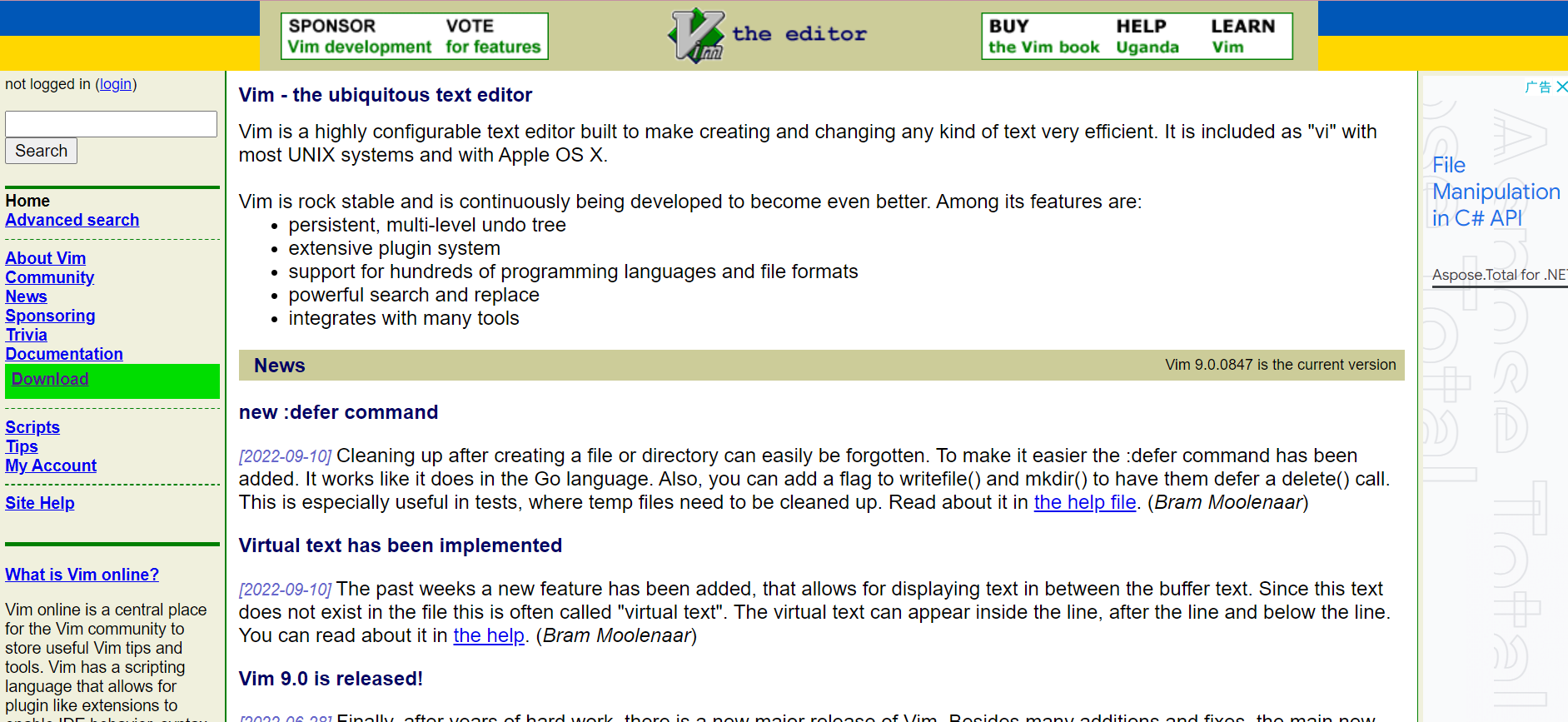
gvim是vim的gui版本
安装
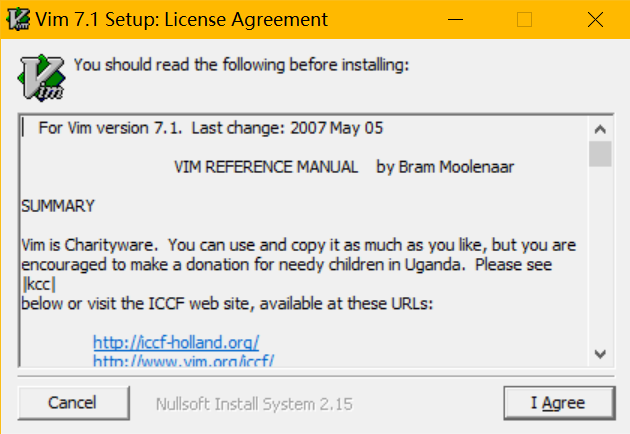
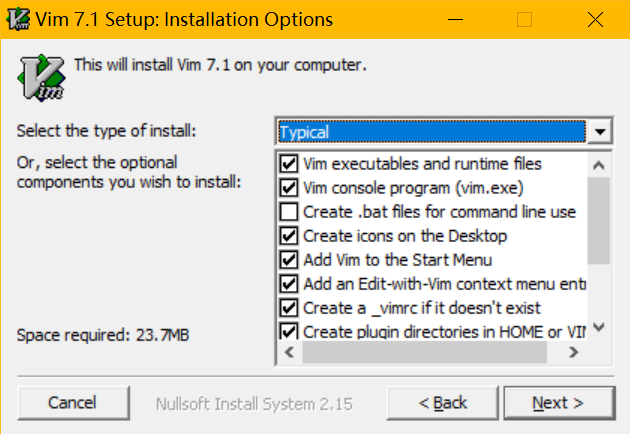
使用
vim有三种模式:命令模式、编辑模式、底行模式
命令模式
打开程序时默认处于命令模式
该模式可以对于内容进行复制,剪切,删除,撤销,重做,跳转,翻页等操作
i/a:从光标处前/后一个字符插入字符,并进入编辑模式
I/A:从行首/行尾插入字符,并进入编辑模式
o/O:从当前行的下/上一行插入一行,并且进入编辑模式
h:向前移动光标
j:向下移动光标
k:向上移动光标
l:向后移动光标
b:光标移动到单词的首字符处
e:光标移动到单词的尾字符处
J:将当前行与下一行合并
^:移动到行首
$:移动到行尾
gg:跳转到第一行
3gg:跳转到第3行
G:跳转到最后一行
v:文本选择模式
V:行级选择模式
y:拷贝选择文本
yy:拷贝一行
3yy:拷贝当包括前行在内的下面三行
p:粘贴
x:剪切
r:替换
d:删除选择文本
d^:删除行首到当前位置的部分
d$:删除当前位置到行尾的部分
dw:删除当前单词
dd:删除一行
3dd:删除包括当前行在内的下面三行
s:删除当前字符并从当前位置开始编辑
S:删除当前行并从当前位置开始编辑
cc:修改当前行
c$:修改当前位置到行结尾的部分,按esc结束修改
cw:修改当前位置到单词结尾的部分,按esc结束修改
%:括号匹配
u:撤销操作
ctrl+z:撤销操作
ctrl+r:重做操作
ctrl+u:上翻页
ctrl+d:下翻页
ctrl+p:自动补全,上一项
ctrl+n:自动补全,下一项
使用dd删除的文本,处于剪贴板中,可以使用p命令粘贴
编辑模式
命令模式下输入i/a/o/I/A/O可进入编辑模式
i:在当前字符前插入

I:行首插入

a:当前字符后插入

A:行尾插入

o:在该行的下一行新起一行插入

O:在改行的上一行新起一行插入
该模式可以对内容进行编辑
编辑模式下按esc退出,重新回到命令模式
底行模式
命令模式下输入英文冒号:进入底行模式
底行模式可以对内容进行搜索,替换,保存、退出,打开、切换文件等
列出打开的所有文件
:ls
通过bn跳转到第n个缓存区,vim正在编辑的文件称为缓冲区,
通过bp跳转到上一个缓冲区,bn跳转到下一个缓冲区
:b2

:bp
搜索abc出现的位置,通过n/N查找下/上一处匹配的位置
:set ignorecase:不区分大小写

:/abc:搜索abc
替换
:s/from/to/:将当前行中的第一个from,替换成to。如果当前行含有多个from,则只会替换其中的第一个

:s/from/to/g:在当前行所有的from替换成to

:s/from/to/gc:在当前行所有的from替换成to,在每次替换前都会询问

:33s/from/to/g:在第33行所有的from替换成to

:$s/from/to/g:在最后一行所有的from替换成to

:10,20s/from/to/g:对第10行到第20行的所有的from替换成to

:1,$s/from/to/g:对第一行到最后一行的内容进行替换(即全部文本)
保存和退出
:w:保存

:wq:保存并退出

:q!:强制退出不保存
编辑新文件a.c
:e a.c
运行系统命令,比如编译test.cpp
:!g++ test.cpp -o a.exe
打印环境变量
:echo $VIM

:echo $HOME

:echo $VIMRUNTIME

:set all 查看所有环境变量的设置

:set runtimepath 显示script搜索路径
底行模式按esc可回到命令模式
配色方案
选择配色方案
编辑,配色方案
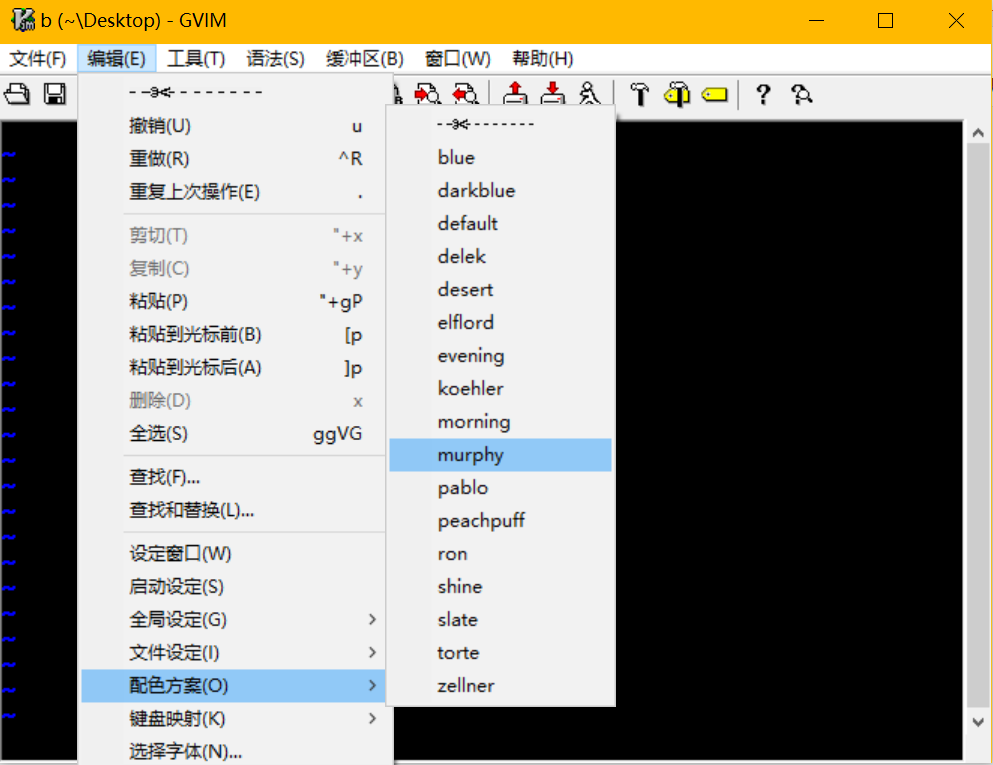
将配色方案加入vimrc文件使每次启动能够自动设置配色方案
自定义配色方案
配色方案位于vim/colors文件夹下,vim格式的文件,以文本格式打开就可以查看和编辑自定义配色,或者新建配色文件
blue
" local syntax file - set colors on a per-machine basis:

" vim: tw=0 ts=4 sw=4

" Vim color file

" Maintainer:   Steven Vertigan <steven@vertigan.wattle.id.au>

" Last Change:  2006 Sep 23

" Revision #5: Switch main text from white to yellow for easier contrast,

" fixed some problems with terminal backgrounds.


set background=dark

hi clear

if exists("syntax_on")

  syntax reset

endif

let g:colors_name = "blue"

hi Normal       guifg=yellow    guibg=darkBlue  ctermfg=yellow  ctermbg=darkBlue

hi NonText      guifg=magenta   ctermfg=lightMagenta

hi comment      guifg=gray      ctermfg=gray    ctermbg=darkBlue    gui=bold

hi constant     guifg=cyan      ctermfg=cyan

hi identifier   guifg=gray      ctermfg=red

hi statement    guifg=white     ctermfg=white   ctermbg=darkBlue    gui=none

hi preproc      guifg=green     ctermfg=green

hi type         guifg=orange    ctermfg=lightRed    ctermbg=darkBlue

hi special      guifg=magenta   ctermfg=lightMagenta    ctermbg=darkBlue

hi Underlined   guifg=cyan      ctermfg=cyan    gui=underline   cterm=underline

hi label        guifg=yellow    ctermfg=yellow

hi operator     guifg=orange    gui=bold    ctermfg=lightRed    ctermbg=darkBlue


hi ErrorMsg     guifg=orange    guibg=darkBlue  ctermfg=lightRed

hi WarningMsg   guifg=cyan      guibg=darkBlue  ctermfg=cyan    gui=bold

hi ModeMsg      guifg=yellow    gui=NONE    ctermfg=yellow

hi MoreMsg      guifg=yellow    gui=NONE    ctermfg=yellow

hi Error        guifg=red       guibg=darkBlue  gui=underline   ctermfg=red


hi Todo         guifg=black     guibg=orange    ctermfg=black   ctermbg=darkYellow

hi Cursor       guifg=black     guibg=white     ctermfg=black   ctermbg=white

hi Search       guifg=black     guibg=orange    ctermfg=black   ctermbg=darkYellow

hi IncSearch    guifg=black     guibg=yellow    ctermfg=black   ctermbg=darkYellow

hi LineNr       guifg=cyan      ctermfg=cyan

hi title        guifg=white gui=bold    cterm=bold


hi StatusLineNC gui=NONE    guifg=black guibg=blue  ctermfg=black  ctermbg=blue

hi StatusLine   gui=bold    guifg=cyan  guibg=blue  ctermfg=cyan   ctermbg=blue

hi VertSplit    gui=none    guifg=blue  guibg=blue  ctermfg=blue    ctermbg=blue


hi Visual       term=reverse        ctermfg=black   ctermbg=darkCyan    guifg=black     guibg=darkCyan


hi DiffChange   guibg=darkGreen     guifg=black ctermbg=darkGreen   ctermfg=black

hi DiffText     guibg=olivedrab     guifg=black     ctermbg=lightGreen  ctermfg=black

hi DiffAdd      guibg=slateblue     guifg=black     ctermbg=blue        ctermfg=black

hi DiffDelete   guibg=coral         guifg=black ctermbg=cyan        ctermfg=black


hi Folded       guibg=orange        guifg=black     ctermbg=yellow      ctermfg=black

hi FoldColumn   guibg=gray30        guifg=black ctermbg=gray        ctermfg=black

hi cIf0         guifg=gray          ctermfg=gray
_vimrc文件
_vimrc是vim的配置文件,每次vim启动都会读取,windows系统上位于安装目录下,即C:\Program Files (x86)\Vim\_vimrc
set nocompatible

source $VIMRUNTIME/vimrc_example.vim

source $VIMRUNTIME/mswin.vim

behave mswin


set diffexpr=MyDiff()

function MyDiff()

  let opt = '-a --binary '

  if &diffopt =~ 'icase' | let opt = opt . '-i ' | endif

  if &diffopt =~ 'iwhite' | let opt = opt . '-b ' | endif

  let arg1 = v:fname_in

  if arg1 =~ ' ' | let arg1 = '"' . arg1 . '"' | endif

  let arg2 = v:fname_new

  if arg2 =~ ' ' | let arg2 = '"' . arg2 . '"' | endif

  let arg3 = v:fname_out

  if arg3 =~ ' ' | let arg3 = '"' . arg3 . '"' | endif

  let eq = ''

  if $VIMRUNTIME =~ ' '

    if &sh =~ '\<cmd'

      let cmd = '""' . $VIMRUNTIME . '\diff"'

      let eq = '"'

    else

      let cmd = substitute($VIMRUNTIME, ' ', '" ', '') . '\diff"'

    endif

  else

    let cmd = $VIMRUNTIME . '\diff'

  endif

  silent execute '!' . cmd . ' ' . opt . arg1 . ' ' . arg2 . ' > ' . arg3 . eq

endfunction
添加自定义配置
set nu "行号显示

syntax on "开启语法显示

set nobackup "不产生备份文件

set noswapfile "不产生swp文件

set guifont=Consolas:h22 "设置字体

set showmatch "开启括号匹配

colorscheme mycolor "自定义配色方案mycolor

set guioptions-=T "不显示工具栏

"set guioptions-=m "不显示菜单栏
vim打开中文文件乱码的问题
编辑vimrc文件,加入
set fileencodings=ucs-bom,utf-8,utf-16,gbk,big5,gb18030,latin1 "

set fileencoding=utf-8 "
fileencodings表示vim读取文件时,采用的编码识别序列,从左往右匹配。fileencoding表示保存文件时的默认文件编码