网站和下载地址
下载地址
https://hub.nuaa.cf/erincatto/box2d/tags
编译工具
1.VS2013
2.cmake
下载地址
编译box2d
下载box2d源码2.4.0,解压。在box2d-2.4.0目录下建立一个build文件夹。用于生成VS2013编译项目。
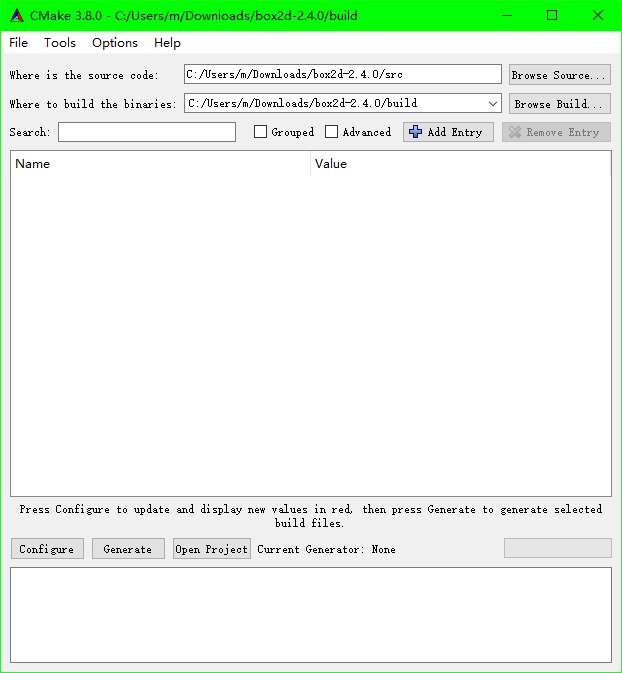
安装cmake,打开cmake-gui,设置源码目录box2d-2.4.0/src,编译目录box2d-2.4.0/build,点击configure
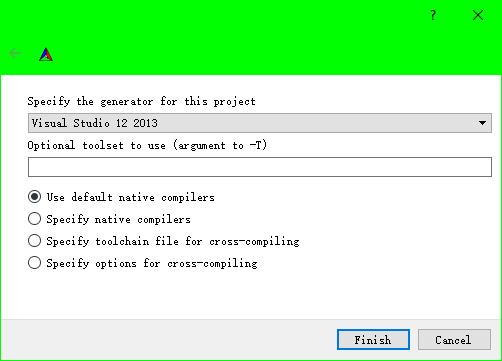
选择VS12 2013,Use default native compilers,点击Finish
点击configure出现红色,这里不用做任何配置。CMAKE_INSTALL_PREFIX设置了也没用
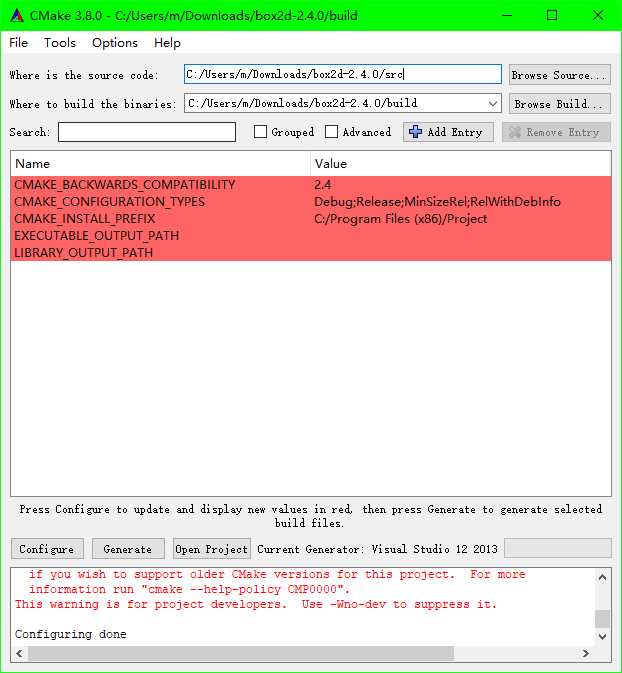
再点击一次configure
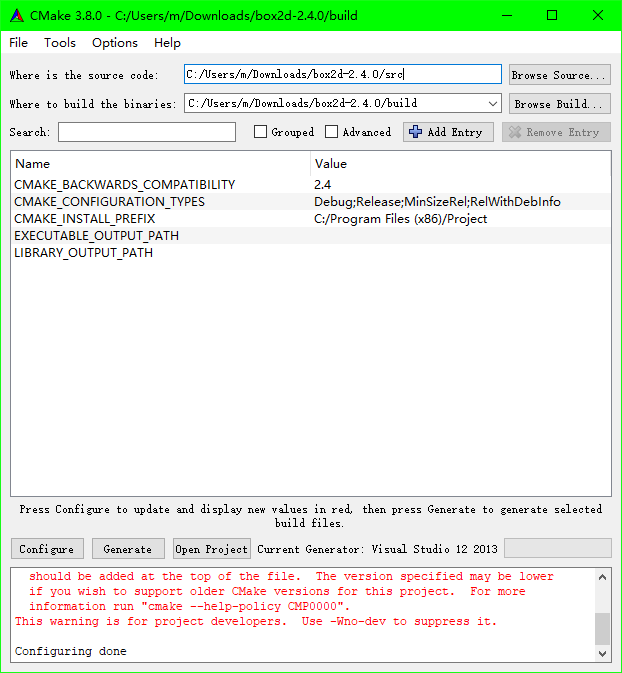
点击generate

打开box2d-2.4.0\build文件夹,打开sln项目文件
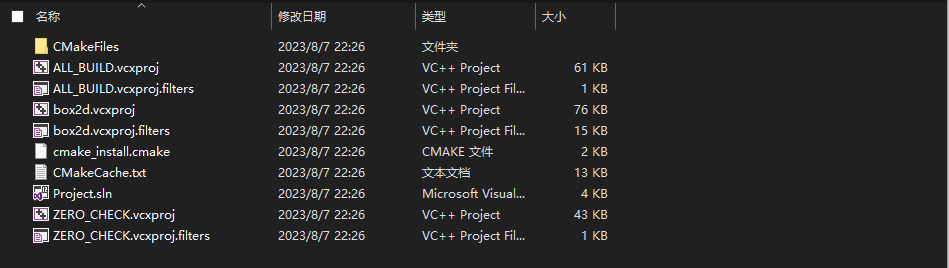
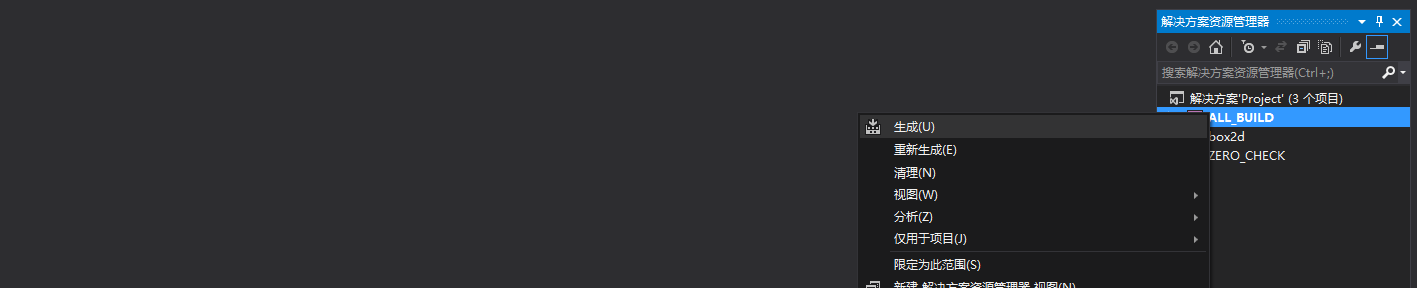
右键ALL_BUILD,生成
分别生成Debug和Release版。
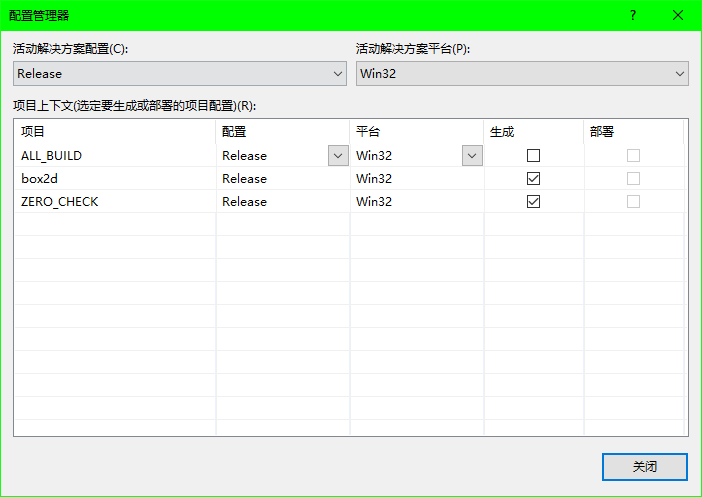
生成的库文件box2d.lib在box2d-2.4.0\build\Release和box2d-2.4.0\build\Debug文件夹里面
头文件在box2d-2.4.0\include文件夹
helloworld测试
使用VS2013新建一个win32命令行项目
写一个helloworld程序
/*

* Copyright (c) 2006-2007 Erin Catto http://www.box2d.org

*

* This software is provided 'as-is', without any express or implied

* warranty.  In no event will the authors be held liable for any damages

* arising from the use of this software.

* Permission is granted to anyone to use this software for any purpose,

* including commercial applications, and to alter it and redistribute it

* freely, subject to the following restrictions:

* 1. The origin of this software must not be misrepresented; you must not

* claim that you wrote the original software. If you use this software

* in a product, an acknowledgment in the product documentation would be

* appreciated but is not required.

* 2. Altered source versions must be plainly marked as such, and must not be

* misrepresented as being the original software.

* 3. This notice may not be removed or altered from any source distribution.

*/


#include <Box2D/Box2D.h>


#include <stdio.h>


// This is a simple example of building and running a simulation

// using Box2D. Here we create a large ground box and a small dynamic

// box.

// There are no graphics for this example. Box2D is meant to be used

// with your rendering engine in your game engine.

int main(int argc, char** argv)

{

    B2_NOT_USED(argc);

    B2_NOT_USED(argv);


    // Define the gravity vector.

    b2Vec2 gravity(0.0f, -10.0f);


    // Construct a world object, which will hold and simulate the rigid bodies.

    b2World world(gravity);


    // Define the ground body.

    b2BodyDef groundBodyDef;

    groundBodyDef.position.Set(0.0f, -10.0f);


    // Call the body factory which allocates memory for the ground body

    // from a pool and creates the ground box shape (also from a pool).

    // The body is also added to the world.

    b2Body* groundBody = world.CreateBody(&groundBodyDef);


    // Define the ground box shape.

    b2PolygonShape groundBox;


    // The extents are the half-widths of the box.

    groundBox.SetAsBox(50.0f, 10.0f);


    // Add the ground fixture to the ground body.

    groundBody->CreateFixture(&groundBox, 0.0f);


    // Define the dynamic body. We set its position and call the body factory.

    b2BodyDef bodyDef;

    bodyDef.type = b2_dynamicBody;

    bodyDef.position.Set(0.0f, 4.0f);

    b2Body* body = world.CreateBody(&bodyDef);


    // Define another box shape for our dynamic body.

    b2PolygonShape dynamicBox;

    dynamicBox.SetAsBox(1.0f, 1.0f);


    // Define the dynamic body fixture.

    b2FixtureDef fixtureDef;

    fixtureDef.shape = &dynamicBox;


    // Set the box density to be non-zero, so it will be dynamic.

    fixtureDef.density = 1.0f;


    // Override the default friction.

    fixtureDef.friction = 0.3f;


    // Add the shape to the body.

    body->CreateFixture(&fixtureDef);


    // Prepare for simulation. Typically we use a time step of 1/60 of a

    // second (60Hz) and 10 iterations. This provides a high quality simulation

    // in most game scenarios.

    float timeStep = 1.0f / 60.0f;

    int32 velocityIterations = 6;

    int32 positionIterations = 2;


    // This is our little game loop.

    for (int32 i = 0; i < 60; ++i)

    {

        // Instruct the world to perform a single step of simulation.

        // It is generally best to keep the time step and iterations fixed.

        world.Step(timeStep, velocityIterations, positionIterations);


        // Now print the position and angle of the body.

        b2Vec2 position = body->GetPosition();

        float angle = body->GetAngle();


        printf("%4.2f %4.2f %4.2f\n", position.x, position.y, angle);

    }


    // When the world destructor is called, all bodies and joints are freed. This can

    // create orphaned pointers, so be careful about your world management.

    getchar();

    return 0;

}
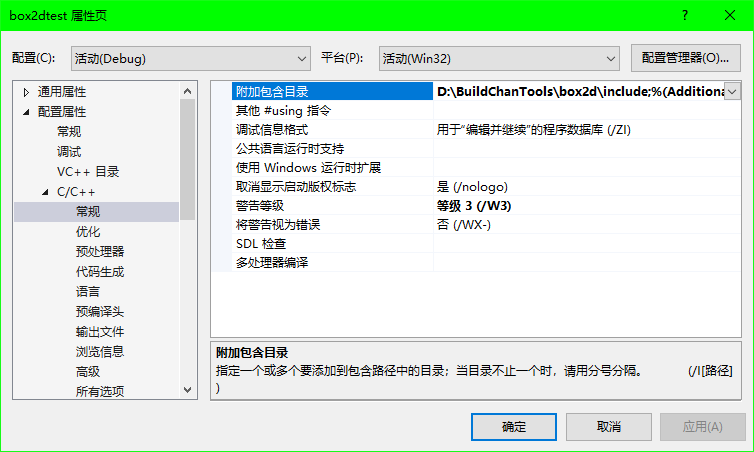
项目,属性,配置属性,c/c++,附加包含目录,设置头文件目录
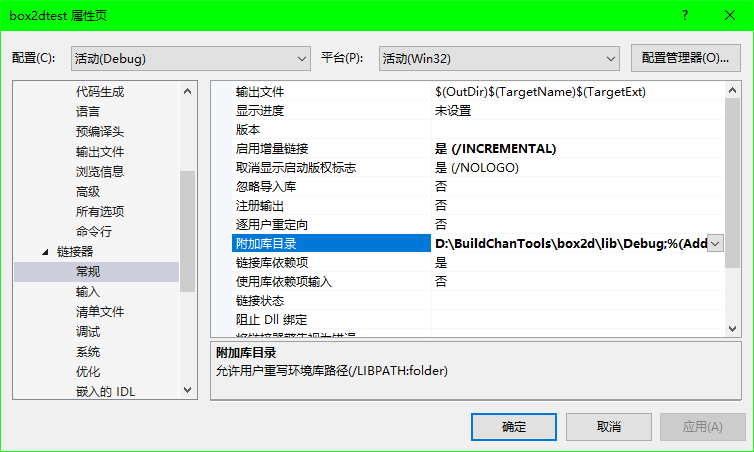
链接器,常规,附加库目录,设置box2d.lib文件目录
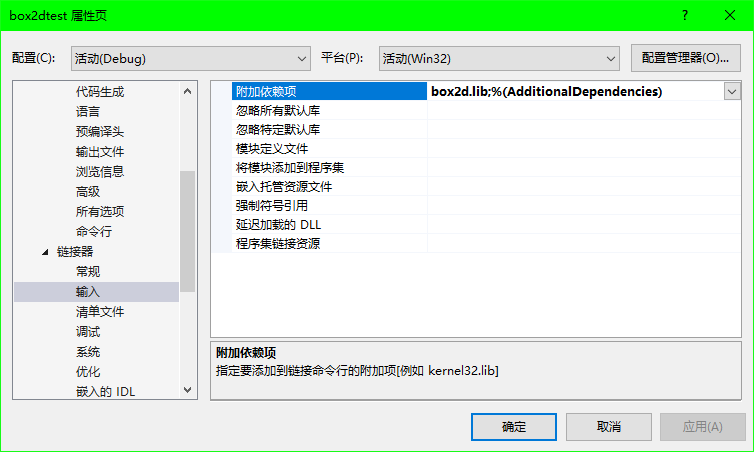
链接器,输入,附加依赖项,添加box2d.lib
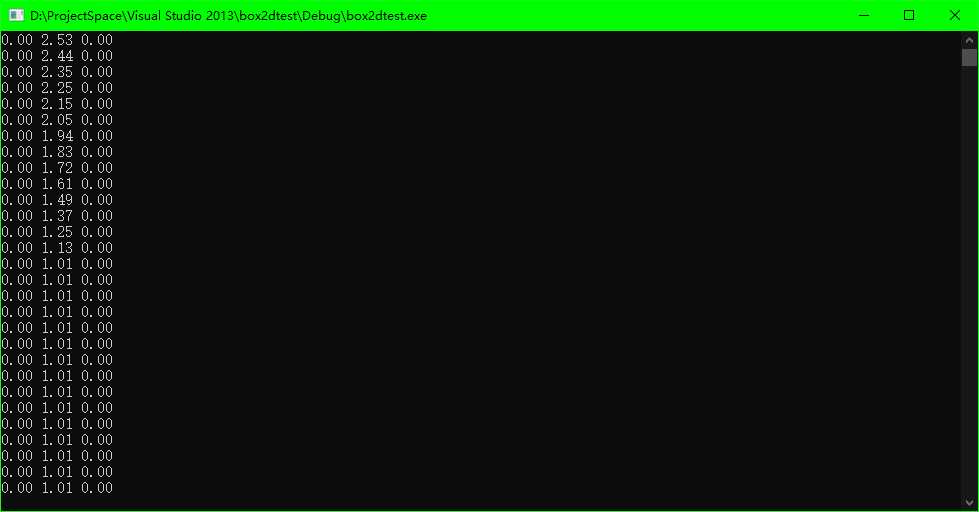
编译运行,打印出下面的数字,说明环境配置成功