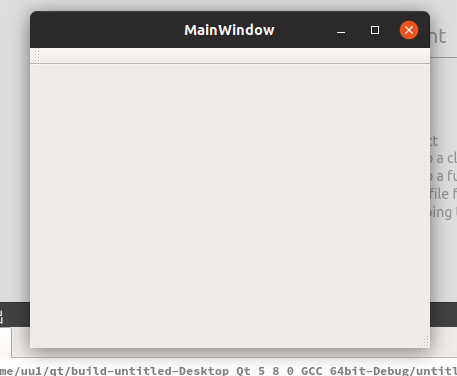
linux版qt下载 qt-opensource-linux-x64-5.8.0.run

终端赋予执行权限和执行
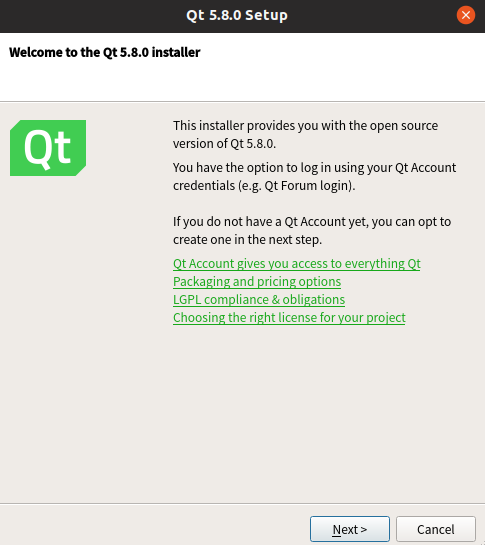
安装完成后打开,建立一个项目运行,执行qmake时报错,原因是操作系统没有安装g++编译工具
安装编译工具
报错
下列软件包有未满足的依赖关系:

 build-essential : 依赖: libc6-dev 但是它将不会被安装 或

                           libc-dev

                   依赖: gcc (>= 4:7.2) 但是它将不会被安装

                   依赖: g++ (>= 4:7.2) 但是它将不会被安装

                   依赖: dpkg-dev (>= 1.17.11) 但是它将不会被安装

E: 无法修正错误,因为您要求某些软件包保持现状,就是它们破坏了软件包间的依赖关系。
使用aptitude工具安装
sudo apt-get install aptitude

sudo aptitude install build-essential
方案一跳过
下列动作将解决这些依赖关系:


      保持 下列软件包于其当前版本:

1)      build-essential [未安装的]

2)      dpkg-dev [未安装的]

3)      g++ [未安装的]

4)      g++-7 [未安装的]

5)      gcc [未安装的]

6)      gcc-7 [未安装的]

7)      libatomic1 [未安装的]

8)      libc-dev-bin [未安装的]

9)      libc6-dev [未安装的]

10)     libgcc-7-dev [未安装的]

11)     libitm1 [未安装的]

12)     liblsan0 [未安装的]

13)     libmpx2 [未安装的]

14)     libquadmath0 [未安装的]

15)     libstdc++-7-dev [未安装的]

16)     libtsan0 [未安装的]


是否接受该解决方案?[Y/n/q/?] n
方案二选择
下列动作将解决这些依赖关系:


      删除 下列软件包:

1)      cpp-8 [8.2.0-7ubuntu1 (now)]

2)      libdns1102 [1:9.11.4+dfsg-3ubuntu5 (now)]

3)      libreoffice-ogltrans [1:6.1.2-0ubuntu1 (now)]


      安装 下列软件包:

4)      gir1.2-mutter-2 [3.28.1-1ubuntu1 (bionic)]

5)      gnome-user-guide [3.28.1-0ubuntu1 (bionic)]

6)      libcdio17 [1.0.0-2ubuntu2 (bionic)]

7)      libdbusmenu-gtk4 [16.04.1+18.04.20171206-0ubuntu1 (bionic)]

8)      libdns1100 [1:9.11.3+dfsg-1ubuntu1 (bionic)]

9)      libgail-common [2.24.32-1ubuntu1 (bionic)]

10)     libgail18 [2.24.32-1ubuntu1 (bionic)]

11)     libgtk2.0-0 [2.24.32-1ubuntu1 (bionic)]

12)     libgtk2.0-bin [2.24.32-1ubuntu1 (bionic)]

13)     libgtk2.0-common [2.24.32-1ubuntu1 (bionic)]

14)     libmutter-2-0 [3.28.1-1ubuntu1 (bionic)]

15)     libnss-myhostname [237-3ubuntu10 (bionic)]


      降级 下列软件包:

16)     bind9-host [1:9.11.4+dfsg-3ubuntu5 (now) -> 1:9.11.3+dfsg-1ubuntu1 (bion

17)     cpp [4:8.2.0-1ubuntu1 (now) -> 4:7.3.0-3ubuntu2 (bionic)]

18)     dconf-cli [0.30.0-1 (now) -> 0.26.0-2ubuntu3 (bionic)]

19)     dconf-gsettings-backend [0.30.0-1 (now) -> 0.26.0-2ubuntu3 (bionic)]

20)     dconf-service [0.30.0-1 (now) -> 0.26.0-2ubuntu3 (bionic)]

21)     dnsutils [1:9.11.4+dfsg-3ubuntu5 (now) -> 1:9.11.3+dfsg-1ubuntu1 (bionic

22)     firefox [63.0+build1-0ubuntu1 (now) -> 59.0.2+build1-0ubuntu1 (bionic)]

23)     gcc-8-base [8.2.0-7ubuntu1 (now) -> 8-20180414-1ubuntu2 (bionic)]

24)     ghostscript [9.25~dfsg+1-0ubuntu1 (now) -> 9.22~dfsg+1-0ubuntu1 (bionic)

25)     ghostscript-x [9.25~dfsg+1-0ubuntu1 (now) -> 9.22~dfsg+1-0ubuntu1 (bioni

26)     gir1.2-totem-1.0 [3.26.2-1ubuntu1 (now) -> 3.26.0-0ubuntu6 (bionic)]

27)     gjs [1.54.1-1 (now) -> 1.52.1-1ubuntu1 (bionic)]

28)     gnome-control-center [1:3.30.1-1ubuntu2 (now) -> 1:3.28.1-0ubuntu1 (bion

29)     gnome-control-center-data [1:3.30.1-1ubuntu2 (now) -> 1:3.28.1-0ubuntu1

30)     gnome-session-bin [3.30.0-0ubuntu4 (now) -> 3.28.1-0ubuntu2 (bionic)]

31)     gnome-session-common [3.30.0-0ubuntu4 (now) -> 3.28.1-0ubuntu2 (bionic)]

32)     gnome-settings-daemon [3.30.1.2-1ubuntu2 (now) -> 3.28.1-0ubuntu1 (bioni

33)     gnome-settings-daemon-schemas [3.30.1.2-1ubuntu2 (now) -> 3.28.1-0ubuntu

34)     gnome-shell [3.30.1-2ubuntu1 (now) -> 3.28.1-0ubuntu2 (bionic)]

35)     gnome-shell-common [3.30.1-2ubuntu1 (now) -> 3.28.1-0ubuntu2 (bionic)]

36)     gnome-startup-applications [3.30.0-0ubuntu4 (now) -> 3.28.1-0ubuntu2 (bi

37)     gvfs [1.38.0-2ubuntu2 (now) -> 1.36.1-0ubuntu1 (bionic)]

38)     gvfs-backends [1.38.0-2ubuntu2 (now) -> 1.36.1-0ubuntu1 (bionic)]

39)     gvfs-bin [1.38.0-2ubuntu2 (now) -> 1.36.1-0ubuntu1 (bionic)]

40)     gvfs-common [1.38.0-2ubuntu2 (now) -> 1.36.1-0ubuntu1 (bionic)]

41)     gvfs-daemons [1.38.0-2ubuntu2 (now) -> 1.36.1-0ubuntu1 (bionic)]

42)     gvfs-fuse [1.38.0-2ubuntu2 (now) -> 1.36.1-0ubuntu1 (bionic)]

43)     gvfs-libs [1.38.0-2ubuntu2 (now) -> 1.36.1-0ubuntu1 (bionic)]

44)     libbind9-160 [1:9.11.4+dfsg-3ubuntu5 (now) -> 1:9.11.3+dfsg-1ubuntu1 (bi

45)     libc-bin [2.28-0ubuntu1 (now) -> 2.27-3ubuntu1 (bionic)]

46)     libc6 [2.28-0ubuntu1 (now) -> 2.27-3ubuntu1 (bionic)]

47)     libc6-dbg [2.28-0ubuntu1 (now) -> 2.27-3ubuntu1 (bionic)]

48)     libcc1-0 [8.2.0-7ubuntu1 (now) -> 8-20180414-1ubuntu2 (bionic)]

49)     libdconf1 [0.30.0-1 (now) -> 0.26.0-2ubuntu3 (bionic)]

50)     libdpkg-perl [1.19.0.5ubuntu5 (now) -> 1.19.0.5ubuntu2 (bionic)]

51)     libdrm-amdgpu1 [2.4.95-1 (now) -> 2.4.91-2 (bionic)]

52)     libgcc1 [1:8.2.0-7ubuntu1 (now) -> 1:8-20180414-1ubuntu2 (bionic)]

53)     libgomp1 [8.2.0-7ubuntu1 (now) -> 8-20180414-1ubuntu2 (bionic)]

54)     libgs9 [9.25~dfsg+1-0ubuntu1 (now) -> 9.22~dfsg+1-0ubuntu1 (bionic)]

55)     libgs9-common [9.25~dfsg+1-0ubuntu1 (now) -> 9.22~dfsg+1-0ubuntu1 (bioni

56)     libirs160 [1:9.11.4+dfsg-3ubuntu5 (now) -> 1:9.11.3+dfsg-1ubuntu1 (bioni

57)     libisc169 [1:9.11.4+dfsg-3ubuntu5 (now) -> 1:9.11.3+dfsg-1ubuntu1 (bioni

58)     libisccc160 [1:9.11.4+dfsg-3ubuntu5 (now) -> 1:9.11.3+dfsg-1ubuntu1 (bio

59)     libisccfg160 [1:9.11.4+dfsg-3ubuntu5 (now) -> 1:9.11.3+dfsg-1ubuntu1 (bi

60)     liblwres160 [1:9.11.4+dfsg-3ubuntu5 (now) -> 1:9.11.3+dfsg-1ubuntu1 (bio

61)     libnss-systemd [239-7ubuntu10 (now) -> 237-3ubuntu10 (bionic)]

62)     libpam-systemd [239-7ubuntu10 (now) -> 237-3ubuntu10 (bionic)]

63)     libpython2.7 [2.7.15-4ubuntu4 (now) -> 2.7.15~rc1-1 (bionic)]

64)     libpython2.7-minimal [2.7.15-4ubuntu4 (now) -> 2.7.15~rc1-1 (bionic)]

65)     libpython2.7-stdlib [2.7.15-4ubuntu4 (now) -> 2.7.15~rc1-1 (bionic)]

66)     libpython3-stdlib [3.6.6-1 (now) -> 3.6.5-3 (bionic)]

67)     libpython3.6 [3.6.7~rc1-1 (now) -> 3.6.5-3 (bionic)]

68)     libpython3.6-minimal [3.6.7~rc1-1 (now) -> 3.6.5-3 (bionic)]

69)     libpython3.6-stdlib [3.6.7~rc1-1 (now) -> 3.6.5-3 (bionic)]

70)     libstdc++6 [8.2.0-7ubuntu1 (now) -> 8-20180414-1ubuntu2 (bionic)]

71)     libsystemd0 [239-7ubuntu10 (now) -> 237-3ubuntu10 (bionic)]

72)     libudev1 [239-7ubuntu10 (now) -> 237-3ubuntu10 (bionic)]

73)     libxml2 [2.9.4+dfsg1-7ubuntu1 (now) -> 2.9.4+dfsg1-6.1ubuntu1 (bionic)]

74)     locales [2.28-0ubuntu1 (now) -> 2.27-3ubuntu1 (bionic)]

75)     python3 [3.6.6-1 (now) -> 3.6.5-3 (bionic)]

76)     python3-cryptography [2.3-1ubuntu1 (now) -> 2.1.4-1ubuntu1.1 (bionic)]

77)     python3-minimal [3.6.6-1 (now) -> 3.6.5-3 (bionic)]

78)     python3.6 [3.6.7~rc1-1 (now) -> 3.6.5-3 (bionic)]

79)     python3.6-minimal [3.6.7~rc1-1 (now) -> 3.6.5-3 (bionic)]

80)     seahorse [3.30-1 (now) -> 3.20.0-5 (bionic)]

81)     systemd [239-7ubuntu10 (now) -> 237-3ubuntu10 (bionic)]

82)     systemd-sysv [239-7ubuntu10 (now) -> 237-3ubuntu10 (bionic)]

83)     thunderbird [1:60.2.1+build1-0ubuntu1 (now) -> 1:52.7.0+build1-0ubuntu1

84)     thunderbird-gnome-support [1:60.2.1+build1-0ubuntu1 (now) -> 1:52.7.0+bu

85)     thunderbird-locale-en [1:60.2.1+build1-0ubuntu1 (now) -> 1:52.7.0+build1

86)     thunderbird-locale-zh-hans [1:60.2.1+build1-0ubuntu1 (now) -> 1:52.7.0+b

87)     totem [3.26.2-1ubuntu1 (now) -> 3.26.0-0ubuntu6 (bionic)]

88)     totem-common [3.26.2-1ubuntu1 (now) -> 3.26.0-0ubuntu6 (bionic)]

89)     totem-plugins [3.26.2-1ubuntu1 (now) -> 3.26.0-0ubuntu6 (bionic)]

90)     ubuntu-session [3.30.0-0ubuntu4 (now) -> 3.28.1-0ubuntu2 (bionic)]

91)     udev [239-7ubuntu10 (now) -> 237-3ubuntu10 (bionic)]

92)     xdg-desktop-portal [1.0.2-1ubuntu1 (now) -> 0.11-1 (bionic)]


      Leave the following dependencies unresolved:

93)     ubuntu-desktop 推荐 libreoffice-ogltrans


是否接受该解决方案?[Y/n/q/?]Y
之后编译运行项目,还是报错
/usr/bin/x86_64-linux-gnu-ld: 找不到 -lGL
查找opengl库的位置
locate libGL.so

/snap/gnome-3-26-1604/70/usr/lib/x86_64-linux-gnu/mesa/libGL.so.1

/snap/gnome-3-26-1604/70/usr/lib/x86_64-linux-gnu/mesa/libGL.so.1.2.0

/usr/lib/x86_64-linux-gnu/libGL.so.1

/usr/lib/x86_64-linux-gnu/libGL.so.1.7.0
建立软连接到系统库目录
sudo ln -s /usr/lib/x86_64-linux-gnu/libGL.so.1.7.0 /usr/lib/libGL.so
之后成功编译运行出qt程序