效果
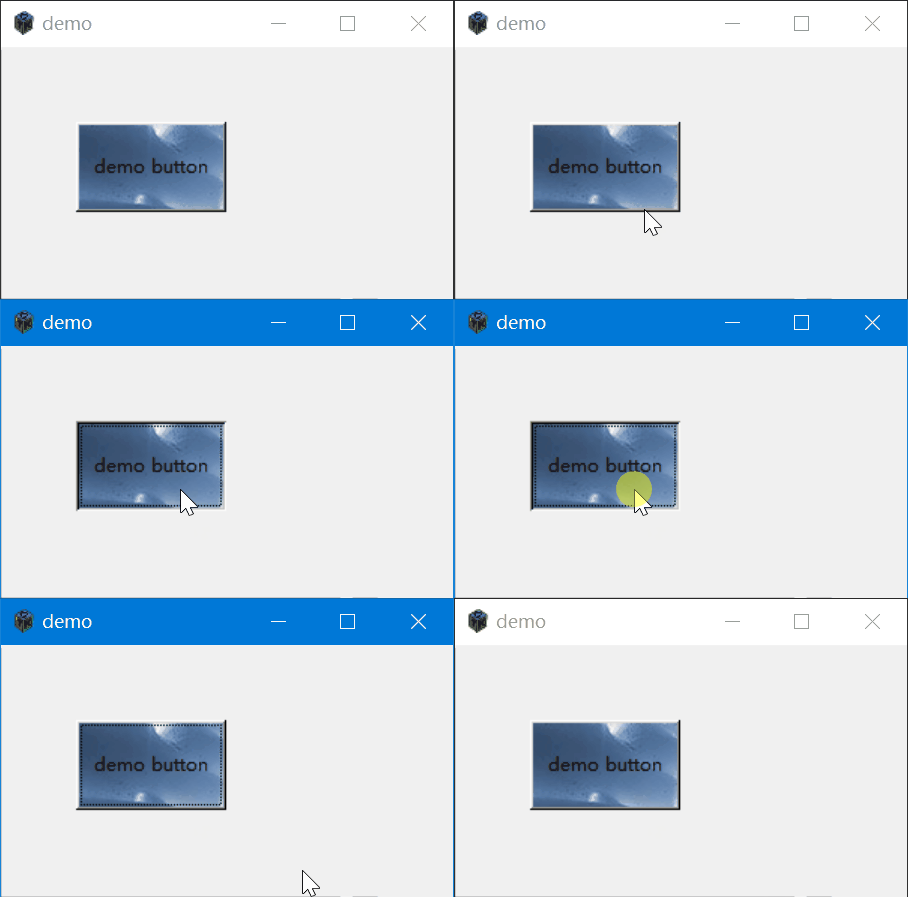
在gtk+2.0中,可以通过gtk_widget_get_style获取按钮的样式,并设置bg_pixmap背景图片的方法。
其中bg_pixmap数组有下面的枚举类型,代表不同情况下的图片类型。这意味着你可以在按钮正常,鼠标覆盖和鼠标按下的时候分别设置不同的图片。
enum GtkStateType

typedef enum

{

  GTK_STATE_NORMAL,

  GTK_STATE_ACTIVE,

  GTK_STATE_PRELIGHT,

  GTK_STATE_SELECTED,

  GTK_STATE_INSENSITIVE

} GtkStateType;

This type indicates the current state of a widget; the state determines how the widget is drawn. The GtkStateType enumeration is also used to identify different colors in a GtkStyle for drawing, so states can be used for subparts of a widget as well as entire widgets.


GTK_STATE_NORMAL


State during normal operation.

GTK_STATE_ACTIVE


State of a currently active widget, such as a depressed button.

GTK_STATE_PRELIGHT


State indicating that the mouse pointer is over the widget and the widget will respond to mouse clicks.

GTK_STATE_SELECTED


State of a selected item, such the selected row in a list.

GTK_STATE_INSENSITIVE


State indicating that the widget is unresponsive to user actions.
下面是一个例子
#include <gtk/gtk.h>


int main(int argc, char *argv[]) {

    gtk_init(&argc, &argv);


    // 创建一个窗口和一个固定大小的盒子

    GtkWidget *window = gtk_window_new(GTK_WINDOW_TOPLEVEL);

    gtk_window_set_title(GTK_WINDOW(window), "demo");

    gtk_window_set_default_size(GTK_WINDOW(window), 300, 20);

    GtkWidget *box = gtk_fixed_new();

    gtk_container_add(GTK_CONTAINER(window), box);


    // 创建一个带有背景图片的按钮

    GtkWidget *button = gtk_button_new_with_label("demo button");

    gtk_widget_set_size_request(button,100, 60);

    //获取按钮样式

    GtkStyle *style = gtk_widget_get_style(button);

    //加载图片

    GdkPixbuf *pixbuf = gdk_pixbuf_new_from_file("d:/bg0.jpg", NULL);

    GdkPixmap *pixmap = NULL;

    gdk_pixbuf_render_pixmap_and_mask(pixbuf, &pixmap, NULL, 0);

    //设置背景图片

    style->bg_pixmap[GTK_STATE_NORMAL] = pixmap;

    style->bg_pixmap[GTK_STATE_PRELIGHT] = pixmap;

    style->bg_pixmap[GTK_STATE_SELECTED] = pixmap;

    style->bg_pixmap[GTK_STATE_ACTIVE] = pixmap;

    style->bg_pixmap[GTK_STATE_INSENSITIVE] = pixmap;

    //设置样式

    gtk_widget_set_style(button, GTK_STYLE(style));

    //将按钮放入box容器

    gtk_fixed_put(GTK_FIXED(box), button, 50, 50);


    gtk_widget_show_all(window);

    gtk_main();


    return 0;

}