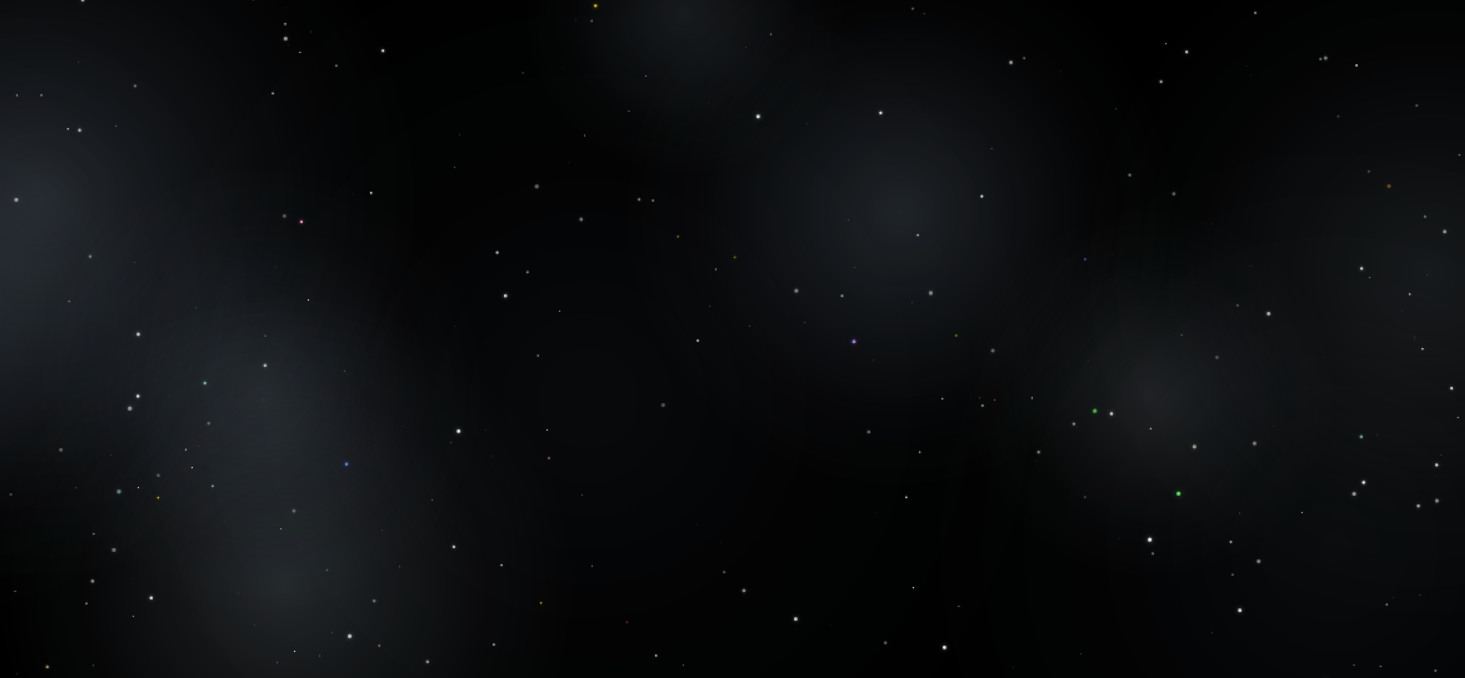
I used a static starry sky background on the website. It's very beautiful. The method of using canvas to draw the background is introduced below:
First, define the canvas id in the webpage CSS and place the main content of the webpage above the canvas.
        body {
            background-color: #0b0e14;
            color: #eef2f6;
            padding: 0 20px;
        }

        /* To use the background, you only need to add the background canvas and reference the background JS, and the background JS should be placed after the background canvas tag.*/
        #backgroundCanvas {
            position: fixed;
            top: 0;
            left: 0;
            width: 100%;
            height: 100%;
            pointer-events: none;
            z-index: 0;
            display: block;
        }

        /* Ensure all content is above the starry sky */
        body > * {
            position: relative;
            z-index: 2;
        }
Add a canvas inside the <body> tag of the page content, and finally include a JS script to draw the canvas content.
<body>
    <!-- Background Canvas -->
    <canvas id="backgroundCanvas"></canvas>
    ...
    <script src="/path/to/star-space-bg.js"></script>
</body>
Create star-space-bg.js
(function() {
    const canvas = document.getElementById('backgroundCanvas');
    if (!canvas) return;

    function resizeCanvas() {
        canvas.width = window.innerWidth;
        canvas.height = window.innerHeight;
    }

    // Colored star color pool (red, green, blue, gold, etc.)
    const colorStarColors = [
        { r: 255, g: 100, b: 100 }, // Bright Red
        { r: 100, g: 255, b: 100 }, // Bright Green
        { r: 100, g: 150, b: 255 }, // Bright Blue
        { r: 255, g: 215, b: 0   }, // Gold
        { r: 255, g: 180, b: 50  }, // Orange Gold
        { r: 255, g: 140, b: 200 }, // Pink
        { r: 170, g: 255, b: 200 }, // Mint
        { r: 180, g: 130, b: 255 }, // Light Purple
        { r: 255, g: 220, b: 150 }  // Champagne Gold
    ];

    // White/silver star color (majority)
    const whiteStarColors = [
        { r: 255, g: 255, b: 255 }, // Pure White
        { r: 250, g: 250, b: 255 }, // Cool White
        { r: 255, g: 252, b: 245 }, // Warm White
        { r: 240, g: 248, b: 255 }, // Ice White
        { r: 255, g: 255, b: 245 }  // Ivory White
    ];

    // Cool-colored halo pool (keep the original effect)
    const coolColors = [
        { r: 210, g: 230, b: 255 }, // Pale Ice Blue
        { r: 200, g: 225, b: 255 }, // Light Blue
        { r: 190, g: 220, b: 250 }, // Cool White Blue
        { r: 215, g: 235, b: 255 }, // Very Pale Sky Blue
        { r: 205, g: 225, b: 245 }, // Soft Cool Blue
        { r: 220, g: 240, b: 255 }, // Clear Cool White
        { r: 195, g: 218, b: 250 }  // Pale Cyan Blue
    ];

    // Get star color: white probability ~80%, colored probability ~20%
    function getRandomStarColor() {
        // 80% chance of returning to the white series, 20% chance of returning to the color series
        if (Math.random() < 0.8) {
            return whiteStarColors[Math.floor(Math.random() * whiteStarColors.length)];
        } else {
            return colorStarColors[Math.floor(Math.random() * colorStarColors.length)];
        }
    }

    function drawStarsAndGlow() {
        const ctx = canvas.getContext('2d');
        const w = canvas.width;
        const h = canvas.height;

        // 1. Pure black background
        ctx.fillStyle = '#000000';
        ctx.fillRect(0, 0, w, h);

        // 2. Draw random cool-colored halos (consistent with the original logic)
        // Main halo layer: 4-8, relatively large in range, low transparency
        const glowCount = Math.floor(Math.random() * 5) + 4;
        for (let i = 0; i < glowCount; i++) {
            const centerX = Math.random() * w;
            const centerY = Math.random() * h;
            const radius = Math.random() * 220 + 100;
            const intensity = Math.random() * 0.1 + 0.04;
            const color = coolColors[Math.floor(Math.random() * coolColors.length)];

            const gradient = ctx.createRadialGradient(centerX, centerY, 0, centerX, centerY, radius);
            gradient.addColorStop(0, `rgba(${color.r}, ${color.g}, ${color.b}, ${intensity * 1.2})`);
            gradient.addColorStop(0.4, `rgba(${color.r}, ${color.g}, ${color.b}, ${intensity * 0.6})`);
            gradient.addColorStop(0.7, `rgba(${color.r}, ${color.g}, ${color.b}, ${intensity * 0.2})`);
            gradient.addColorStop(1, `rgba(${color.r}, ${color.g}, ${color.b}, 0)`);

            ctx.globalCompositeOperation = 'lighter';
            ctx.fillStyle = gradient;
            ctx.fillRect(0, 0, w, h);
            ctx.globalCompositeOperation = 'source-over';
        }

        // Deep large halos: 2-5, very wide range, very faint cold light
        const deepGlowCount = Math.floor(Math.random() * 4) + 2;
        for (let i = 0; i < deepGlowCount; i++) {
            const centerX = Math.random() * w;
            const centerY = Math.random() * h;
            const radius = Math.random() * 350 + 200;
            const intensity = Math.random() * 0.06 + 0.02;
            const color = coolColors[Math.floor(Math.random() * coolColors.length)];

            const gradient = ctx.createRadialGradient(centerX, centerY, 0, centerX, centerY, radius);
            gradient.addColorStop(0, `rgba(${color.r}, ${color.g}, ${color.b}, ${intensity * 0.8})`);
            gradient.addColorStop(0.5, `rgba(${color.r}, ${color.g}, ${color.b}, ${intensity * 0.3})`);
            gradient.addColorStop(1, `rgba(${color.r}, ${color.g}, ${color.b}, 0)`);

            ctx.globalCompositeOperation = 'lighter';
            ctx.fillStyle = gradient;
            ctx.fillRect(0, 0, w, h);
            ctx.globalCompositeOperation = 'source-over';
        }

        // 3. Draw random stars (mostly white, a few colored)
        const starCount = Math.floor(Math.random() * 150) + 100;

        for (let i = 0; i < starCount; i++) {
            const x = Math.random() * w;
            const y = Math.random() * h;
            const size = Math.random() * 2.9 + 0.6; // 0.6px - 3.5px
            const alpha = Math.random() * 0.7 + 0.3; // 0.3 - 1.0

            // Get star colors (mainly white, with colorful accents)
            const color = getRandomStarColor();

            ctx.beginPath();
            if (size > 2.2) {
                // Larger stars with a slight halo (halo color is the same as the star color, semi-transparent)
                ctx.shadowBlur = size * 1.2;
                ctx.shadowColor = `rgba(${color.r}, ${color.g}, ${color.b}, ${alpha * 0.5})`;
            } else {
                ctx.shadowBlur = 0;
            }

            ctx.fillStyle = `rgba(${color.r}, ${color.g}, ${color.b}, ${alpha})`;
            ctx.arc(x, y, size / 2, 0, Math.PI * 2);
            ctx.fill();
            ctx.shadowBlur = 0;
        }

        // Extremely small stars (denser, 0.3-0.8px, slightly lower brightness), mostly white as well
        const tinyStarCount = Math.floor(Math.random() * 200) + 100;
        for (let i = 0; i < tinyStarCount; i++) {
            const x = Math.random() * w;
            const y = Math.random() * h;
            const size = Math.random() * 0.5 + 0.3;
            const alpha = Math.random() * 0.4 + 0.2; // 0.2-0.6

            // Even tiny stars follow the principle of being mainly white.
            const color = getRandomStarColor();
            ctx.fillStyle = `rgba(${color.r}, ${color.g}, ${color.b}, ${alpha})`;
            ctx.beginPath();
            ctx.arc(x, y, size / 2, 0, Math.PI * 2);
            ctx.fill();
        }
    }

    function init() {
        resizeCanvas();
        drawStarsAndGlow();

        let resizeTimeout;
        window.addEventListener('resize', function() {
            clearTimeout(resizeTimeout);
            resizeTimeout = setTimeout(function() {
                resizeCanvas();
                drawStarsAndGlow();
            }, 150);
        });
    }

    init();
})();
In the end, you will get a webpage background with this effect