acestep.cpp is a C program that lets you run the ACE-Step 1.5 AI music generation engine on your local computer. Its biggest features are efficiency and lightness. Many AI music models require very high computer hardware, but acestep.cpp uses GGML/GGUF quantization technology to drastically shrink the model size, allowing it to run smoothly even on computers with average setups.
For me, I don't have a high-performance computer. My computer specs are:
CPU: I3-10105F
RAM: 16GB
GPU: GT 1030 2GB
OS: Windows 10
This is almost impossible for AI generation. But I tried it using acestep.cpp. The GitHub address for acestep.cpp is: github.com/ServeurpersoCom/acestep.cpp
For Windows, he has a precompiled version, so you don't need to compile it yourself. The link is: www.serveurperso.com/temp/acestep.cpp-win64/
Strangely, he didn’t package it; he just listed all the program files. You need to download all the program files in bulk.
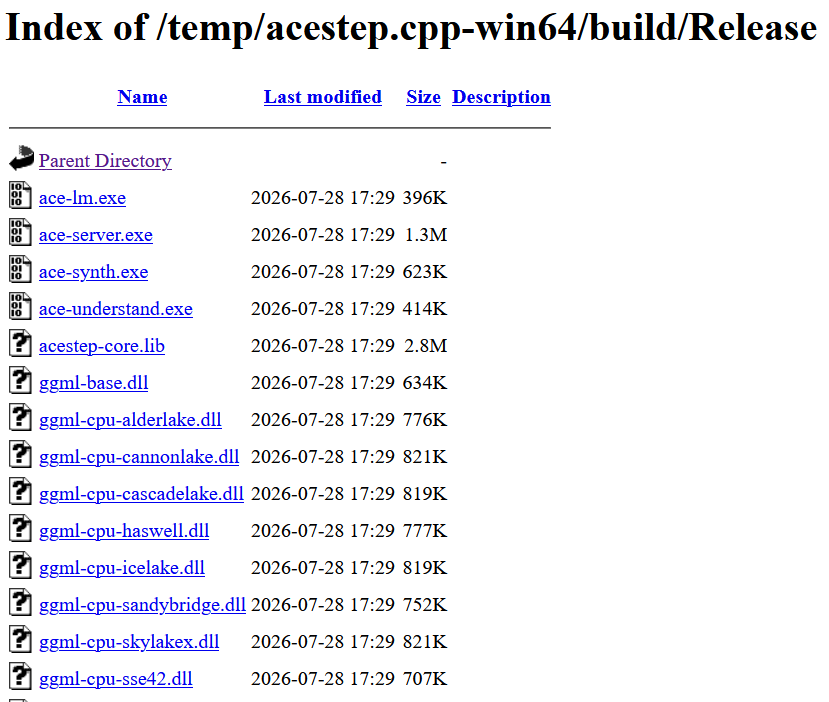
Besides that, you need to download its 4 model files:
- DiT model: responsible for generating music audio.
- Language model: responsible for understanding lyrics and prompts.
- Text encoder: converts the text you input into digital signals the model can understand.
- VAE decoder: responsible for converting the generated audio data back into music you can listen to.
You can download these models on Hugging Face: https://huggingface.co/Serveurperso/ACE-Step-1.5-GGUF/tree/main
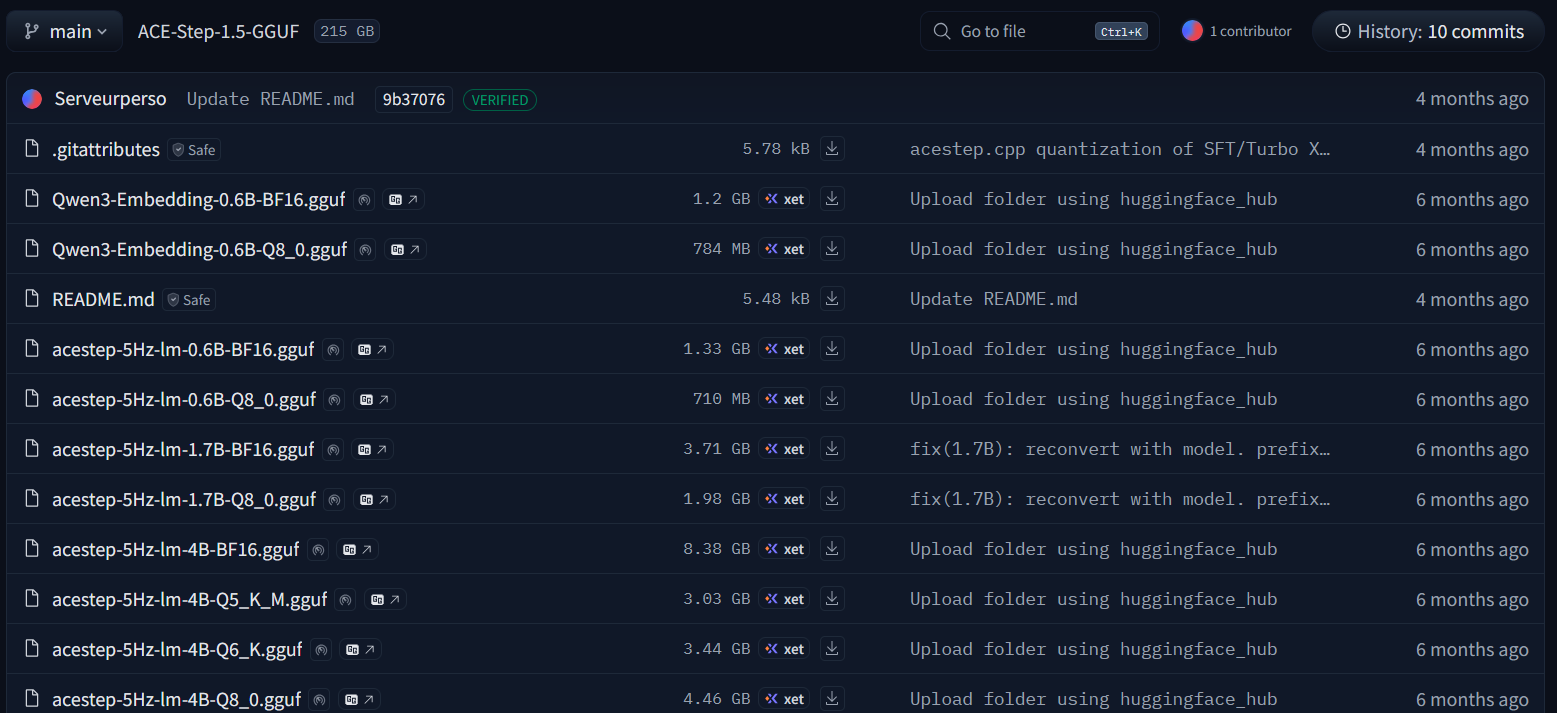
He defaults to recommending these:
LM  acestep-5Hz-lm-4B-Q8_0.gguf     4.2 GB
Text encoder    Qwen3-Embedding-0.6B-Q8_0.gguf  748 MB
DiT     acestep-v15-turbo-Q8_0.gguf     2.4 GB
VAE     vae-BF16.gguf   322 MB
Because my computer has lower performance, I downloaded the lightest model:
acestep-5Hz-lm-0.6B-Q8_0.gguf
acestep-v15-turbo-Q4_K_M.gguf
Qwen3-Embedding-0.6B-Q8_0.gguf
vae-BF16.gguf
I put all the downloaded program files into one folder, then created a models directory and put the four model files in it. Then I opened cmd in the current directory and typed the command to start it.
ace-server.exe --models ./models

[Server] Scanning models in ./models
[Registry] Qwen3-Embedding-0.6B-Q8_0.gguf -> Text-Enc
[Registry] acestep-5Hz-lm-0.6B-Q8_0.gguf -> LM
[Registry] acestep-v15-turbo-Q4_K_M.gguf -> DiT
[Registry] vae-BF16.gguf -> VAE
[Store] Created (policy=STRICT)
[Server] acestep.cpp fa33775 (2026-07-21)
[Server] Listening on 127.0.0.1:8080
[Server] Pipelines: /lm /synth /understand
[Server] Models: 1 LM, 1 Text-Enc, 1 DiT, 1 VAE, 0 Adapter
Open 127.0.0.1:8080 in your browser, this is the startup page
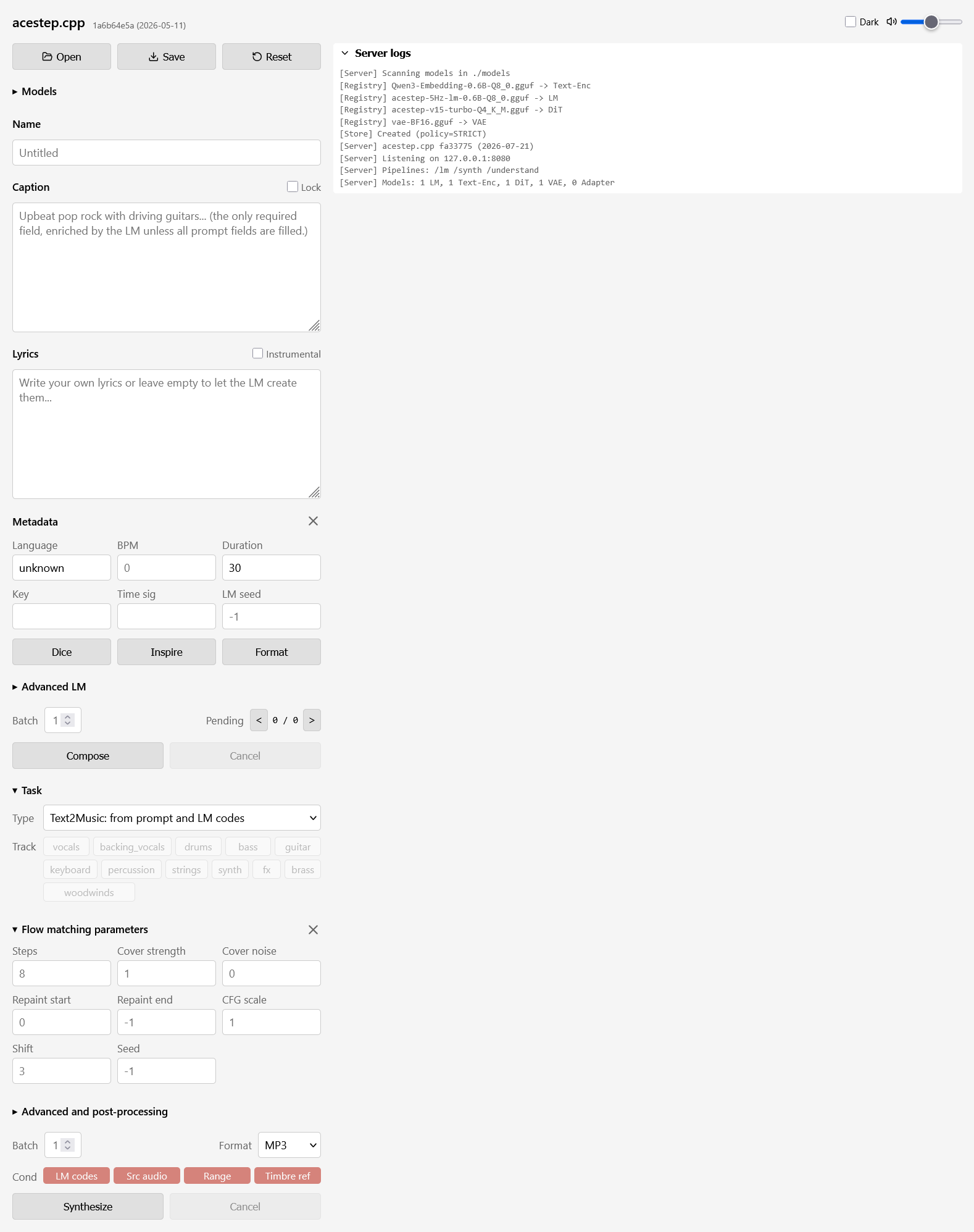
I filled in some prompt style words.
Upbeat pop rock with driving guitars, energetic drums, happy vibe
Duration is set to 30 seconds. The lyrics are not filled in, everything else is kept default, I click Synthesize to try to make it generate a song.
After a while, the console outputs
load_backend: loaded Vulkan backend from C:\Users\jack\Downloads\ace\Temp\ggml-vulkan.dll
load_backend: loaded CPU backend from C:\Users\jack\Downloads\ace\Temp\ggml-cpu-haswell.dll
[Load] VAE backend: Vulkan0 (CPU threads: 4)
[VAE] Backend: Vulkan0, Weight buffer: 161.1 MB
[VAE] Loaded: 5 blocks, upsample=1920x, F32 activations
[Store] Load VAE-Dec: 2545 ms
ggml_vulkan: Device memory allocation of size 1290240000 failed.
ggml_vulkan: vk::Device::allocateMemory: ErrorOutOfDeviceMemory
ggml_gallocr_reserve_n_impl: failed to allocate Vulkan0 buffer of size 6727680000
Obviously, my VRAM wasn’t enough, which caused the generation to fail. I thought it would fall back to using the CPU, but it used Vulkan, which means it was using the GPU. I haven’t found any option to force it to use the CPU. It prioritizes the GPU.
Looks like I need to recompile it, to make a CPU-only version. But I didn’t do that. I removed its two GPU-related DLL files. They are:
ggml-cuda.dll
ggml-vulkan.dll
After I removed these two files, I restarted acestep and nothing went wrong. I tried making it generate music again, it used the CPU for processing, and successfully generated the music.
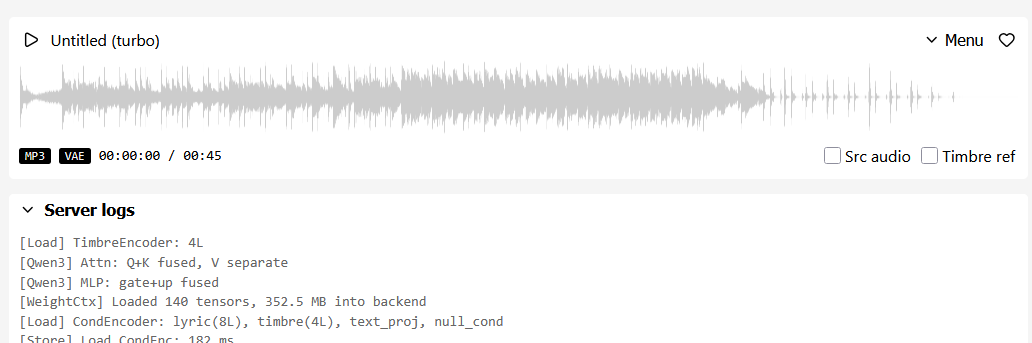
It's 45 seconds of pure music, with no one singing. Maybe I didn't fill in the lyrics. Here's the original audio file:
It uses 4GB of my memory and 56% of the CPU during the generation process. It took 188 seconds to generate 45 seconds of music, so it’s not so slow that it takes hours. I’m probably using the smallest model. Here’s the output information from the generation process:
[WeightCtx] Loaded 478 tensors, 895.6 MB into backend
[Load] DiT: 24 layers, H=2048, Nh=16/8, D=128
[Store] Load DiT: 449 ms
[DiT] Batch N=1, T=1126, S=563, enc_S=79
[DiT] Graph: 2063 nodes
[DiT] Solver: ODE Euler (1 NFE/step, order 1)
[DiT] Step 1/8 t=1.000
[DiT] Step 2/8 t=0.955
[DiT] Step 3/8 t=0.900
[DiT] Step 4/8 t=0.833
[DiT] Step 5/8 t=0.750
[DiT] Step 6/8 t=0.643
[DiT] Step 7/8 t=0.500
[DiT] Step 8/8 t=0.300
[DiT-Generate] Total: 82321.8 ms (82321.8 ms/sample)
[Store] Unload DiT (895.6 MB)
[GGUF] ./models\vae-BF16.gguf: 365 tensors, data at offset 30048
[Load] VAE backend: CPU (CPU threads: 4)
[VAE] Backend: CPU, Weight buffer: 161.1 MB
[VAE] Loaded: 5 blocks, upsample=1920x, F32 activations
[Store] Load VAE-Dec: 1197 ms
[VAE] Tiled decode: 2 tiles (chunk=1024, overlap=64, stride=896)
[VAE] Graph: 479 nodes, T_latent=960
[VAE] Upsample factor: 1920.00 (expected ~1920)
[VAE] Graph: 479 nodes, T_latent=294
[VAE] Tiled decode done: 2 tiles -> T_audio=2161920 (45.04s @ 48kHz)
[VAE-Decode Batch0] Decode: 103956.4 ms
[Store] Unload VAE-Dec (161.1 MB)
[MP3] Encoding 45.0s @ 128 kbps, 48000 Hz stereo
[MP3] 720768 bytes (12.0:1), 1838 ms (24.51x realtime), 8 threads
[Server] Job c9354496cf3039e2 done (1 tracks)