I've been renting an Alibaba Cloud ECS Light Instance for a long time. It only has 2 cores, 2GB of RAM, and 40GB of storage. I installed Debian 13.3 on it, and I usually use it to download some videos and transcode them, then transfer them back to my local machine all at once. I also use it to run some machine learning test code.
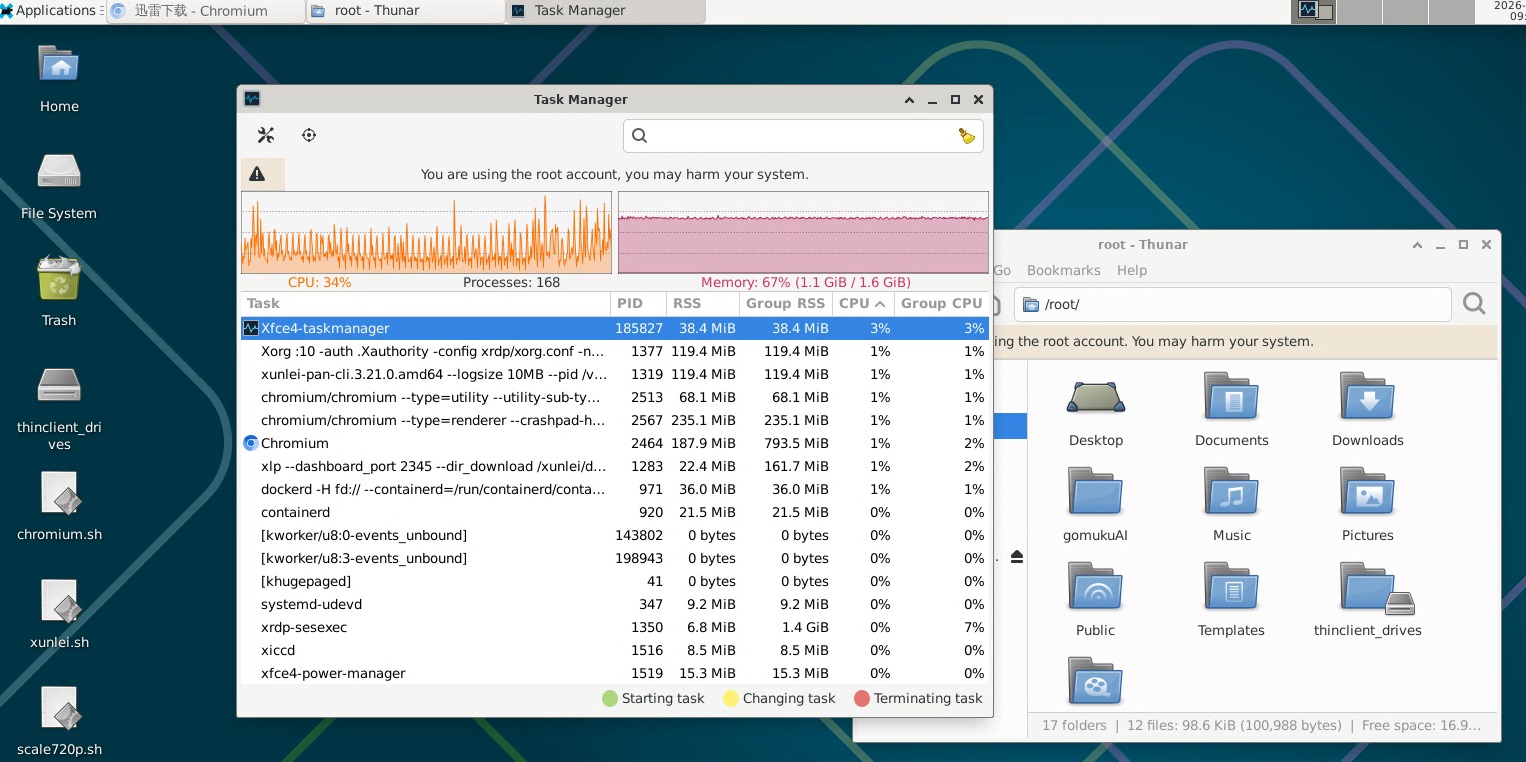
Its performance is really poor. Sometimes just running a single transcode causes it to be unresponsive for a long time. Without swap memory, it only has 1.6GB of available memory, and doing a batch video transcode makes the RDP remote desktop almost completely unresponsive. Connecting via SSH, I found it uses up 95.5% of the CPU and 96.5% of the memory.
top - 19:36:25 up  5:32,  2 users,  load average: 7.36, 33.17, 30.71
Tasks: 164 total,   1 running, 162 sleeping,   1 stopped,   0 zombie
%Cpu(s): 95.7 us,  3.0 sy,  0.0 ni,  1.3 id,  0.0 wa,  0.0 hi,  0.0 si,  0.0 st
MiB Mem :   1682.9 total,     67.4 free,   1628.6 used,    156.2 buff/cache
MiB Swap:      0.0 total,      0.0 free,      0.0 used.     54.3 avail Mem

    PID USER      PR  NI    VIRT    RES    SHR S  %CPU  %MEM     TIME+ COMMAND
 117077 root      20   0 1509388 348864   2332 S 181.7  20.2   8:57.39 ffmpeg
 115653 root      20   0  459244  13252   4852 S   7.3   0.8   0:54.44 xfce4-taskmanag
  25701 root      20   0  391072  85788  20388 S   3.3   5.0   3:49.86 Xorg

root@iZe8xdo4n3ilfuZ:~# free -h
               total        used        free      shared  buff/cache   available
Mem:           1.6Gi       1.6Gi        63Mi        37Mi       156Mi        50Mi
Swap:             0B          0B          0B
Create swap memory
I need to create a 4GB swap file for the system
sudo fallocate -l 4G /swapfile
sudo chmod 600 /swapfile
sudo mkswap /swapfile
sudo swapon /swapfile
Permanently mounts the swap file at boot.
echo '/swapfile none swap sw 0 0' | sudo tee -a /etc/fstab
After running the commands, check if the swap is recognized, I see /swapfile listed.
~# swapon --show
NAME      TYPE SIZE USED PRIO
/swapfile file   4G   0B   -2
Also check memory usage:
~# free -h
               total        used        free      shared  buff/cache   available
Mem:           1.6Gi       1.1Gi       174Mi        46Mi       576Mi       558Mi
Swap:          4.0Gi          0B       4.0Gi
If I don't need swap memory anymore, I just need to remove this swap file
sudo swapoff /swapfile
sudo rm /swapfile
Then manually remove the '/swapfile none swap sw 0 0' line from /etc/fstab
Transcoding Parameter Adjustment
FFmpeg's own adjustments
By default, FFmpeg will try to use all available CPU cores to speed up processing. You can manually limit the number of threads it uses with the -threads option, like using just one thread to handle the video.
ffmpeg -i input.mp4 -threads 1 output.mp4
Adjusting a process's 'niceness' using nice
A 'high niceness' (high nice value) FFmpeg process will willingly give up resources when other CPU-hungry processes (like your desktop environment) are running. The nice value ranges from -20 (highest priority) to 19 (lowest priority).
For example, if you set ffmpeg's priority parameter to 15, FFmpeg will voluntarily yield the CPU when the system is running other tasks.
nice -n 15 ffmpeg -i input.mp4 output.mp4
Strictly limit using external tools (cpulimit)
cpulimit is a tool specifically used to limit a process's CPU usage percentage. It continuously monitors the target process, and when the CPU usage exceeds the set value, it pauses the process to achieve precise control.
Installing cpulimit
sudo apt install cpulimit
Then use it to run or limit FFmpeg, like limiting its CPU usage to no more than 50%
cpulimit -l 50 -e ffmpeg -- -i input.mp4 output.mp4
Test
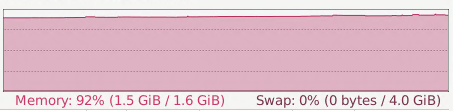
When I was testing transcoding with ffmpeg, I noticed the memory usage was really high and swap wasn't being used.
Linux has a parameter called vm.swappiness, ranging from 0 to 100, which controls the kernel's 'eagerness' to use swap:
| swappiness | Behavior |
|---|---|
| 0 | Really reluctant to use swap, only use it when RAM is completely used up |
| 10 | Use only when necessary (recommended by the server) |
| 60 | Default value (most distributions) |
| 100 | Uses swap very actively, even when there's still plenty of RAM |
Check current value
cat /proc/sys/vm/swappiness
My display shows 0, which means the swap partition won’t be used at all until the memory is exhausted. This might be an intentional setting by the manufacturer.
Temporary change (resets after reboot)
sudo sysctl vm.swappiness=60
Permanent changes (add to /etc/sysctl.conf)
echo 'vm.swappiness=60' | sudo tee -a /etc/sysctl.conf
sudo sysctl -p
I tested it again, and in the end, it started using swap memory, and its CPU and memory were no longer maxed out, so I could use other things normally.

Disk and network
After removing the Debian system and swap file, I have about 30GB of available disk space. When batch transcoding videos, I use a script that transcodes and deletes at the same time. This way, it avoids the pressure of using double the space.
The cloud server often runs some download tasks. If its download program goes too fast, it will use up all the cloud server's bandwidth, causing the RDP remote desktop to become unresponsive. I limited the maximum speed of the cloud server's download program to 8MB/s to keep some upload bandwidth available for the RDP service.