I recorded some CS 1.6 gameplay footage on YouTube. But I noticed YouTube only plays up to 480P because CS 1.6 is 800x600 resolution. I tried increasing the game resolution, but the graphics didn't look good. The default resolution options are all 4:3 screen sizes. My screen size, 1600x900, isn’t available.
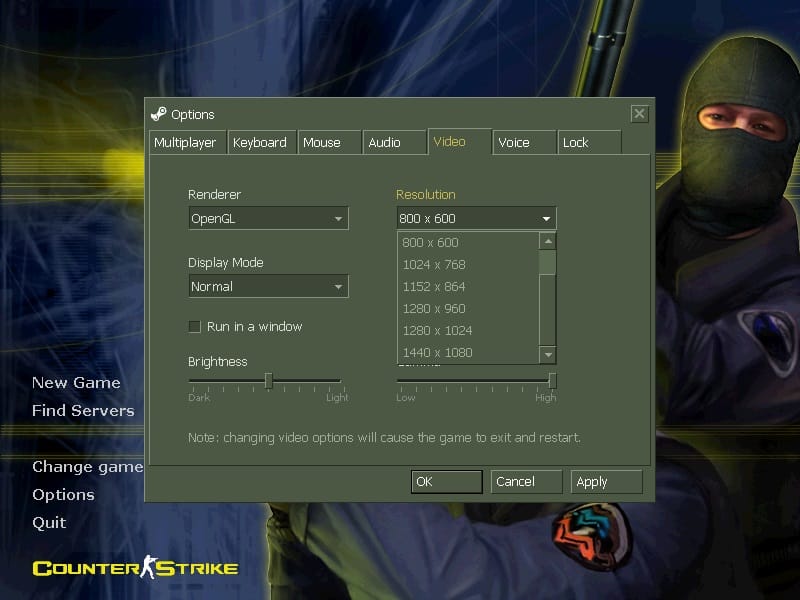
I did the following steps:
Found the CS1.6 shortcut.
Right-clicked it and selected 'Properties'
In the 'Shortcut' tab, found the 'Target' field.
At the end of that long address, leave a space and then enter the following command:-width 1600 -height 900
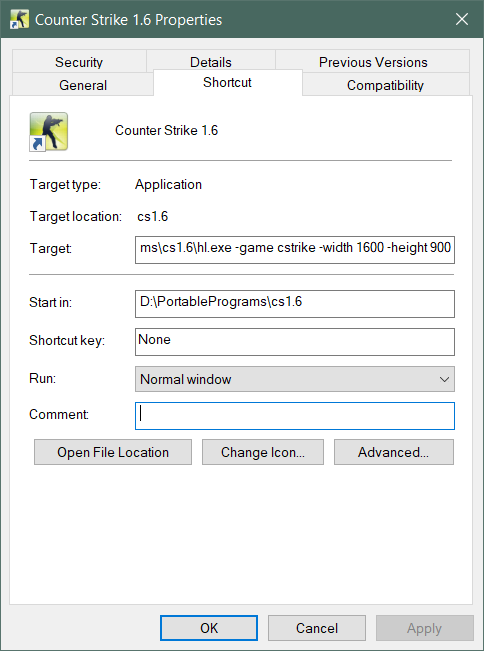
In the end, it looks like this
D:\Games\cs1.6\hl.exe -game cstrike -width 1600 -height 900
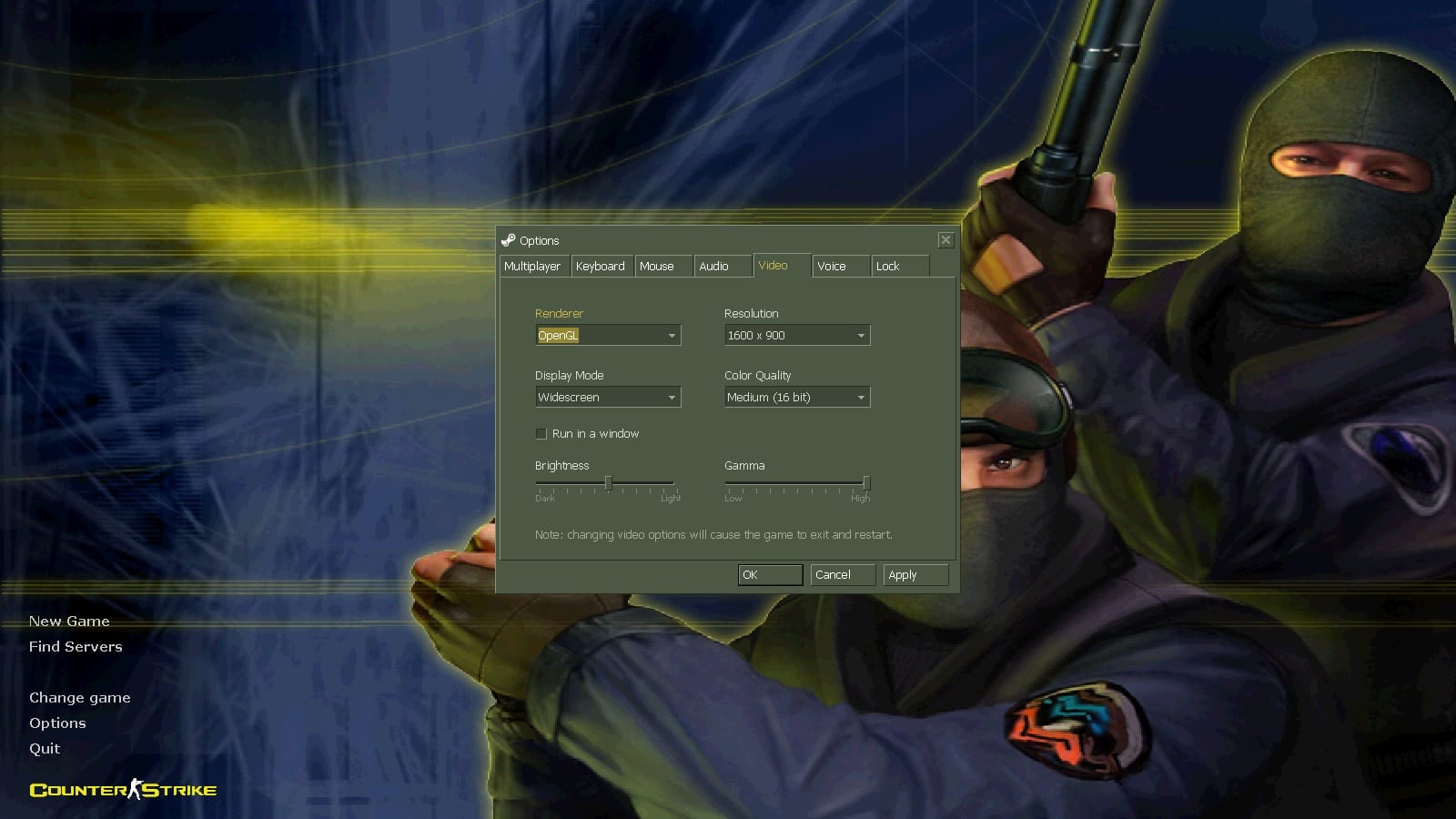
Finally, I opened CS1.6 and found that the resolution had changed to my screen size. The game graphics became more detailed.
When I opened Warcraft 3, I found that it also didn’t have a resolution suitable for my screen. My screen suggested that I use a 1600x900 resolution for a better display.
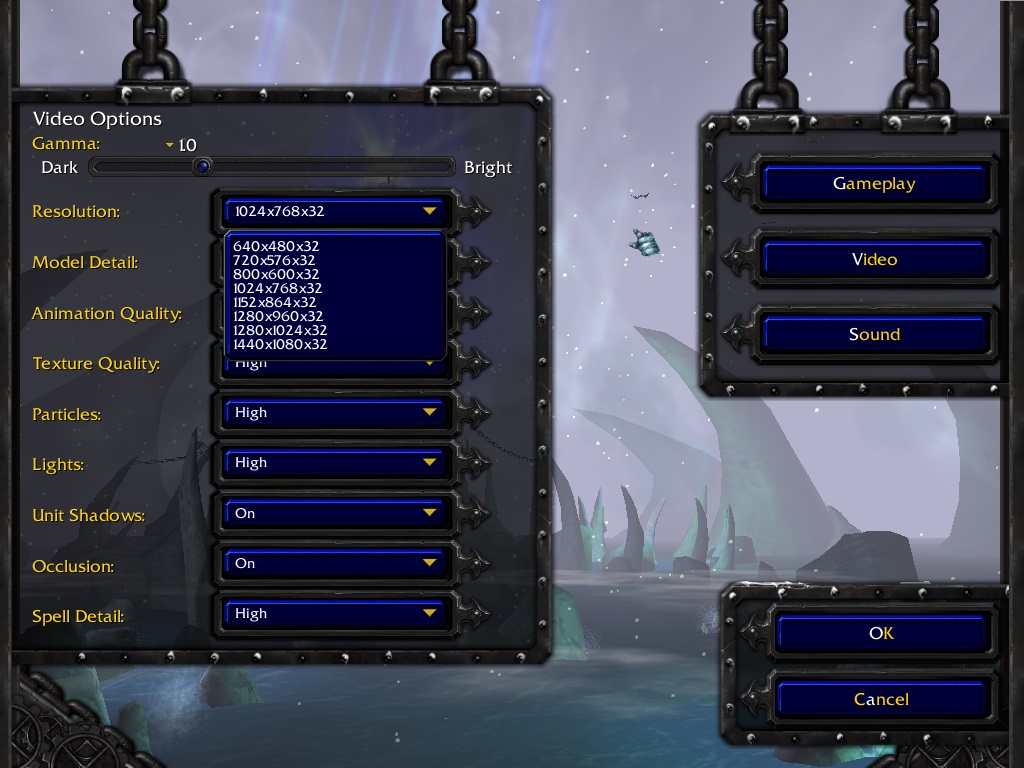
For Warcraft III, you need to open the Registry Editor and find the Warcraft directory:
HKEY_CURRENT_USER\SOFTWARE\Blizzard Entertainment\Warcraft III\Video。
Change the resolution values: In the list on the right, you'll see two key items: reswidth stands for width and resheight stands for height. Double-click them, set the base to 'Decimal', and then fill in the desired resolution values 1600 and 900.
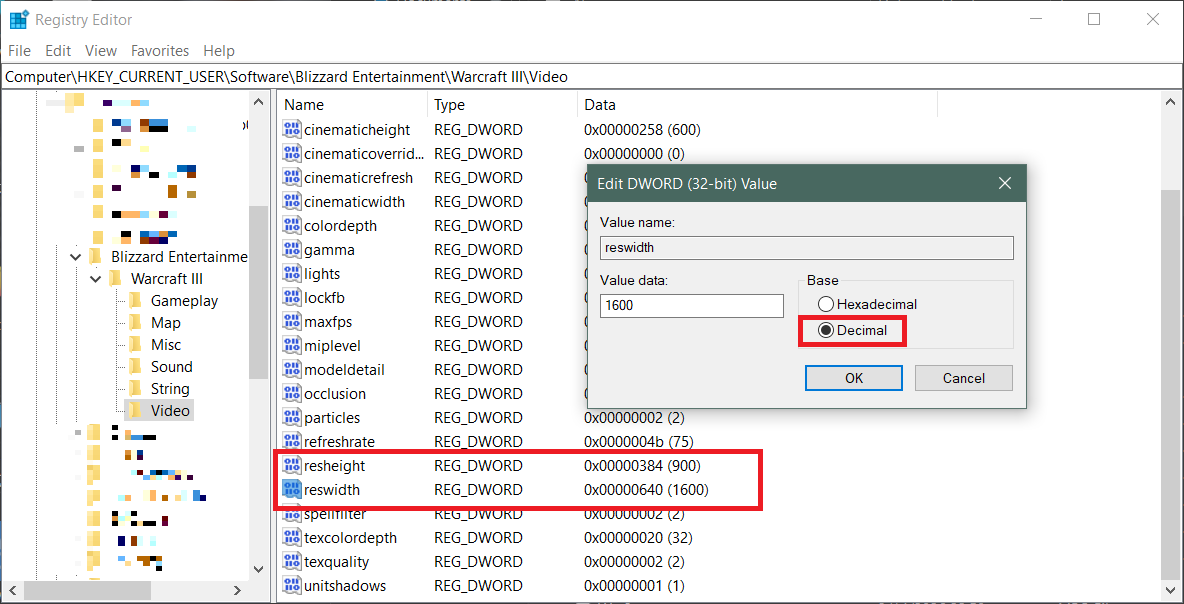
After making the changes, you can just close the Registry Editor. When you start the game again, it will run at a resolution of 1600x900.