I am using a cloud server as the server and a local machine as the client. I want to set up a VPN using WireGuard, so that the local machine can forward traffic through the cloud server’s IP and hide the local machine.
First, you need to download WireGuard:https://www.wireguard.com/install/
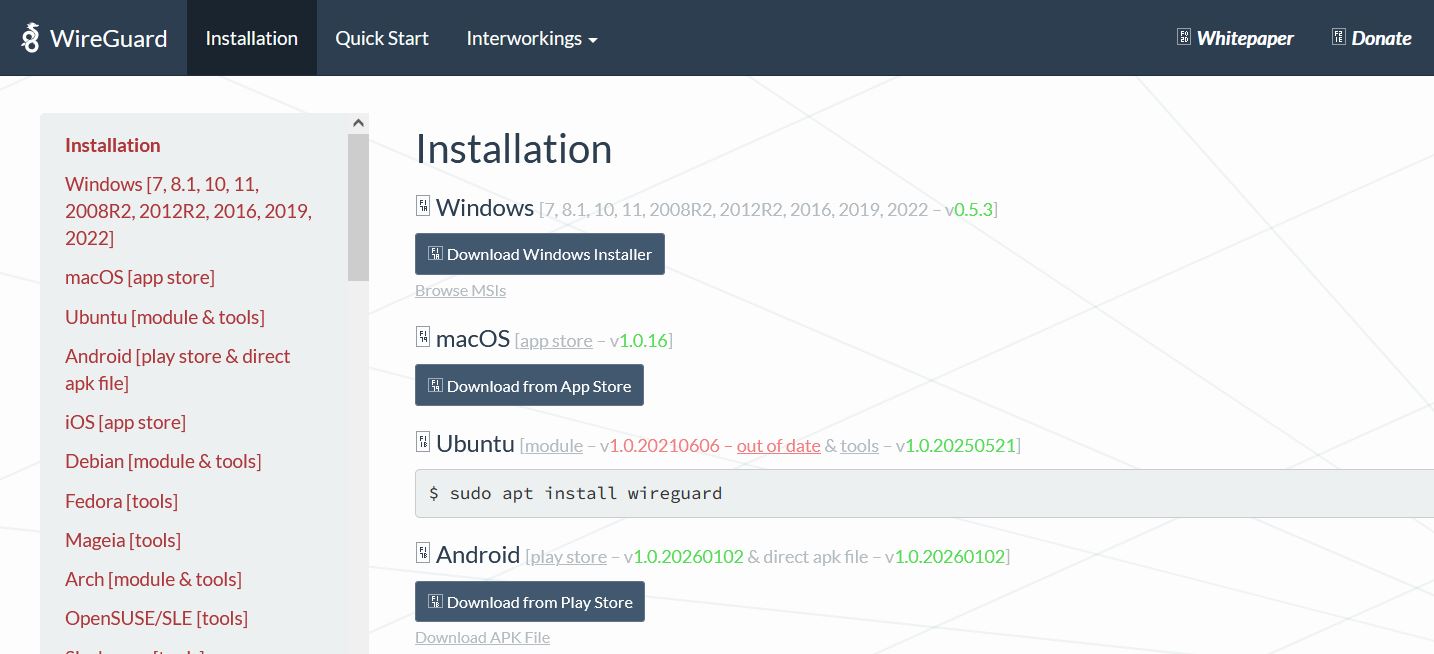
After clicking to download the MSI installer for the Windows version, install it. The server and client use the same installer.
Then open the server program on the cloud host. Create an empty tunnel, and it will automatically generate a public key and a private key.
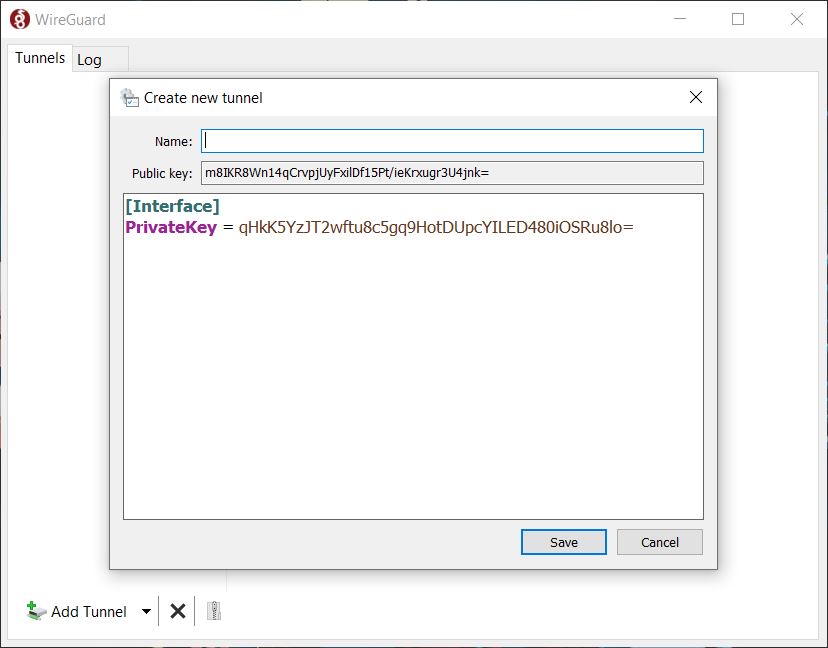
Set a casual name, like 'oo'. Edit the information below.
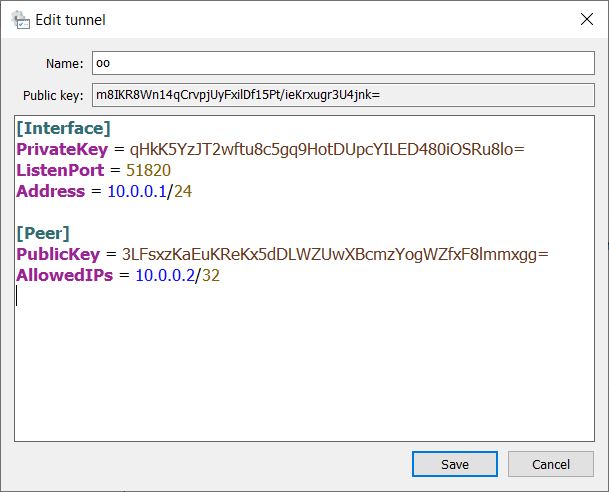
server
[Interface]
PrivateKey = qHkK5YzJT2wftu8c5gq9HotDUpcYILED480iOSRu8lo=
ListenPort = 51820
Address = 10.0.0.1/24

[Peer]
PublicKey = 3LFsxzKaEuKReKx5dDLWZUwXBcmzYogWZfxF8lmmxgg=
AllowedIPs = 10.0.0.2/32
[Interface]
- PrivateKey Automatically generated private key
- ListenPort Listening port
- Address Set local address
[Peer]
- PublicKey Client's public key, unknow now, fill it later.
- AllowedIPs Address allocated to the client
Open the client program on the local host. Similarly, create a new empty tunnel, and it will automatically generate a public key and a private key.
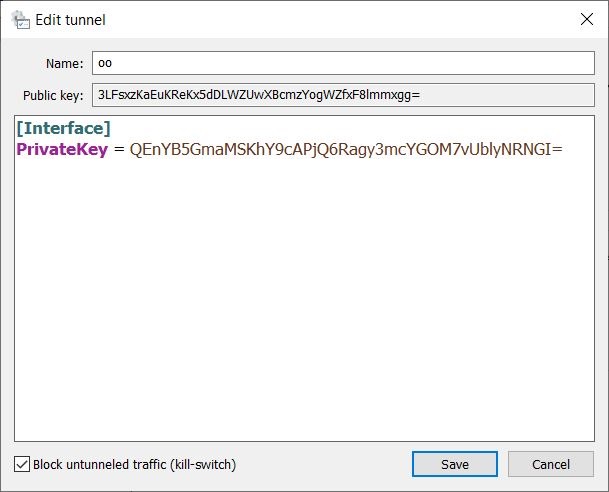
At this point, enter the PublicKey automatically generated by the client into the corresponding area on the server side, and save the server configuration after completing the server setup.
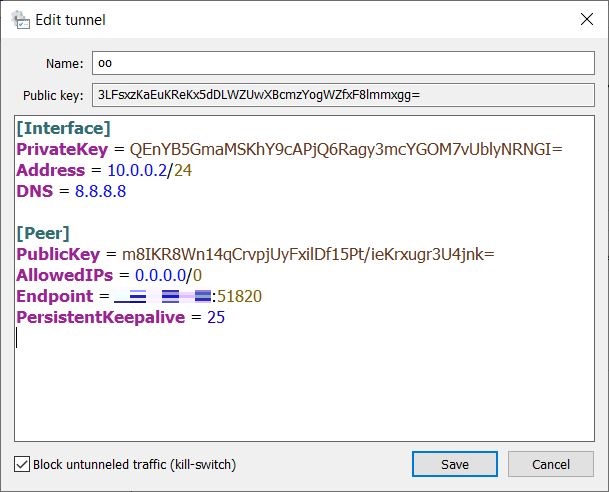
Enter the name "oo" in the client configuration. Edit the information.
client
[Interface]
PrivateKey = QEnYB5GmaMSKhY9cAPjQ6Ragy3mcYGOM7vUblyNRNGI=
Address = 10.0.0.2/24
DNS = 8.8.8.8

[Peer]
PublicKey = m8IKR8Wn14qCrvpjUyFxilDf15Pt/ieKrxugr3U4jnk=
AllowedIPs = 0.0.0.0/0
Endpoint = 123.123.123.123:51820
PersistentKeepalive = 25
[Interface]
- PrivateKey Automatically generated private key
- Address Corresponding to the AllowedIPs filled in on the server side
[Peer]
- PublicKey Server's PublicKey
- AllowedIPs Set which traffic goes through the VPN
- Endpoint It is the server's IP and port
Then save the client configuration.
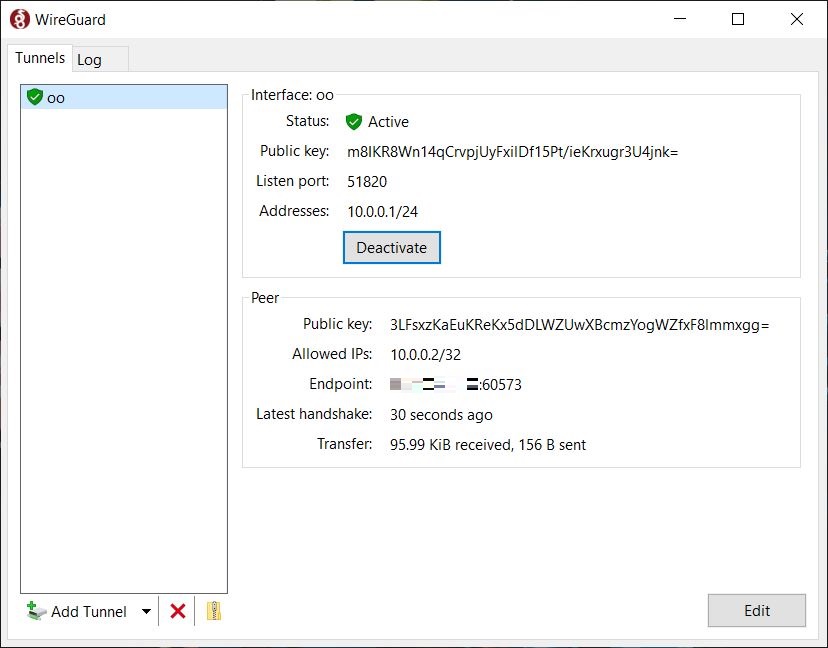
Clicking Activate on the server will prompt that the connection is successful.
When the client clicks Activate, it will prompt that the connection is successful.
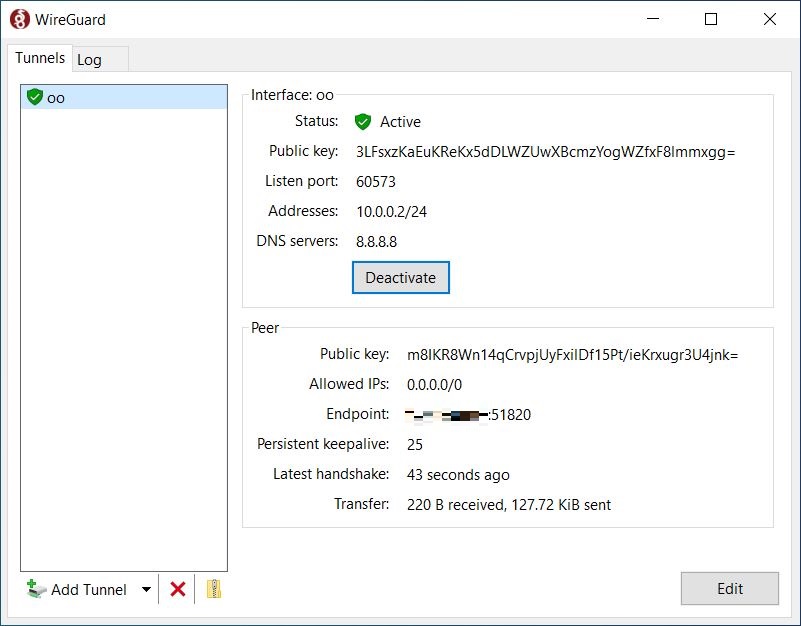
At this point, the client has successfully connected to the server VPN. However, it cannot access the internet. The network card needs to be configured on the cloud host.
In the control panel, navigate to:Control Panel\Network and Internet\Network Connections
To configure the network adapter, right-click Properties, go to Sharing, check the option 'Allow other network users', select the network adapter created by WireGuard named 'oo,' and save.
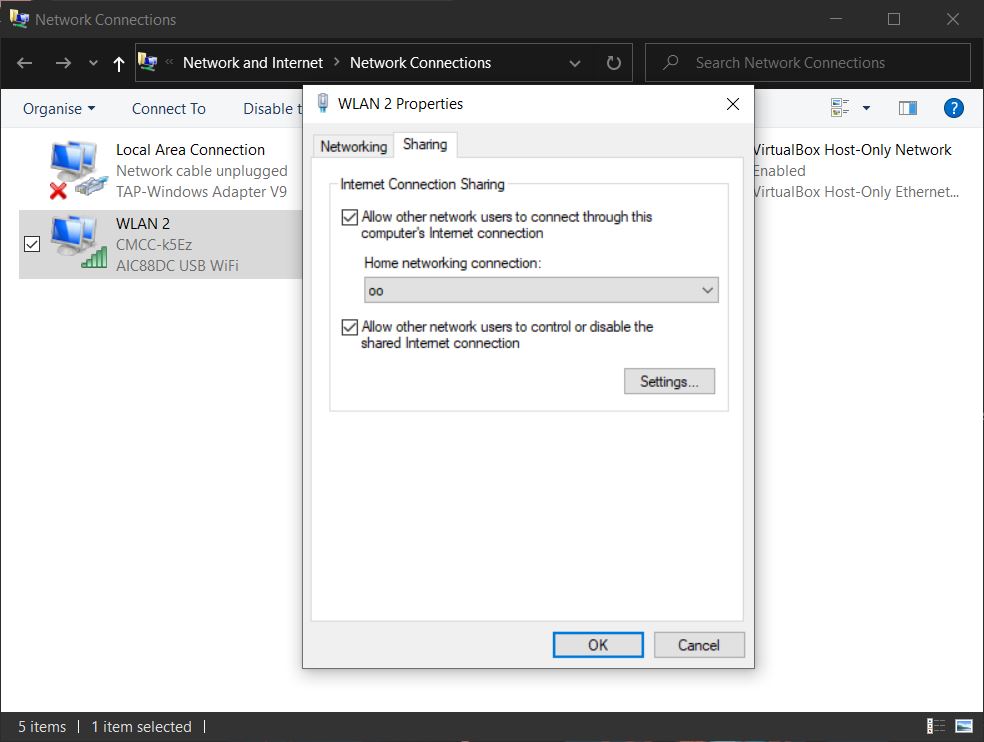
This way, the client can use the cloud server's IP to access the Internet.
My goal is for the local eMule client to use the cloud server's public IP to achieve a High ID on the ed2k network and an Open status on the Kad network.
Therefore, after connecting via VPN, I use the socat tool on Windows on the cloud server to forward the two ports used by eMule.
socat UDP4-LISTEN:4672,fork,reuseaddr UDP4:10.0.0.2:4672
socat TCP4-LISTEN:4662,fork,reuseaddr TCP4:10.0.0.2:4662
But in the end, I could only get eMule to connect to the ed2k network with a High ID, and it wasn't very stable; sometimes it was still a Low ID. The KAD network was still in a firewalled state, so the attempt failed.