My Windows 10 disk usage is high, and it’s often running high in the background.
I opened Task Manager and found a process called Microsoft Compatibility Telemetry running. It seems to be related to Windows updates, and I need to disable it.
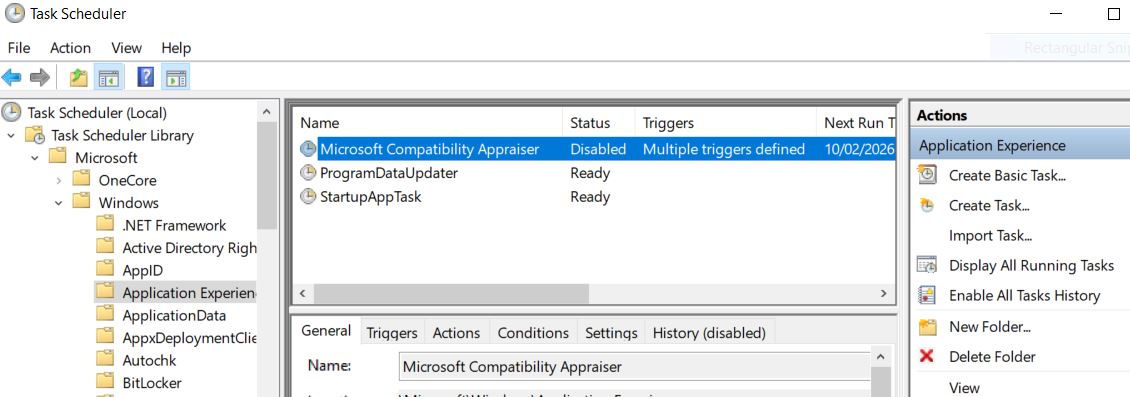
Press Windows + R, type taskschd.msc in the Run window, and press Enter to open Task Scheduler.
Expand Microsoft, Windows, Application Experience.Find the Microsoft Compatibility Appraiser and right-click to disable it
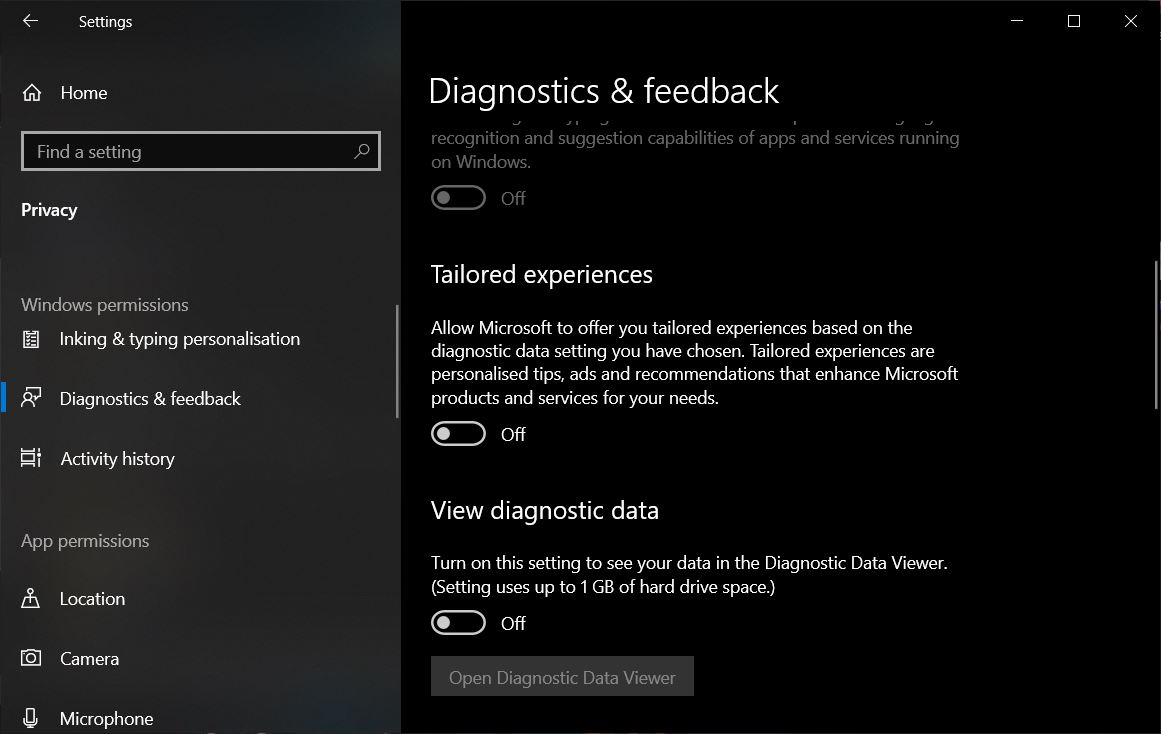
Open Windows system settings, go to Privacy, then Diagnostics, and turn off all the switches.
I need to completely turn off Windows updates. Here is a tool that can disable Windows updates:https://www.sordum.org/9470/windows-update-blocker-v1-8/
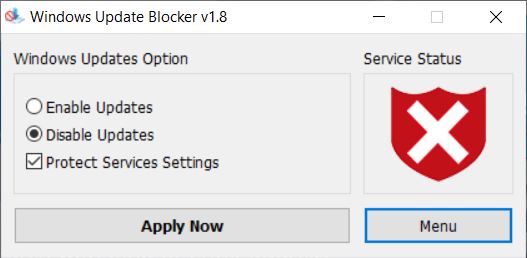
Use this tool to disable Windows update. It should be noted that after disabling updates, the Windows Store will also be unavailable. However, you can enable updates to use the store again.
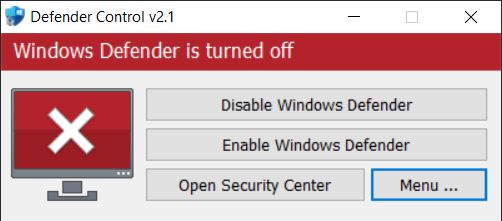
There is also a Defender Control tool from the same source as this tool:https://www.sordum.org/9480/defender-control-v2-1/
Use this tool to turn off Windows Defender, because Windows Defender often uses CPU and disk in the background.
Finally, Windows' search function frequently creates indexes during operations like moving folders, causing the disk to lag and the system to freeze. I need to completely disable the built-in search function in Windows 10. Who needs this garbage?
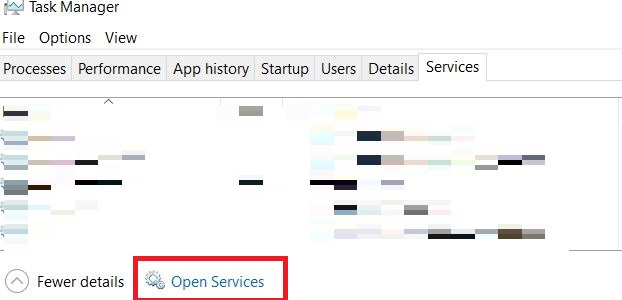
In the Task Manager, select the Services tab and open Services
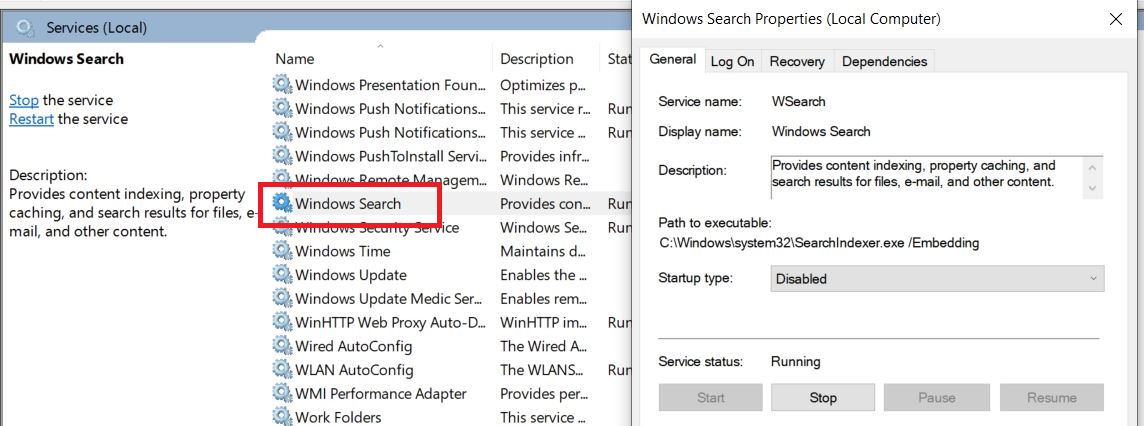
Find the Windows Search service, right-click Properties, and set the start type to Disabled
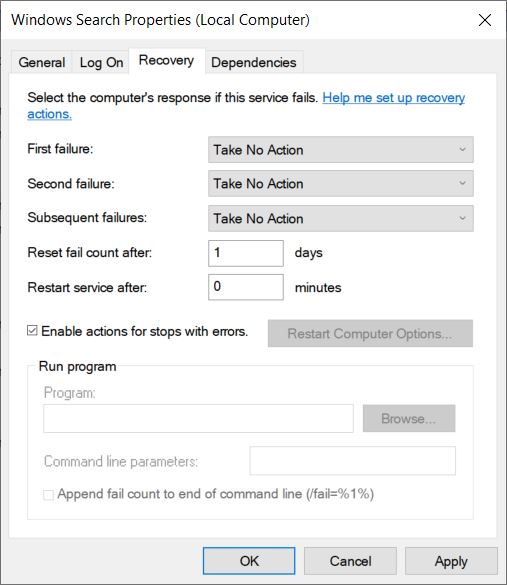
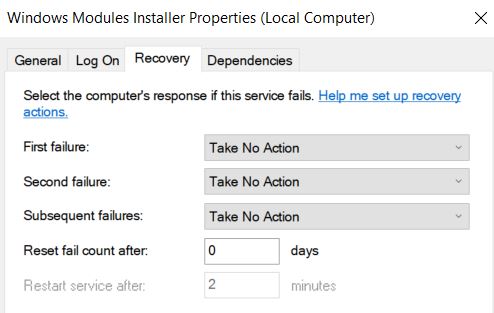
Switch to the recovery tab and set all three failures to 'take no action'.
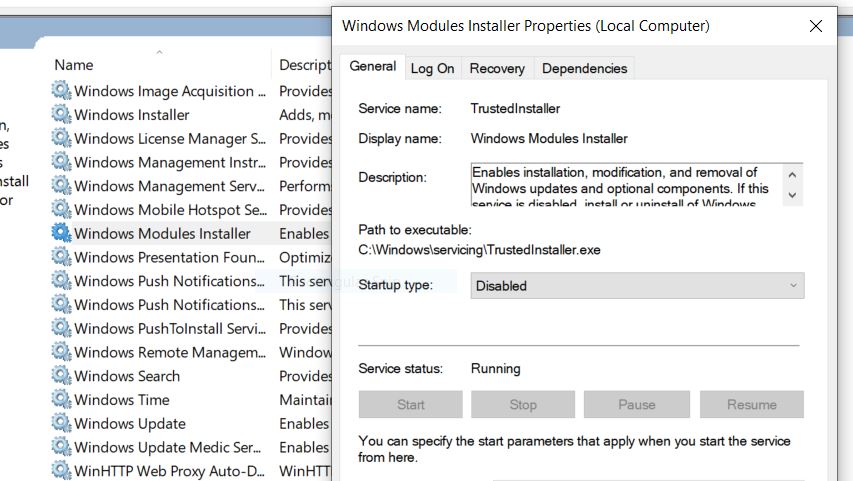
Sometimes I find that the Windows Modules Installer Worker process continuously uses the CPU in Task Manager, and I also stop it in Windows Services to prevent it from restarting.
That's all.