When the Windows system screen turns off, it crazily uses the HDD. I can hear my Hitachi enterprise hard drive making frequent seeking noises. But when I turn the screen back on and try to check which app is reading the disk through Task Manager, everything goes back to normal. It stops using the disk.
At first, I thought it was Windows 10's search service indexing in the background. So I turned off the search service. But that didn't solve it. This program is like playing hide and seek—it goes crazy scanning the disk only when the screen is off, and goes back to normal as soon as the screen is on.
I want to know which program is doing this. I used the Process Monitor tool from the Sysinternals suite to monitor any program operating on files. I finally found out that while my screen was off, it was svchost.exe scanning my G drive.
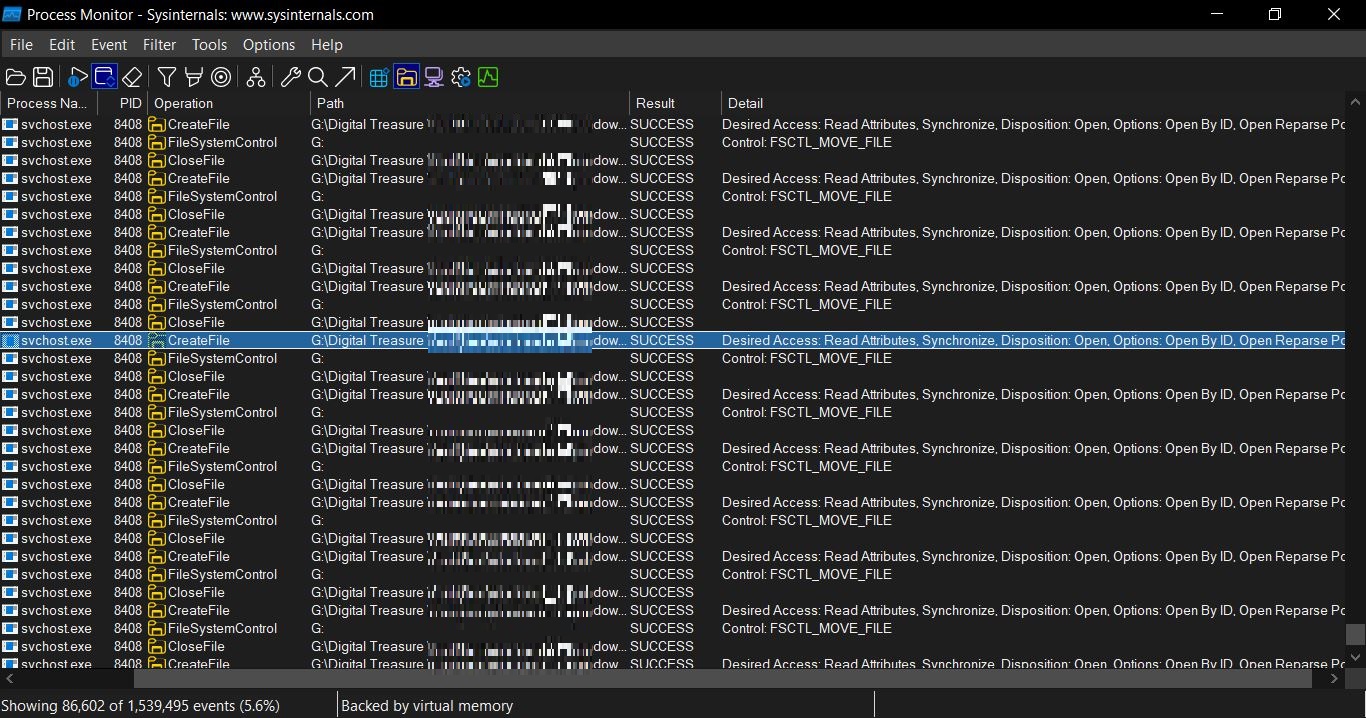
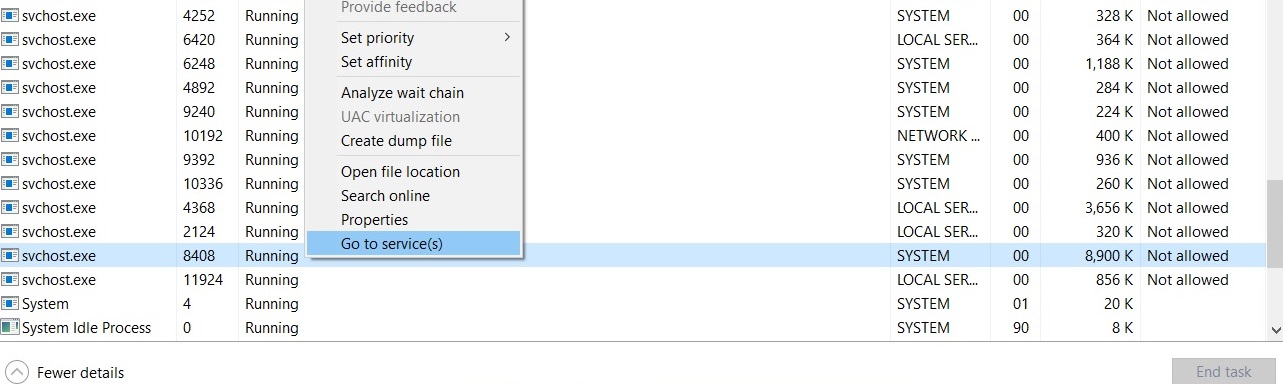
svchost.exe itself is a system host process, and other programs operate on the disk through it. I found this process in Task Manager by its PID 8408 and jumped to the service.
The name of this service is defragsvc. It's a built-in disk optimization tool in Windows that automatically takes care of hard drive maintenance in the background. It regularly defragments the disk, reorganizing scattered file fragments into contiguous blocks to improve read and write performance. This process involves a lot of read/write head movements and data shifting, which makes the hard drive sound quite noisy.
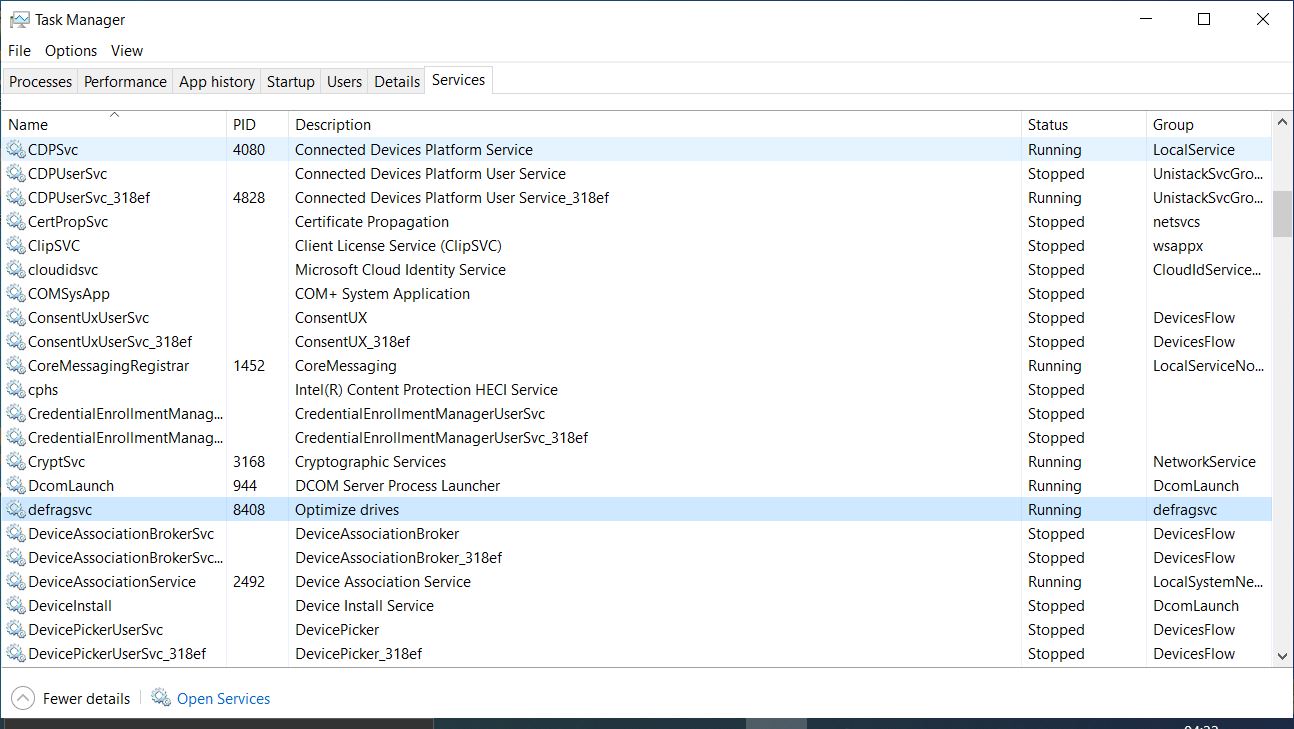
When the user turns off the screen, it scans in the background at full power. When the user turns on the screen, it stops working so it doesn’t affect the user’s experience.