If you want to keep the controls aligned, the simplest way is to put them into a GtkTable. You can create a new GtkTable and put all the content into this GtkTable to achieve alignment.
But you'd better set the third parameter of gtk_table_new to false, so that the same space is not allocated for each cell, avoiding a situation where a single cell takes up too much space and causes the entire GtkTable or even the program interface to expand.
Another way is to set up a GtkTable for each row. For example, set a GtkTable with 1 row and 10 columns, with the title occupying the first column and the other controls occupying columns 2-10. Setting it up this way for each row can also ensure that all controls are aligned vertically.
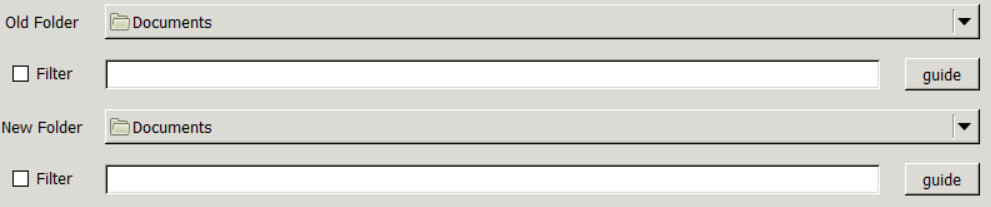
Set a GtkTable for each row. If the third parameter created is set to false, then the size of each cell is not fixed. It's difficult to keep alignment for each row. So set it to true to make the cell size fixed.
When set to true, if a control becomes too large due to excessively long text, it will expand the entire GtkTable, causing the program interface to be enlarged.
The solution is to create a horizontal container and add all controls except for the row titles into this horizontal container, allowing the horizontal container's adaptive size to dynamically adjust the size and positioning relationship of the controls inside. Only add the title controls and the horizontal container to the GtkTable. This way, other controls being too large will not expand the size of the entire GtkTable cell.