The SMB service on Windows suddenly can't be accessed by other machines on the local network. Yesterday, I tried connecting with my Android phone using a file manager that supports SMB 2.0/3.0, but it failed. I thought it was an issue with my phone.
But when I used a Windows system to connect to that SMB server today, it failed in the same way. I know it's a problem with that SMB server.
One reason might be that the network discovery feature is turned off and needs to be manually enabled.
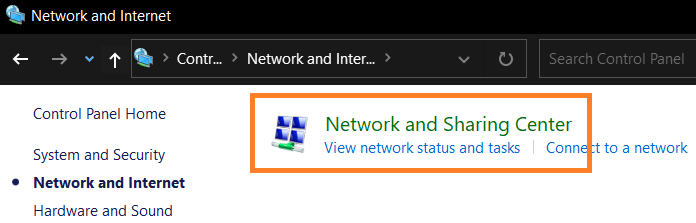
Open the Control Panel and click on Network and Sharing Center.
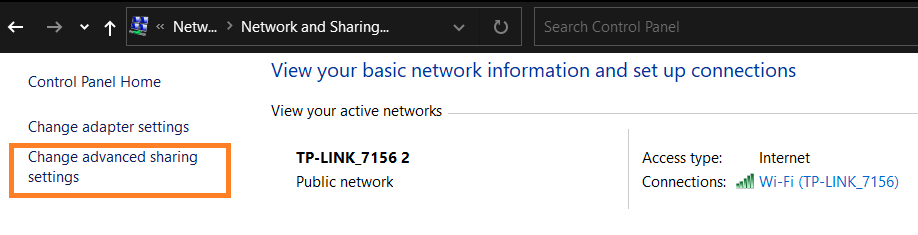
Click Change advanced sharing settings
Turn on both Network discovery and File and printer sharing
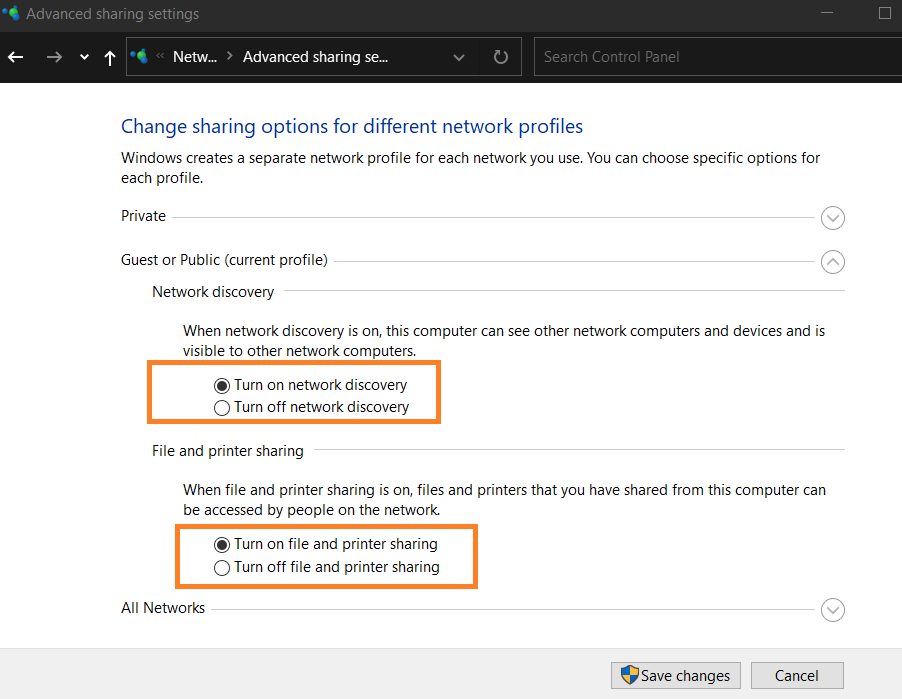
This way, other computers on the local network can connect to this computer's SMB service again.