system: windows 10 1909
ffmpeg: 4.2.2
miniconda: conda 25.5.1
facefusion: facefusion-3.3.0
首先下载和安装miniconda,官网下载地址:https://docs.anaconda.com/miniconda/install/
安装 FFmpeg预编译版本:https://www.gyan.dev/ffmpeg/builds/
从github下载facefusion源码:https://github.com/facefusion/facefusion ,然后解压
miniconda安装好了之后,从windows程序列表里启动"Anaconda Prompt",然后创建一个facefusion环境
conda init --all
conda create --name facefusion python=3.12 pip=25.0
conda activate facefusion
切换到facefusion源码目录,进行安装,因为我是使用纯cpu运行,所以使用参数--onnxruntime default,如果有nvidia显卡可以使用--onnxruntime cuda安装gpu版本
cd D:/python/facefusion-3.3.0
python install.py --onnxruntime default
如果使用gpu版本,需要确保nvidia显卡安装好了cuda驱动,并且还需要安装cudnn库
conda install -c nvidia cudnn=9
注意 ONNX Runtime CUDA cuDNN 三者的匹配关系,数据来自于:https://onnxruntime.ai/docs/execution-providers/CUDA-ExecutionProvider.html
CUDA 13.x
| ONNX Runtime | CUDA | cuDNN | Notes |
|---|---|---|---|
| 1.30.x | 13.0 | 9.x | Available in PyPI and NuGet. Compatible with PyTorch for CUDA 13.x. |
| 1.29.x | 13.0 | 9.x | Available in PyPI and NuGet. Compatible with PyTorch for CUDA 13.x. |
| 1.28.x | 13.0 | 9.x | Available in PyPI and NuGet. Compatible with PyTorch for CUDA 13.x. |
| 1.27.x | 13.0 | 9.x | Available in PyPI and NuGet. Compatible with PyTorch for CUDA 13.x. |
CUDA 12.x
| ONNX Runtime | CUDA | cuDNN | Notes |
|---|---|---|---|
| 1.30.x–1.27.x | 12.8 | 9.x | CUDA 12.x GPU packages. Requires CUDA 12.8 or newer. |
| 1.26.x–1.21.x | 12.8 | 9.x | Available in PyPI and NuGet. Default GPU package build before 1.27. |
| 1.20.x | 12.x | 9.x | Available in PyPI. Compatible with PyTorch >= 2.4.0 for CUDA 12.x. |
| 1.19.x | 12.x | 9.x | Available in PyPI. Compatible with PyTorch >= 2.4.0 for CUDA 12.x. |
| 1.18.1 | 12.x | 9.x | cuDNN 9 is required. No Java package. |
| 1.18.0 | 12.x | 8.x | Java package is added. |
| 1.17.x | 12.x | 8.x | Only C++/C# NuGet and Python packages are released. No Java package. |
运行facefusion
conda deactivate
conda activate facefusion
python facefusion.py run --open-browser
它会从github或者huggingface下载一些模型。实际来源于:https://github.com/facefusion/facefusion-assets/releases/
└─models
        2dfan4.hash
        2dfan4.onnx
        arcface_w600k_r50.hash
        arcface_w600k_r50.onnx
        bisenet_resnet_34.hash
        bisenet_resnet_34.onnx
        fairface.hash
        fairface.onnx
        fan_68_5.hash
        fan_68_5.onnx
        inswapper_128_fp16.hash
        inswapper_128_fp16.onnx
        kim_vocal_2.hash
        kim_vocal_2.onnx
        nsfw_1.hash
        nsfw_1.onnx
        nsfw_2.hash
        nsfw_2.onnx
        nsfw_3.hash
        nsfw_3.onnx
        xseg_1.hash
        xseg_1.onnx
        yoloface_8n.hash
        yoloface_8n.onnx
然后它自动打开了浏览器,地址是:http://127.0.0.1:7860/
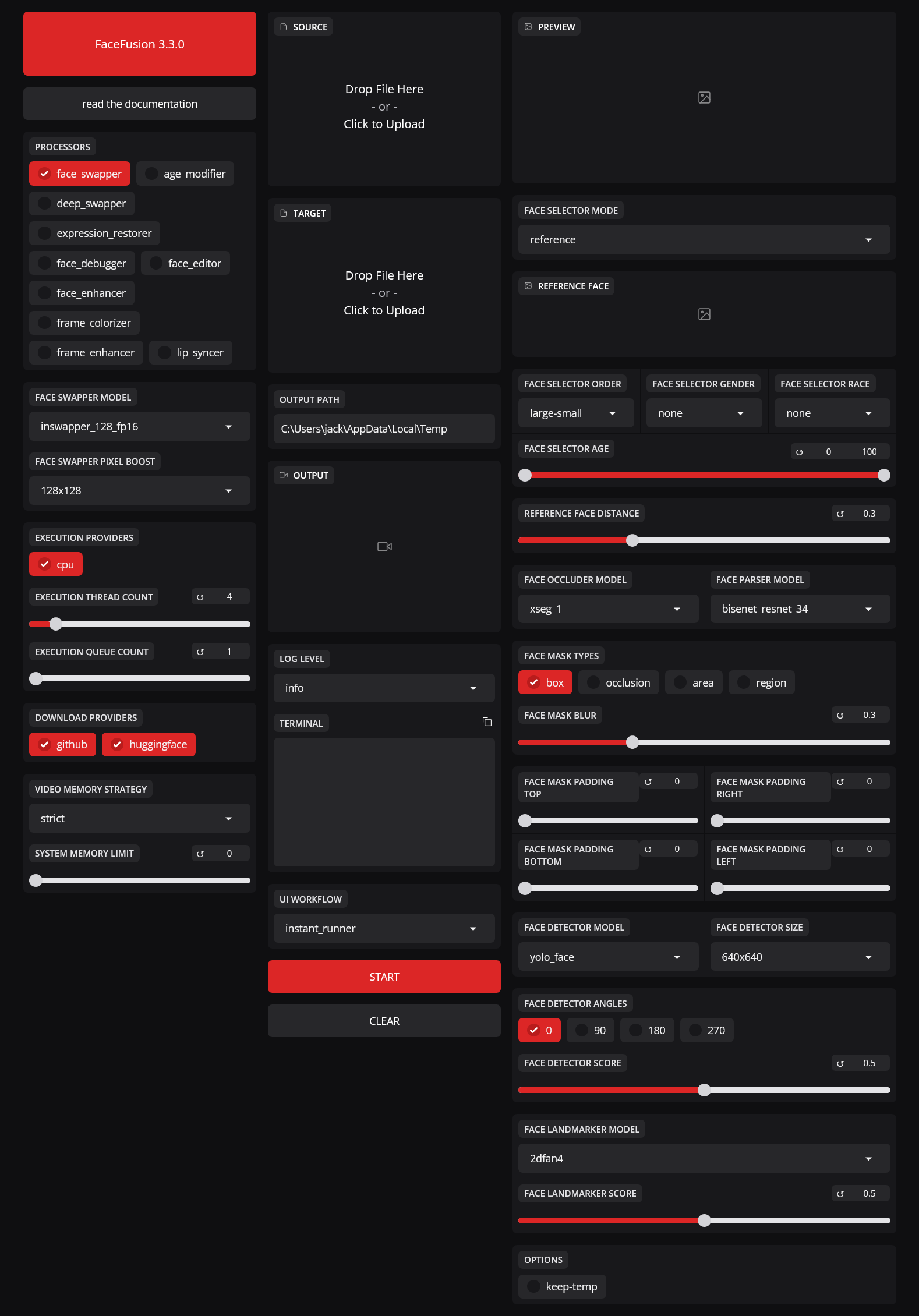
操作比较简单,只需要把源图片拖入Source,把目标视频或者图片拖入Target就行了。我测试使用两个图片进行人脸替换。
Source:

Target:

Output:
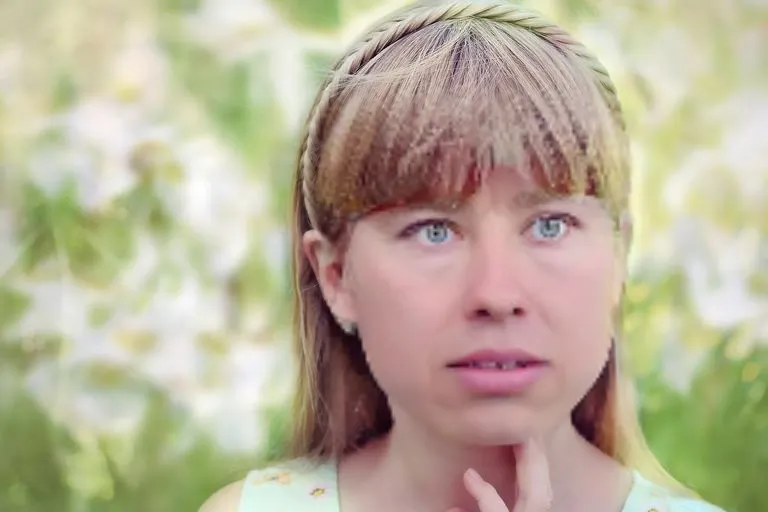
图片来自下面的地址,CC0协议
https://free-images.com/display/man_human_head_face.html
https://free-images.com/display/person_human_girl_face_9.html
我测试使用了I3-10105F CPU,替换一张图片过程大概只需要2-3秒,但是替换视频中的人脸极慢,只有1.81FPS,可能需要几十倍于视频长度的时间。
[FACEFUSION.CORE] Processing step 1 of 1
Analysing: 100%|=======================================================| 3505/3505 [00:05<00:00, 638.99frame/s, rate=0]
[FACEFUSION.CORE] Extracting frames with a resolution of 1280x720 and 59.94005994005994 frames per second
Extracting: 3506frame [01:27, 39.95frame/s]
[FACEFUSION.FACE_SWAPPER] Processing
Processing:   0%|                                  | 17/3506 [00:20<1:10:28,  1.21s/frame, execution_providers=['cpu']]
我测试在A-10 GPU上进行替换,能达到30FPS的速度。需要的时间是视频长度2-3倍差不多。
[FACEFUSION.CORE] Processing step 1 of 1
Analysing: 100%|================| 3505/3505 [00:06<00:00, 561.13frame/s, rate=0]
[FACEFUSION.CORE] Extracting frames with a resolution of 1280x720 and 59.94005994005994 frames per second
Extracting: 3506frame [00:48, 72.33frame/s]
[FACEFUSION.FACE_SWAPPER] Processing
Processing:   6%| | 194/3506 [00:06<01:43, 32.01frame/s, execution_providers=['cuda']]
facefusion检测到NSFW内容(色情,血腥,暴力,恐怖等)会自动模糊,并且不进行处理。可以通过修改源码来禁用 FaceFusion 的 NSFW 过滤器。
目前3.x 版本需要修改的两个文件是facefusion/content_analyser.py 和 facefusion/core.py,用文本编辑器打开直接修改。
1.修改 content_analyser.py
使用查找功能找到 detect_nsfw 函数,原本类似这样:
def detect_nsfw(vision_frame : VisionFrame) -> bool:
    is_nsfw_1 = detect_with_nsfw_1(vision_frame)
    is_nsfw_2 = detect_with_nsfw_2(vision_frame)
    is_nsfw_3 = detect_with_nsfw_3(vision_frame)

    return is_nsfw_1 and is_nsfw_2 or is_nsfw_1 and is_nsfw_3 or is_nsfw_2 and is_nsfw_3
改成:
def detect_nsfw(vision_frame : VisionFrame) -> bool:
    return False
只保留 return False,删除其他检测逻辑
2.修改 core.py
找到 common_pre_check 函数,原本类似这样:
def common_pre_check() -> bool:
    content_analyser_content = inspect.getsource(content_analyser).encode()

    return hash_helper.create_hash(content_analyser_content) == '068a6158'
改成
def common_pre_check() -> bool:
    return True
让它永远返回 True,跳过哈希校验
3.清理缓存并重启
完全关闭 FaceFusion。删除源码目录下所有 __pycache__ 文件夹
重新启动 FaceFusion,NSFW 检测就被彻底绕过。